What matters when choosing?
Decide where calls will happen before choosing connectivity. Then test whether your relative can see, answer and stay on a call with the tablet supported in its usual position.
Wi-Fi tablet
Choose when: Calls mainly happen where dependable Wi-Fi is already available.
Trade-off: The tablet relies on a usable Wi-Fi connection and cannot connect directly to mobile data away from it.
Cellular-enabled tablet
Choose when: Calls regularly need to work beyond dependable Wi-Fi.
Trade-off: Direct mobile data requires suitable coverage and a plan with terms that fit the calls.
| Concern |
What to check |
Who this matters to |
| Repeatable call setup |
Try the exact app and account, including sign-in, incoming calls and the screen after it locks. Check controls at the preferred display size. |
If prompts or small controls interrupt calls, I need a familiar way to reach and answer the right person. Around 33% of consumers put a simple, repeatable calling routine first. |
| Supported, readable viewing |
Check stand-case fit and stability at the usual seat; test viewing angle, glare and sound during a call. |
When holding a device is uncomfortable, I need to see and hear my relative without keeping the tablet in my hands. For around 27% of consumers, stable hands-free viewing is the primary concern. |
| Calls away from Wi-Fi |
For a cellular model, check the intended network at each regular postcode and review the data allowance and plan terms. |
If calls happen in several places, I need them to work when dependable Wi-Fi is unavailable. Connectivity beyond Wi-Fi comes first for around 20% of consumers. |
| Ongoing ownership |
Check the stand case, charger arrangements and any data plan. For a refurbished tablet, confirm its exact model, app compatibility, condition and seller terms. |
I want a calling setup that remains manageable after the tablet is bought, including its accessories and any continuing connection. Around 20% of consumers prioritise that ownership consideration. |
Joybuy tablets for this setup
These tablets cover Wi-Fi calling from a regular location and one cellular-capable option for calls away from Wi-Fi. Choose a compatible stand and test your relative's calling routine separately; a tablet's screen size or connection type alone cannot establish that the full setup will work for them.
 No image available
Samsung Galaxy Tab A11+ 8GB/256GB Wi-Fi, Grey
Consider this for calls from a room with dependable Wi-Fi, with the tablet supported rather than held throughout the call.
The named variant has 8GB memory and 256GB storage. Check a stand case against the exact model and try the intended app's incoming-call routine.
View on Joybuy
 No image available
Xiaomi Pad 8 8GB/128GB Wi-Fi, Grey
This Wi-Fi variant is worth considering for regular calls at a location with a dependable connection.
Its name specifies 8GB memory and 128GB storage. Check the intended app and account, a compatible stand case and the charger arrangement; try sound and camera framing from the usual seat.
View on Joybuy
 No image available
TABWEE W90 11-inch Android 16 4G LTE tablet, 256GB
Consider this cellular-capable option if calls need to work away from dependable Wi-Fi, subject to network compatibility and coverage where it will be used.
The named variant includes dual 4G SIM capability and 5G Wi-Fi; 5G Wi-Fi does not mean 5G mobile connectivity. Confirm its exact configuration, data-plan terms, calling app and a compatible stand case.
View on Joybuy
 No image available
DOOGEE U11 11-inch Android 15 Wi-Fi tablet, Blue
Its Wi-Fi configuration is relevant to calls from a location where the connection is dependable.
The name specifies an 11-inch screen and Android 15. Confirm the processor configuration before ordering, and test the calling app at the preferred display settings with a stand case that fits the U11.
View on Joybuy
 No image available
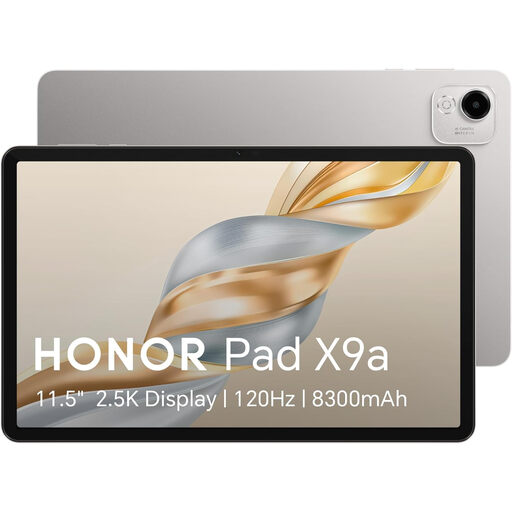
HONOR Pad X9a 11.45-inch Wi-Fi, 128GB, Grey
This Wi-Fi-only variant is for consideration where calls can use a dependable existing connection, rather than direct mobile data.
Its name specifies an 11.45-inch screen and 128GB storage. Check a stable, model-compatible stand and test call framing, sound and the chosen app from the relative's usual position.
View on Joybuy
Questions before you buy
What should we test if the tablet is mainly for one calling app?
Make an incoming and an outgoing call using the intended account and contacts. Check sign-in, permissions, speaker volume, camera framing and what happens after the screen locks. Apple Support's Assistive Access setup may need help from a trusted supporter, and Google notes that Android text enlargement does not apply to every app.
When is a Wi-Fi tablet enough for family video calls?
A Wi-Fi tablet is a sensible starting point when calls take place where the connection is dependable. If calls also need to work beyond that connection, consider a cellular-capable model only after checking the intended provider's coverage at the relevant postcodes; Ofcom provides a checker for that purpose.
How do we choose a data plan for a cellular tablet?
Base the allowance on likely video-call use and any existing usage information, then read the plan's fair-use, speed and roaming terms. Ofcom advises comparing a set allowance with unlimited data rather than assuming unlimited use is necessary.
What if a tablet bought in the UK is faulty or misdescribed?
Contact the seller and keep the listing, order confirmation and evidence of the problem. GOV.UK says a seller must offer a full refund if an item is faulty, not as described or does not do what it is supposed to do; a change-of-mind return is a different question from a remedy for a fault.


