What matters when choosing?
Decide how you will get live information during the transfer, then weigh outdoor use, carrying comfort and the space you want for reading journey details.
| Concern |
What to check |
Who this matters to |
| Live connectivity |
Confirm whether the exact variant supports mobile data, how it uses a SIM or eSIM, and expected coverage on your route. |
If my train connection changes after the ferry arrives, I need to refresh it without depending on terminal Wi-Fi. Around 36% of consumers put independent access to live information first. |
| Outdoor viewing and protection |
Check the exact model’s stated display brightness and any ingress rating, including the manufacturer’s conditions. |
When I check a route outside with wet luggage nearby, I want a screen I can read and protection suited to that exposure. Roughly 29% of consumers prioritise outdoor viewing and resilience. |
| Carry burden |
Compare dimensions and stated tablet weight, then account for any case or keyboard you intend to carry. |
Moving between ferry and train with bags, I would rather hold and stow a smaller device, even if fewer details fit on screen. Around 21% of consumers put easy carrying first. |
| Planning space |
Compare screen size and connectivity; check whether a stand suits the places where you plan to use the tablet. |
I usually plan before reaching the terminal and want more room to read routes, while accepting Wi-Fi or phone tethering for later changes. About 14% of consumers prioritise that planning space. |
Joybuy tablet choices
These tablets include models listed with cellular connectivity for checking changes on the move, larger screens for reading journey details, and an 11-inch option whose connectivity should be confirmed before relying on it for live updates. For any cellular model, check the data arrangement and coverage on your route.
 No image available
TABWEE W90 11-inch dual 4G SIM tablet
Consider this model if you want an 11-inch screen and a stated mobile-data option for connection checks away from Wi-Fi.
The title lists dual 4G SIM connectivity and 5G Wi-Fi; 5G Wi-Fi does not mean 5G cellular. Confirm the operating-system version, SIM arrangement and outdoor-use specifications before choosing this variant.
View on Joybuy
 No image available
TECLAST ArtPad Pro 12.7-inch 2K tablet, 2025 edition
Consider this larger-screen route if you want room to read journey details and intend to arrange mobile data for changes while travelling.
The product title lists a 12.7-inch 2K display, dual SIM 4G LTE and 5G Wi-Fi. Check its carried weight and outdoor-use specifications if you will use it while standing or outside.
View on Joybuy
 No image available
TECLAST T65 Plus 13.4-inch dual SIM 4G LTE tablet
This model offers a large viewing area for connection details, provided its size suits the way you will carry and use it at the terminal.
The title lists a 13.4-inch 120Hz display, dual SIM 4G LTE and 5G Wi-Fi. Reconcile the exact cellular variant and SIM arrangement on the product page before depending on mobile data.
View on Joybuy
 No image available
Apple iPad Pro 13-inch (M5), Wi-Fi + Cellular, 1TB, Standard Glass, Silver
Consider this variant if you want a 13-inch planning screen and cellular capability, and can comfortably carry a tablet of that size during transfers.
The title identifies Wi-Fi + Cellular, 1TB storage and Standard Glass. A suitable mobile-data arrangement and usable local coverage are still needed for live updates.
View on Joybuy
 No image available
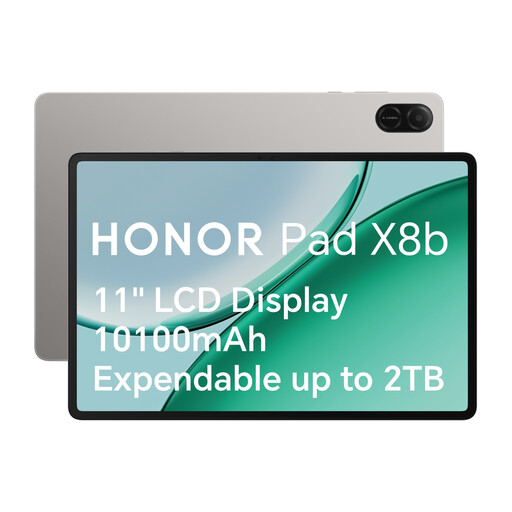
HONOR Pad X8b 128GB, Space Grey
Consider this tablet for reading journey details, but confirm its exact connectivity variant if you need updates without Wi-Fi or a phone hotspot.
The title identifies the 128GB Space Grey variant. If you expect outdoor use, check the model’s display and water-exposure guidance rather than assuming it has an IP rating.
View on Joybuy
Common questions
Is a Wi-Fi-only tablet enough for planning a train connection?
Yes, if you plan ahead and can use a dependable phone hotspot or suitable Wi-Fi when plans change. National Rail provides real-time train-running information, but a Wi-Fi-only tablet needs another connection to refresh it; the National Cyber Security Centre also advises caution on insecure public Wi-Fi.
Do I need 5G at a ferry terminal?
No particular mobile-network generation guarantees the connection you need at a ferry terminal. If independent updates matter, check the exact tablet’s cellular capability, compatible data arrangement and expected coverage along your route; a 5G-capable device alone cannot establish local reception.
Can I use a tablet with the National Rail app?
National Rail says its app is available for Apple and Android devices and supports journey planning, timetables and real-time train-running information. Check the app’s current operating-system requirements against the exact tablet, particularly if you are considering an older or refurbished model.
Should I choose an IP-rated tablet for a ferry terminal?
An IP-rated model is worth considering if rain, splashes or wet luggage are a meaningful part of your intended use. Samsung states that the Galaxy Tab S10 FE family has IP68-rated water and dust resistance, but that rating does not apply to tablets generally or cover every kind of exposure; follow the exact model’s guidance and consider a protective case.


