What matters when choosing?
Decide how the tablet will get online before comparing screens or accessories: a cellular model can use its own suitable data plan, while a Wi-Fi model needs a working hotspot or another connection for live updates.
| Concern |
What to check |
Who this matters to |
| Independent connection |
Confirm the exact tablet variant supports cellular data and a suitable UK or roaming plan; otherwise, test phone tethering. |
If my connection changes while I am away from terminal Wi-Fi, I need another way to open my booking. Around 33% of consumers may put independent access first. |
| Outdoor viewing and protection |
Check the exact model’s stated brightness and any applicable ingress rating; neither replaces care around water. |
When I need to read an update outside, glare and exposure matter more to me than an extra connection option. Outdoor viewing and protection may come first for around 27% of consumers. |
| Documents and browser access |
Check screen size, the available connection and whether your required apps or browser services work on the device. |
I already use my phone for data and mainly want more room for confirmations or documents. That larger-screen need may lead the decision for around 20% of consumers. |
| Travel-day readiness |
Check the included charging accessories and carry a suitable cable; review the airline’s device instructions. |
I need the tablet to stay usable through the terminal and onward journey, not run flat before I reach the airport. Around 20% of consumers may make charging and travel readiness their first concern. |
Joybuy tablet options
These tablets offer either a stated 4G mobile-data option or a setup for travel checks using another connection. For a flight connection, confirm mobile-network compatibility where relevant and check your required apps before choosing.
 No image available
TABWEE W90 11-inch tablet, dual 4G SIM, 256GB
Consider this if you want a tablet mobile-data option for live flight checks rather than relying solely on terminal Wi-Fi.
The title specifies dual 4G SIM support and 5G Wi-Fi; 5G Wi-Fi does not mean 5G mobile service. Check its mobile bands against your UK or roaming provider and confirm the apps you need. Confirm the battery specification before relying on a stated capacity.
View on Joybuy
 No image available
Xiaomi Pad 8, 8GB/128GB Wi-Fi, Grey
This Wi-Fi variant suits flight and booking checks when you can provide a tested phone hotspot or another connection.
Confirm that your airline and booking apps work on the tablet before travelling; Wi-Fi alone is not an independent mobile-data fallback.
View on Joybuy
 No image available
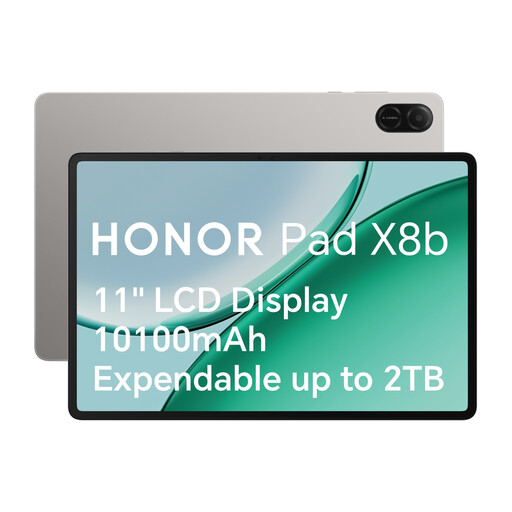
HONOR Pad X8b 128GB, Space Grey
Consider this for reading travel information on a tablet alongside a connection you have arranged and tested.
Check the exact connectivity configuration and confirm that your airline and booking apps work before depending on it at the terminal.
View on Joybuy
 No image available
TABWEE T20 10.1-inch tablet with keyboard, mouse and stylus
Its 10.1-inch screen may suit occasional document and flight checks if you have a tested connection available.
Confirm the operating-system version and compatibility with your travel apps before purchase. Do not rely on an untested Wi-Fi connection for live changes.
View on Joybuy
 No image available
TECLAST ArtPad Pro 2025 Edition, 12.7-inch 2K, dual SIM 4G LTE, with stylus
Consider this if you want a mobile-data option and a substantially larger display for travel information; the 12.7-inch format is a different carrying choice from a roughly 10–11-inch tablet.
The title specifies dual SIM 4G LTE and 5G Wi-Fi, not 5G mobile service. Check mobile-band compatibility with your provider, along with the weight, outdoor-viewing requirements and apps you need.
View on Joybuy
Questions about travelling with a tablet
Can I rely on ferry-terminal Wi-Fi for a flight connection?
Use it as one connection option, not your only plan for a time-sensitive booking or flight update. Test phone tethering or arrange tablet mobile data beforehand; the UK National Cyber Security Centre warns that insecure public networks can allow data to be intercepted or modified.
When is a cellular tablet worth choosing?
Choose one if the tablet needs its own mobile-data route when terminal Wi-Fi or phone tethering is unsuitable. Apple says Wi-Fi + Cellular iPads can use a data plan when Wi-Fi is unavailable, but you still need the correct tablet variant, a suitable plan and mobile coverage.
Can I take the tablet on my onward flight?
For flights to the UK covered by GOV.UK hand-luggage guidance, tablets are listed as permitted in hand and hold luggage. Keep the device charged: GOV.UK says an electronic device that cannot switch on when requested at security will not be allowed onto the aircraft, and you should check your airline’s instructions too.
Do I need an IP68 tablet at a ferry terminal?
Not unless exposed use makes model-specific water- and dust-resistance important to your choice. Samsung specifies IP68 for the Galaxy Tab S10 FE series, but a rating does not remove the need for a case and care around water.
What should I check before using a tablet for airline apps?
Confirm that your airline, booking and sign-in services work on the exact tablet, then test access before travelling. This matters particularly for Fire tablets because Amazon says they do not support Google Play; if you intend to use a browser instead, test the tasks you will need there.


