Plan reviewers who mark up drawings
If you circle issues, add notes and discuss revisions directly on a floor plan, give the visible drawing area and a compatible pen more attention than laptop-style features you may not use.


Choose the operating system around the drawing workflow: an iPad or Android tablet can suit a confirmed mobile-app workflow, while a Windows 2-in-1 is worth investigating when you need desktop Windows software. For detailed plans and pen markup, compare larger displays and compatible pens against what you are comfortable carrying; before travelling, download any drawings needed offline while you still have a connection.
If you circle issues, add notes and discuss revisions directly on a floor plan, give the visible drawing area and a compatible pen more attention than laptop-style features you may not use.
If your team works in AutoCAD mobile or another confirmed iPadOS or Android app, check that the app handles your actual drawings, sharing steps and account access. Autodesk describes mobile workflows for viewing, editing and sharing DWG files.
If hotel-room work requires a Windows application, keyboard-led file management or desktop-style multitasking as well as touch review on site, assess a Windows 2-in-1 against the exact software and processor requirements.
Consider it when: Your team can complete plan review in iPad-compatible apps and you want a tablet-first pen workflow. Apple offers the iPad Air in 11-inch and 13-inch formats with Apple Pencil Pro support.
Trade-off: Confirm the Pencil needed for the chosen tablet and whether any desktop-only project software has an acceptable iPadOS workflow.
Consider it when: Your project apps work on Android and you can choose a screen and pen setup that suits the drawings. Lenovo lists a 13-inch Yoga Tab Plus Gen 2 with Tab Pen Pro 2; Samsung offers S Pen input on the 11-inch Galaxy Tab S11.
Trade-off: Check the exact drawing and storage apps, pen bundle and connectivity variant rather than assuming they are shared across Android tablets.
Consider it when: Your review depends on a Windows application or regular keyboard use. Microsoft describes the 13-inch Surface Pro as a Windows 11 device supporting keyboard, touch, voice and pen input.
Trade-off: Check accessory inclusion and the required application's processor architecture; Autodesk lists x64 for its Windows AutoCAD mobile path.
| Concern | What to check | Who this matters to |
|---|---|---|
| Drawing and app compatibility | Test a representative drawing, its references and fonts, project sign-in, markup and export on the intended operating system. For required Windows software, check the exact processor architecture. | If I cannot open the project drawing and complete its review workflow, screen size will not rescue the purchase. Roughly 42% of consumers would put app and file compatibility first. |
| Plan area and pen markup | Compare the drawing at your usual viewing scale and confirm that the exact pen works with both the tablet and annotation app. | When I need to read small labels and mark revisions, I want enough visible plan area without constant zooming. Around 33% of consumers would prioritise readable detail and workable pen input. |
| Travel and offline access | Download drawings while connected, open them offline and agree how project files will be accessed securely. Check whether the chosen variant has Wi-Fi only or mobile data. | Moving between the hotel and site, I need my plans available even if the connection fails. About 25% of consumers would make travel-ready access their main concern. |
Autodesk lists operating-system requirements for AutoCAD mobile, but meeting them does not establish that your particular files, references, fonts or company sign-in will work.
Open a representative project and complete its review, markup, export and sync steps on the intended platform before choosing the tablet.
Autodesk says AutoCAD mobile drawings must be downloaded while online for offline use. The National Cyber Security Centre also cautions that public hotel Wi-Fi is less secure than a private WPA2 network.
Download and open the required plans offline before travelling, and follow your organisation's approved process for connecting to project services.
Bundles differ. Samsung says the Galaxy Tab S11 includes an S Pen and USB-C cable but not a travel adapter; Apple presents Apple Pencil Pro as a compatible iPad Air accessory, while Microsoft offers Surface keyboard and Slim Pen options.
Check the contents of the exact tablet configuration alongside the pen, keyboard and charging equipment your workflow needs.
A separate pen, keyboard or suitable charging adapter may be needed to complete the working setup.
An 11-inch screen offers less visible drawing area than the 13-inch iPad Air or Lenovo Yoga Tab Plus Gen 2, even if the smaller format is preferable to carry.
Compare a representative plan on both sizes at your normal viewing scale, especially if you inspect dimensions or add dense annotations.
Apple offers the iPad Air in 11-inch and 13-inch formats for an iPadOS-based plan-review workflow.
The Galaxy Tab S11 offers an 11-inch Android route, with Wi-Fi and 5G configurations in Samsung's UK range.
The Yoga Tab Plus Gen 2 is a large-screen Android option to assess for detailed drawings.
The 13-inch Surface Pro is a Windows 11 2-in-1 route for work that needs more than a mobile drawing app.
These iPadOS and Android tablets are choices to assess for mobile floor-plan viewing and markup. Check your project files and apps on the exact device, and confirm the pen bundle before relying on any model for site work.
 No image available
Consider this Android tablet if you want a larger screen for plans and a T-Pen-compatible markup route. The title lists a 12.7-inch 2K display, Android 15, 256GB storage and dual-SIM 4G LTE; confirm the pen supplied and test your drawing apps and files on this device.
 No image available
This 13-inch iPadOS option is worth assessing when a larger plan view and an iPad-compatible workflow matter. The listed configuration has 1TB storage, Wi-Fi + Cellular and Standard Glass; confirm your apps, files and authentication work and whether the compatible pen is supplied.
 No image available
Assess this configuration for larger-screen Android plan review when the named case is useful. Its title specifies a 12.7-inch 2K display, 256GB storage, 4G LTE and T-Pen compatibility; confirm the exact pen and package contents, then test the project workflow.
 No image available
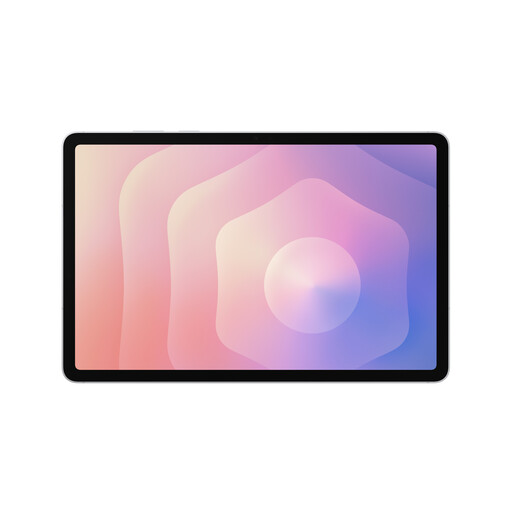
Consider this 11-inch model if a smaller tablet suits travel between the hotel and site. The title identifies a Wi-Fi configuration, and Samsung says the Galaxy Tab S11 includes an S Pen; prepare drawings for offline access and check your project apps before purchase.
 No image available
Assess this smaller-format Android option if carrying size matters more than a 13-inch plan view. The product information identifies an 11.2-inch display and Wi-Fi connectivity, while the title claims a Focus Pen is included; confirm the exact pen, bundle and annotation-app compatibility.
No: choose by how much of your actual drawing you need to see at once and how often you carry the tablet. A 13-inch model offers more visible plan area than an 11-inch model; compare a representative plan at your usual viewing scale before deciding.
Yes, if your app supports offline access and you prepare the files while connected. For AutoCAD mobile, Autodesk says an internet connection is required to download a drawing for offline use; check that it opens offline before travelling and that changes sync after reconnecting.
No; check the exact pen against both the tablet model and the annotation app. Apple lists Apple Pencil Pro support for the current iPad Air, Samsung lists S Pen support for the Galaxy Tab S11 series, and Lenovo lists Tab Pen Pro 2 with the Yoga Tab Plus Gen 2.
Use the connection only in line with your organisation's security process. The National Cyber Security Centre says a private WPA2 network is more secure than public hotel Wi-Fi and calls for a software firewall on devices used on untrusted networks; follow your organisation's approved access method for project files.