Café readers who travel light
If most of your collections are reflowable ebooks, a compact tablet is easier to fit into a small bag and hold during a shorter reading session. Check that its screen still accommodates your preferred text size.


Choose a compact tablet if you mainly read single-column ebooks and want something easy to carry between cafés. An 11-inch or larger screen gives PDFs, illustrations and notes more room, but takes up more space in your bag and at the table. Before choosing either, check your reading apps, the exact device weight and how the screen looks in the lighting where you expect to read.
If most of your collections are reflowable ebooks, a compact tablet is easier to fit into a small bag and hold during a shorter reading session. Check that its screen still accommodates your preferred text size.
Footnotes, maps and scanned pages make screen area more important. An 11-inch or larger tablet is worth considering if you want to inspect illustrations or keep notes alongside the text, provided its size works at your usual café table.
If your books come from an ebook service or public library, check that the exact apps work on the tablet. Consider storage for downloaded files, and check the contents of the particular bundle if you need a pen or power adapter.
Start with the format of the folklore collections you actually read: flowing ebook text places different demands on a screen from scanned pages with illustrations and footnotes. Then weigh carrying comfort against page area and check how you will access your books.
| Concern | What to check | Who this matters to |
|---|---|---|
| Carrying and holding | Compare the stated weight and screen size of the exact variant; try your preferred text size if possible. | If I usually read flowing text between stops, I want a device I can bring along and hold comfortably. Around 40% of consumers put easy carrying first. |
| Page area and notes | Open a sample scanned page in your intended app; check screen size and whether the specific bundle includes a pen. | When a collection has maps, illustrations or dense footnotes, I would rather see more of the page than keep zooming. About 30% of consumers prioritise larger pages and annotation. |
| Reading-service access | Confirm your ebook, library and PDF apps are available; check storage and the supported means of keeping files offline. | I need my existing books and library loans to open on the device, including files saved before a café visit. Roughly 30% of consumers place service access and offline files first. |
A larger display gives scanned pages more room, but the device may be less comfortable to carry or hold. Apple lists its iPad mini Wi-Fi model at 293 g, while OnePlus lists the Pad Go 2 Wi-Fi variant at 597 g; those figures apply to the stated variants.
Decide whether you usually read flowing ebook text or page-fixed scans, then compare both the screen and the weight of the models you are considering.
An established ebook or library routine may not transfer unchanged. Amazon states that Google Play is not supported on Fire tablets.
Check the supported app store for the exact ebook, audiobook, library and PDF services you use before choosing a Fire tablet or another platform.
Changing services can also mean reorganising where you keep and access your reading files.
Accessory contents vary by model and bundle. HONOR says the Pad 10 stylus is separate, Amazon says its listed Fire HD 10 configuration has no power adapter, and Lenovo shows differing Tab M11 bundles.
Read the contents of the exact listing, particularly if you plan to annotate scans or need a compatible charger.
Downloaded ebooks and PDFs can be read without a live connection. If you need to fetch books while away from Wi-Fi, a cellular model is another option, subject to the connectivity of its exact variant and your network.
Try downloading the material you need before leaving. Consider cellular connectivity if access while you are out is important to your reading routine.
These product lines illustrate different screen, portability and app-access considerations; the right fit depends on your files and reading routine.
The iPad mini is a compact route for readers who put carrying comfort ahead of a large page view.
The Tab M11 line is relevant if you want an 11-inch page view for PDFs and reference reading.
The Pad Go 2 offers a larger display for readers who spend time with illustrated pages and reference material.
The Pad 10 is another large-screen option to consider for full pages and reference reading.
The Fire HD 10 is a reading and media option when its supported apps cover your book and library services.
These tablets offer several approaches to café reading, from a compact screen or an E Ink notebook to larger displays for pages and notes. Check the format of your books, your required services and each model’s accessories before deciding.
 No image available
Consider this E Ink notebook if you prefer that type of screen for reading and want to take handwritten notes. Check whether your book and library services work with it, and whether your usual café lighting suits the display.
The product name specifies a 10.65-inch E Ink screen, a 4.2 mm device thickness and a protective case in the offer.
 No image available
Its compact format is worth considering if you mainly read flowing text and want a smaller tablet to carry. Check that your preferred app and text size work for you on the screen; large scanned pages may call for more viewing area.
This listing identifies the A17 Pro variant with 512 GB storage. If you intend to annotate, confirm the compatible pencil and whether it is included in the particular offer.
 No image available
The included Focus Pen makes this configuration worth a look if you want to mark up reading material. Check how your scanned pages display in your chosen app, as well as the tablet’s carrying weight.
The product name specifies 8 GB RAM and 128 GB storage. Check the bundle contents for the charging equipment you need.
 No image available
Consider its larger screen if your folklore collections contain full-page illustrations or you want room for handwritten notes. Before choosing it for frequent café trips, check its weight, screen appearance in your usual lighting and access to your reading services.
The product name specifies a 12.7-inch 2K display, 256 GB storage, an included stylus and dual-SIM 4G LTE connectivity.
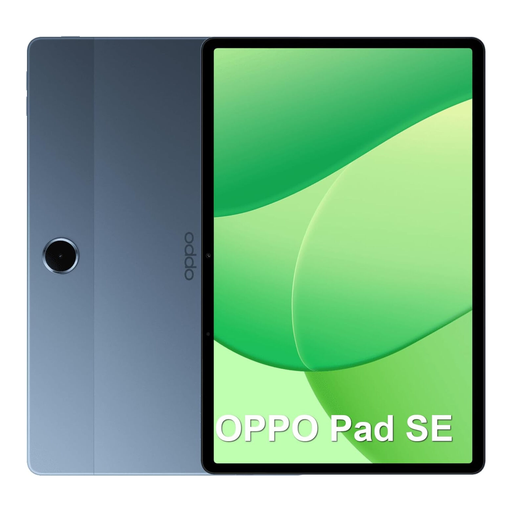 No image available
Consider this Wi-Fi tablet if you want a general-purpose device for books as well as other use. Confirm that your reading and library apps work on the exact model, and check its weight if you plan to carry it often.
The product name specifies 4 GB memory, 128 GB storage and Wi-Fi connectivity. Check pen compatibility separately if annotation matters to you.
No, not if you download your ebooks and PDFs before going out. Cellular connectivity is useful when you regularly need to fetch material away from Wi-Fi; check the connectivity of the exact variant and whether your network serves the places where you read.
No. More screen area can help with scans, illustrations and notes, but carrying and holding the tablet matter too. Apple lists its iPad mini Wi-Fi model at 293 g and OnePlus lists the Pad Go 2 Wi-Fi variant at 597 g, so compare the specific models alongside a sample of the pages you read.
Not necessarily. Check your exact services and required apps on the device’s supported app store before buying. Amazon states that Google Play is not supported on Fire tablets, which makes this check particularly important if your current reading routine depends on a Google Play app.