For astronomy books with fixed-layout PDFs, colour star charts or detailed photographs, start by comparing large colour tablets: screen area helps you enlarge a page while keeping more of its diagrams in view. If you mainly read books whose text adjusts to the screen, a roughly 10-inch E Ink reader offers adjustable type and lighting, but check how your actual titles handle PDFs. A smaller eReader makes more sense when portability matters more than viewing full-page illustrations.
Who each reading setup suits
PDF atlas and chart readers
If your astronomy books contain scanned pages, star charts or colour diagrams, compare large colour screens with a sample of your own material. Enlarging a fixed page can make labels easier to see while leaving less of the chart visible.
Long-session large-text readers
If you mostly read text that adjusts to the screen, compare a larger E Ink reader’s font, spacing and lighting controls. Rakuten Kobo says its text-size controls do not change the font size in PDFs, so confirm your books’ formats before choosing this route.
Readers who annotate as they study
If you mark passages or keep observing notes, compare pen support and the way your reading app handles annotations. Apple lists Pencil support for the iPad Air, while Rakuten Kobo lists PDF and eBook markup for the Elipsa 2E; neither establishes how every individual title will behave.
What matters when choosing
Decide whether your hardest-to-read material is a fixed page or text that adjusts to the screen, then assess display size, reading controls and notes against that format.
| Concern |
What to check |
Who this matters to |
| PDFs and diagrams |
Open a representative atlas or PDF on the exact device; check chart labels after zooming and how much of the page remains visible. |
When a star chart fills a fixed page, I need its labels enlarged without losing track of the surrounding diagram. Around 42% of consumers put PDF and chart legibility first. |
| Large-text reading |
Check whether the title’s text adjusts to the screen, then try its font size, spacing and lighting controls. |
For a long stretch of astronomy prose, I want larger type and lighting I can adjust without repeatedly moving around the page. Comfortable large-text reading comes first for around 33% of consumers. |
| Notes and apps |
Confirm pen inclusion, annotation support in your book or app, and how notes are saved or exported. |
If I work through a book alongside observing notes, I need my annotations to fit the way I study. Around 25% of consumers prioritise notes and app access. |
Buying pitfalls
-
Assuming every book has adjustable text
A text-size setting for an eBook may not work on a fixed-layout scan or PDF. Rakuten Kobo says readers cannot change PDF font size or style using its eReader text controls.
Check the format of the astronomy titles you use, and try a representative page before relying on a device’s font settings.
-
Choosing portability before checking the charts
On a smaller screen, enlarging a detailed chart leaves less of the page visible, so reading its labels may involve more movement around the image.
If atlases and diagrams are central to your reading, compare them on a large colour tablet before choosing a smaller eReader for portability.
-
Assuming pen support means every book can be marked up
Annotation depends on the device, reading app and file. Apple lists Pencil support for the iPad Air, while Rakuten Kobo says the Elipsa 2E includes a stylus and supports eBook and PDF markup.
Check whether a pen comes with the exact device and whether your preferred books allow the notes and exports you need.
A pen may be a separate accessory unless the exact product listing includes one.
-
Overlooking after-sales arrangements for an imported device
A device offered through a non-UK shop may have different seller, warranty and support arrangements from a UK-facing listing.
Before ordering, confirm the seller’s return arrangements, warranty provider, charger arrangement and support available for your location.
Relevant brands to consider
Apple
The 13-inch iPad Air is a colour-tablet reference point for astronomy PDFs, illustrations and reading apps.
- Apple lists a 2732 × 2048 display at 264 ppi, an anti-reflective coating and Pencil support for the 13-inch iPad Air.
- Apple lists the 13-inch Wi-Fi model at 616 g. Apple Support’s screen Zoom can magnify content, but magnification leaves less of a page visible at once.
Samsung
The Galaxy Tab S10 FE+ offers another large colour-tablet format to assess with charts and reading apps.
- Samsung lists a 13.1-inch display and microSD support up to 2 TB for the cited Galaxy Tab S10 FE+.
- Confirm the exact model’s storage, accessories and how your preferred book app displays its PDFs.
Amazon Kindle
Kindle Scribe is a large monochrome E Ink option for text-led reading and handwritten notes.
- Amazon lists a 10.2-inch glare-free, front-lit display, adjustable warm light and larger font sizes.
- Check your illustrated titles on the device: its monochrome display cannot show the colour distinctions in a colour-coded chart.
Kobo
Kobo offers smaller portable eReaders as well as the 10.3-inch Elipsa 2E for larger-page reading and markup.
- Rakuten Kobo lists a glare-free E Ink screen and included Kobo Stylus 2 for the Elipsa 2E, with eBook and PDF markup.
- Rakuten Kobo says PDF font size and style cannot be changed with its eReader text controls. Test fixed-layout astronomy titles before choosing on the strength of adjustable eBook fonts.
BOOX
The Note Air4 C is a 10.3-inch colour ePaper option for readers considering charts alongside Android apps.
- BOOX lists a colour ePaper display, Android 13, 6 GB RAM and 64 GB storage for the Note Air4 C.
- Detailed PDF spreads may still need zooming on a 10.3-inch screen. Check UK seller, charger, warranty and support arrangements before ordering.
Colour tablets on Joybuy
These tablets offer screens to assess for astronomy books with diagrams or colour charts. Neither screen size alone nor a tablet label establishes how your particular PDF or reading app will handle large text, so try a representative title where possible.
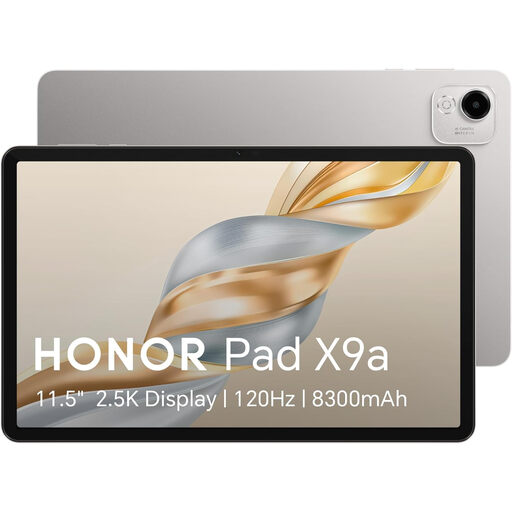 Image unavailable
HONOR Pad X9a 11.45-inch Wi-Fi, 128 GB, Grey
Consider this tablet if you want to assess an 11.45-inch screen for reading astronomy material. Check your preferred app’s large-text controls and test a fixed-layout PDF before choosing it for charts.
The listed version has 128 GB of storage and Wi-Fi connectivity; it has no SIM slot for mobile data.
View on Joybuy
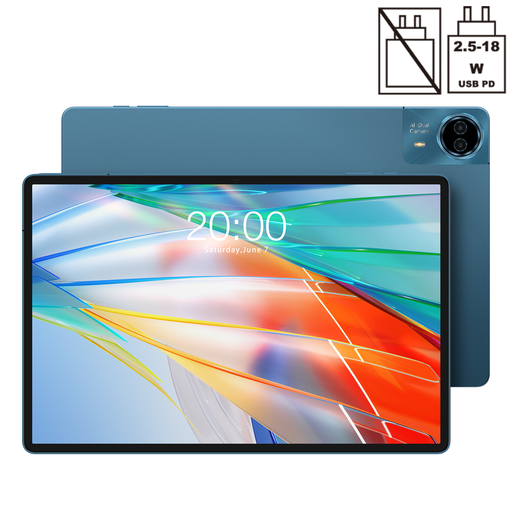 Image unavailable
TECLAST T70 14-inch, 2.2K, 128 GB
Consider its 14-inch display if keeping more of an astronomy page in view matters to you. Test a representative PDF for text enlargement and chart navigation, and check its weight if you plan to read while holding it.
The product title specifies a 2240 × 1400 display, 128 GB of storage and Android 15.
View on Joybuy
Frequently asked questions
Will an eReader’s larger font setting work with every astronomy book?
No: it depends on the book’s format. Rakuten Kobo says its eReader text controls cannot change the font size or style in a PDF, so check whether your title has adjustable text and try a sample before buying primarily for large print.
What screen size should I compare for astronomy PDFs?
Start by comparing large colour tablets if your PDFs contain detailed charts or scanned pages, because enlarging a fixed page reduces how much remains visible. A roughly 10-inch E Ink device may suit text-led reading and notes, but test your own diagrams on it before deciding.
Can an iPad magnify a book when its app has no larger-text option?
Apple Support says iPad Zoom can magnify the whole screen or a selected area. This enlarges what you see rather than making every PDF’s text adjust to the screen, so you may need to move around a magnified page.
Does a tablet warranty replace my rights if the device is faulty?
No. Citizens Advice distinguishes a manufacturer’s warranty or guarantee from legal rights concerning faulty goods. Keep your order details and contact the seller about the fault; check any separate warranty for what it covers.


