What to check before buying
Start with how you will keep notes available throughout the event; then decide whether outdoor visibility or full-page reading and annotation places the greater demand on the screen.
| Concern |
What to check |
Who this matters to |
| Power away from sockets |
Check the exact variant’s battery capacity and charging requirements. Plan a compatible charging option for the full event window. |
I need my notes available from setup through the last cue, even without a nearby socket. Around 42% of consumers put dependable untethered use first. |
| Visibility and exposure |
Check stated brightness modes or anti-glare treatment, and look for a model-specific water and dust rating if exposure is likely. |
If I work in bright light or where rain and dust are possible, I need to see my notes and account for those conditions. Roughly 33% of consumers prioritise visibility and resilience. |
| Page reading and annotation |
Check display size and finish, exact pen compatibility and inclusion, and whether your note app opens the required files. |
When I follow a long script and mark up changes, I need enough page space and a pen setup that works with my files. For around 25% of consumers, reading and annotation come first. |
Relevant brands for reference
These model lines illustrate different choices for event-note viewing; check the exact configuration and accessories rather than assuming a feature applies to every tablet from a brand.
Apple
The 11-inch iPad Air is a compact option for people whose event-note workflow uses Apple apps and who may want to annotate with a compatible Apple Pencil.
- Apple lists the 11-inch Wi-Fi model at 464 g, with a 500-nit anti-reflective display and support for Apple Pencil Pro.
- Check which Pencil your exact iPad Air supports and whether you need to obtain it separately.
Samsung
The Galaxy Tab S10 FE is an Android option to consider when notes may be viewed in brighter or more exposed event settings.
- Samsung states that the S10 FE has a 10.9-inch display, an 8,000 mAh battery, up to 800 nits in High Brightness Mode and IP68-rated water and dust resistance.
- High Brightness Mode is not a promise of readability in every outdoor condition. Samsung says the S10 FE and FE+ do not include a travel adaptor.
Lenovo
The Tab P12 with Matte Display is a larger-screen Android option for reading long scripts where reflections are a particular concern.
- Lenovo describes its matte display as anti-glare with constant contrast and lists a 10,200 mAh battery capacity for the Tab P12 line.
- A larger tablet is less compact to carry or hold. Confirm the exact configuration and which pen and charging accessories come with it.
Joybuy products for event notes
These products include an E-Ink note device and tablets with different screen sizes and accessory bundles. Match the exact listing to your event’s lighting, document, annotation and charging requirements.
 Image unavailable
iFLYTEK AINOTE 2 10.65-inch E-Ink tablet with protective case
Consider this note-taking device if an E-Ink screen suits the lighting where you will read and annotate event notes.
The title specifies a 10.65-inch E-Ink screen and a 4.2 mm thickness. Check that your event files open as needed and assess readability under the venue’s lighting before relying on it.
View on Joybuy
 Image unavailable
Xiaomi Pad 7 Gray 8GB/128GB with Focus Pen
This bundle is worth checking if you want to display event notes and make handwritten changes with a pen.
The title lists 8GB RAM, 128GB storage and an included Focus Pen. Confirm the exact bundle contents, charging equipment and compatibility with your note app before the event.
View on Joybuy
 Image unavailable
Xiaomi Pad 8 Pro Gray 12G RAM/512G storage
For displaying event documents, assess this Pad 8 Pro against the lighting and note files you will actually use.
The title identifies the grey 12G RAM and 512G storage variant. If you need handwritten annotation, arrange a compatible pen separately; also check the charging equipment supplied with the exact bundle.
View on Joybuy
 Image unavailable
TECLAST ArtPad Pro 2025 12.7-inch tablet with stylus
Its large screen and listed stylus make this a model to consider for longer scripts with handwritten changes, provided the display suits your event setting.
The title specifies a 12.7-inch 2K display, a 10,000mAh battery, Android 15 and an included stylus. Battery capacity does not establish event runtime; check screen visibility and charging arrangements for your use.
View on Joybuy
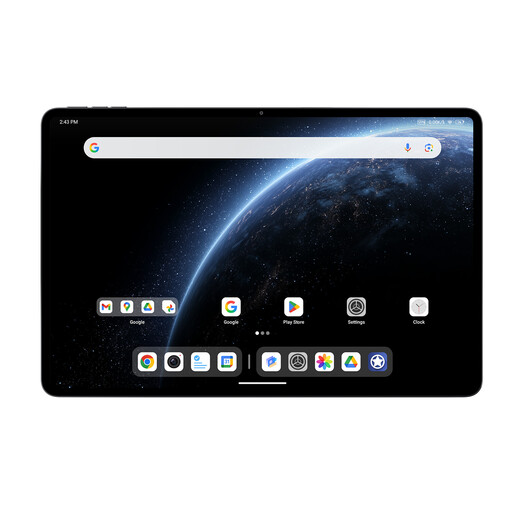 Image unavailable
Alldocube Ultra Pad 12GB/256GB 12.95-inch tablet
Consider the 12.95-inch display if you want more space for long event notes and can accommodate a larger device.
The title lists 12GB memory, 256GB storage and a 15,000mAh battery, but that capacity does not establish runtime for your event. It also says no charger is included; arrange compatible charging equipment and check screen visibility and annotation needs separately.
View on Joybuy
Frequently asked questions
How can I judge whether a tablet will last through an event without mains power?
Test the exact tablet with your note app, intended screen brightness and connectivity settings for a period that reflects the event. A stated battery capacity is useful for comparing models, but it is not a guaranteed number of event-use hours; charge beforehand and plan a compatible backup if needed.
Should I choose a bright display or a matte one for event notes?
Prioritise a stated high-brightness mode if brighter outdoor viewing is your main difficulty, or a matte anti-glare screen if reflections across a larger page view are the bigger issue. Samsung states up to 800 nits in High Brightness Mode for the Galaxy Tab S10 FE; Lenovo describes the Tab P12 with Matte Display as anti-glare. Neither description guarantees readability at every venue.
When does water and dust resistance matter for an event tablet?
Make it a deciding factor when the tablet is likely to face weather, dust or spills. Samsung states IP68-rated water and dust resistance for the Galaxy Tab S10 FE and S10 FE+; check the exact model rather than assuming the rating applies to other tablets.
Will my tablet include a mains charger?
Check the exact model and bundle before relying on one being included. Samsung’s UK purchase information says the Galaxy Tab S10 FE and S10 FE+ do not include a travel adaptor, so plan compatible charging equipment ahead of the event.
What should I check when choosing charging equipment?
Choose equipment compatible with your tablet from a traceable seller, and check current safety alerts and recalls before use. London Fire Brigade warns that counterfeit chargers can cause fires and injury; the Office for Product Safety and Standards provides UK product-safety alerts and recall information.


