Choose a tablet for portable reading, handwritten notes, video calls and lighter coursework when the apps or browser tools you need work on it. Check pen and keyboard compatibility for the exact model before buying accessories. If it would be your only study device, confirm your course requirements first: UWE Bristol and the University of Bristol caution that tablets may not suit primary-device work, particularly where specialist software is needed.
Who a study tablet suits
Handwritten-note and PDF readers
If you mainly carry slides, ebooks and PDFs and write annotations or equations, prioritise comfortable reading and a pen compatible with the exact tablet. Loughborough University IT Services identifies note-taking and access to online resources as useful tablet tasks; Apple Support documents why pen compatibility must be checked by iPad model.
Students doing lighter coursework on the move
A tablet can be considered for short documents, email, browser-based learning systems and calls when those workflows work on your chosen device. Keep access to a computer for tasks that require desktop or specialist software, as advised by UWE Bristol and the University of Bristol.
Students considering a tablet as their only device
Check the course’s named applications and operating-system requirements before relying on a tablet alone. UWE Bristol and the University of Bristol caution against tablets as primary study computers, while the University of Oxford notes the limitations of a small screen and keyboard during extended document work.
What to check before buying
Start with course software if the tablet would be your only device. Then match the screen, input accessories and file-access setup to the work you expect to do away from a desk.
| Concern | What to check | Who this matters to |
|---|
| Reading and handwritten notes |
Check screen size with your course PDFs and confirm that the exact tablet supports the pen and note-taking app you intend to use. |
I want to carry slides and annotate them by hand without struggling to read diagrams; around 31% of consumers put portable reading and handwriting first. |
| Course software |
Ask your course team which applications and operating systems are required, and whether any remote access is available. |
If this will be my only study device, I need to know that assessed work can actually be completed on it. Course-software suitability comes first for around 31% of consumers. |
| Typing and video calls |
Check keyboard compatibility, layout and added weight; try the required call and document workflows. |
When I draft short responses and join classes away from a desk, touch typing and the call setup matter to me; around 23% of consumers prioritise this mobile-work routine. |
| Files and offline access |
Sign in with your institutional account and test opening, editing, downloading and submitting a course file. |
I need current documents on both my tablet and computer, including when a connection is unreliable. Around 15% of consumers make dependable file access their primary concern. |
Common buying mistakes
-
Replacing a laptop before checking course software
A tablet may not run a required desktop application. UWE Bristol and the University of Bristol caution that tablets are not generally suitable as primary study computers.
Ask your course team for named software, operating-system requirements and any remote-access arrangements before committing to a tablet-only setup.
-
Assuming a pen or keyboard fits any tablet
Apple Pencil support varies by iPad model, according to Apple Support. Samsung lists its Book Cover Keyboard Slim for the Galaxy Tab S10 FE+ specifically.
Check the exact tablet and accessory models, and confirm whether the accessory is included with the configuration you choose.
An incompatible accessory may need replacing.
-
Expecting a keyboard case to solve software limitations
A physical keyboard helps with text entry but does not make desktop-only applications available on a tablet. The University of Oxford also cautions about extended work on a small screen.
Choose a keyboard case for mobile typing only after confirming that the coursework itself works on the tablet.
The case also adds carrying weight; Samsung lists its Tab S10 FE+ Book Cover Keyboard Slim at 394 g.
-
Leaving file access until the first deadline
Course files need to open under the right account and remain usable when you are offline. Google Play states that the standard 15 GB Google account allocation is shared across Drive, Gmail and Photos.
Use your institutional account to test file permissions, an edit-and-submit cycle and offline access before depending on the tablet for coursework.
Relevant brands to consider
Apple
iPad models are worth considering when your study apps work on iPadOS and you want documented first-party pen and keyboard options.
- Apple Support lists Apple Pencil compatibility by iPad model; Apple also lists Pencil and Magic Keyboard support for current iPad Air models.
- A Pencil is sold separately, and compatibility differs between iPad generations. Check the exact model and accessory pairing.
Samsung
Galaxy Tab S FE models offer an Android route for students considering a larger display and a model-specific keyboard setup.
- Samsung describes the Galaxy Tab S10 FE+ as having a 13.1-inch display and lists a compatible Book Cover Keyboard Slim for that model.
- The keyboard is model-specific and, according to Samsung, weighs 394 g. Confirm the accessory and the apps your course requires.
Lenovo
Lenovo tablet listings are useful to compare when a pen, keyboard or folio may form part of your study setup.
- Lenovo lists an 11-inch, 8GB/128GB Idea Tab configuration with an optional folio keyboard, as well as Tab M11 bundles containing a pen and UK-English keyboard.
- Accessories vary by configuration. Check the contents of the exact listing rather than assuming a product-family accessory is included.
Joybuy tablets for portable study
These Android tablets provide options to consider for portable reading and lighter mobile tasks. Before choosing one for handwritten notes or as your only study device, check its exact pen compatibility and your course’s software requirements.
 No image available
Samsung Galaxy Tab A11+ 11-inch Wi-Fi, 128GB, grey
Consider this configuration for reading course material and lighter mobile tasks. Confirm pen compatibility and required course apps before relying on it for notes or assessed work.
View on Joybuy
 No image available
Samsung Galaxy Tab A11+ Wi-Fi, 8GB/256GB, grey
Consider this configuration if you want a tablet for portable course reading and mobile-app tasks. Check the exact pen and course-software requirements before making it part of your study setup.
View on Joybuy
 No image available
TABWEE W90 11-inch tablet, 256GB
Consider its 11-inch format for carrying and reading course material. Confirm the Android version, battery capacity, pen compatibility and required apps for this exact item before purchase.
View on Joybuy
 No image available
DOOGEE U11 PRO 11-inch tablet, 256GB, black
Consider this Android tablet for portable reading and lighter mobile tasks. Its title advertises 30GB RAM, while the accompanying product information describes 6GB physical memory plus 24GB expanded memory; check which measure matters to your work. Confirm pen and course-app compatibility separately.
View on Joybuy
 No image available
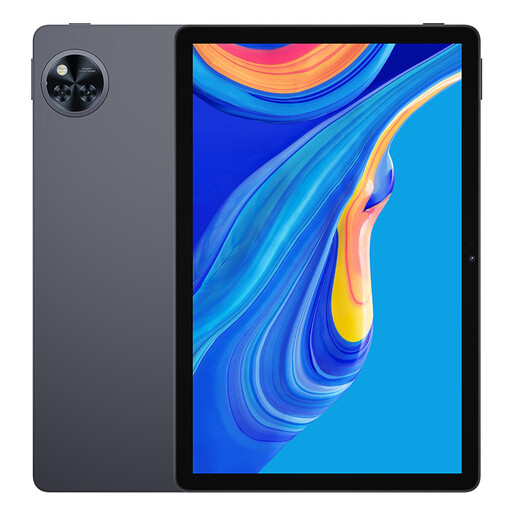
DOOGEE U11 11-inch tablet, 128GB, grey
Consider this Android tablet for reading and lighter tasks away from a desk. Its advertised 16GB RAM includes 12GB expanded memory alongside 4GB physical memory. Confirm the exact processor, pen compatibility and course-app requirements before buying.
View on Joybuy
Questions about study tablets
Can a tablet be my only device for university coursework?
It can serve as your only device only if your course confirms that every required task works through tablet-compatible apps or browser tools. Loughborough University IT Services identifies note-taking and online resources as useful tablet tasks, while UWE Bristol and the University of Bristol caution against relying on tablets as primary study computers where software requirements extend beyond them.
How do I choose a stylus or keyboard case?
Match the accessory to the exact tablet model and generation, and check whether it is included. Apple Support lists Pencil compatibility by iPad model, Samsung specifies the Galaxy Tab S10 FE+ for its corresponding Book Cover Keyboard Slim, and Lenovo distinguishes bundled accessories from optional additions in its listings.
How can I keep coursework files available away from my desk?
Sign in with your actual institutional account, then test opening a course file, editing and uploading it, and accessing an essential document offline. If you use a standard Google account, Google Play states that its 15 GB storage allocation is shared across Drive, Gmail and Photos; check the space and permissions available to your account.


