Hotel-room itinerary planners
If you compare several connections before setting out, a screen you can read comfortably at a desk matters more than it might for a quick station check. National Rail supports journey planning on a tablet.


Choose an approximately 11-inch tablet if you will carry it between the hotel and station and usually check one journey at a time. If you spend longer comparing connections at a hotel desk, consider a larger screen or an integrated stand; whichever format you choose, live rail information needs an internet connection.
If you compare several connections before setting out, a screen you can read comfortably at a desk matters more than it might for a quick station check. National Rail supports journey planning on a tablet.
If you take the tablet from hotel to station, carrying it and getting online both matter. National Rail says its Live Departures and Arrivals service works on an internet-connected device.
If you keep connection details and itinerary notes together, consider whether you would use a stand, keyboard or pen. Check compatibility and what comes with the particular tablet before choosing accessories.
Start with where you will use the tablet most: sustained planning at the hotel desk or shorter checks while travelling. Then decide how it will get online and whether you will use accessories for notes.
| Concern | What to check | Who this matters to |
|---|---|---|
| Desk viewing | Compare screen sizes and decide whether you need an integrated stand or a compatible case. | I spend time at the hotel desk comparing connections and want the screen to stay at a comfortable viewing angle. Around 33% of consumers would put desk viewing first. |
| Carrying and connectivity | Check the exact model’s weight and whether Wi-Fi, a phone hotspot or tablet cellular access suits your trips. | When I move between hotel and station, I want a tablet I can carry and use for current departure information. Around 25% of consumers would make carrying and connectivity their primary concern. |
| Notes and organisation | Confirm pen and keyboard compatibility, package contents and the storage configuration you need. | I keep itinerary details together and would use a pen or keyboard for more than occasional route searches. For around 25% of consumers, organising those details would come first. |
| Security and after-sales checks | Review the seller’s terms and exact package contents; plan how you will access sensitive accounts away from public Wi-Fi. | I want to understand what I am ordering and avoid relying on an insecure connection for account access. Around 17% of consumers would prioritise these checks. |
A bigger display does not by itself give you a stable viewing position for a long planning session at the hotel desk.
If hands-free viewing matters, consider an integrated stand such as the one Lenovo lists for Tab Plus, or check that a separate stand or case fits your exact model.
A separate stand or case adds something else to pack.
National Rail’s live information needs an internet connection; the tablet alone cannot ensure you have one at the hotel or station.
Decide whether the Wi-Fi and phone hotspot access available on your usual trips is sufficient before choosing a cellular model.
The National Cyber Security Centre warns that attackers on public Wi-Fi or insecure networks may intercept or modify data.
Use secure sign-in practices and, where practical, a trusted personal connection for sensitive account activity.
Pen or keyboard compatibility does not establish what a particular tablet package contains.
Check the exact model’s package contents and accessory compatibility before ordering, especially if notes or desk-based typing are part of your plan.
The iPad Air line offers 11-inch and 13-inch options for choosing between a smaller tablet to carry and more screen space at a desk.
The Galaxy Tab S10 FE line is an Android option to consider if pen-based itinerary notes or removable storage matter to you.
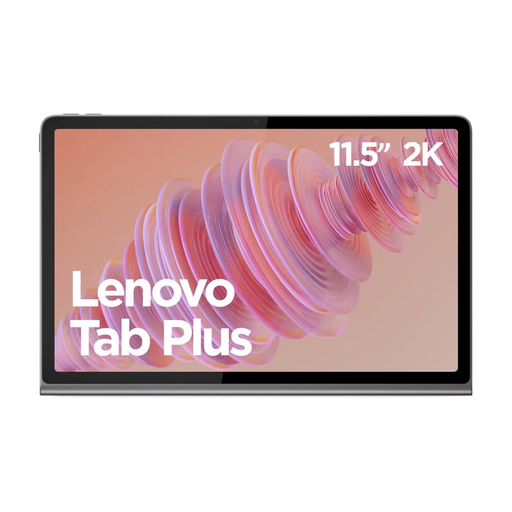
Tab Plus is relevant if the tablet will often sit on a hotel desk while you compare journeys.
These tablets offer different approaches to hotel-desk planning and checks while travelling: an integrated stand, a larger display, or a format to carry between locations. Choose by the features and connection options you will actually use.
 No image available
Consider this Tab Plus if you want the tablet to stand on a hotel desk while you compare connections.
Lenovo lists an 11.5-inch 2K display and a 175-degree integrated kickstand for Tab Plus; this variant is identified as 128GB Grey.
Plan how you will get online for live rail information when you leave the hotel.
 No image available
Consider its larger screen if you mainly plan connections at a desk and want to keep handwritten itinerary notes.
The product title identifies a 12.7-inch 2K display, 256GB storage, an included stylus and dual-SIM 4G LTE connectivity.
If desk positioning or carrying comfort is important, check the stand arrangement and weight for this exact model.
 No image available
Consider this Wi-Fi tablet if hotel access or a phone hotspot covers your journey-planning needs.
The product title identifies 8GB memory and 256GB storage. Live departures still require an internet connection.
If you want hands-free viewing at a desk, check which stand or case fits this model.
 No image available
Consider this 11-inch iPad Air if you expect to carry your journey-planning tablet between the hotel and station.
This is the M4 Wi-Fi variant with 128GB storage in Starlight. Apple offers compatible keyboard and Pencil accessories for the iPad Air line; check compatibility with this model before choosing one.
Arrange Wi-Fi or a phone hotspot when you need live information away from the hotel.
 No image available
Consider this model if you want an 11-inch tablet with a cellular connection option for checking live information away from Wi-Fi.
The product title identifies dual-SIM 4G LTE, Wi-Fi and 256GB storage. A working connection is still necessary for live departures.
Check the battery capacity for this exact variant before ordering, and confirm how you would prop it up for desk use.
An approximately 11-inch tablet is a sensible choice if you mainly check one journey at a time and carry it between locations. If you regularly compare connections for longer periods at a hotel desk, consider a larger display or an integrated stand instead; National Rail supports planning journeys on a tablet.
You do not need cellular if dependable Wi-Fi or a phone hotspot gives you internet access when you check departures. National Rail says its live service works on internet-connected devices, so consider cellular when your usual access arrangements do not cover those checks.
Treat hotel Wi-Fi as a potentially insecure public connection and use secure sign-in practices. The National Cyber Security Centre warns that attackers on public Wi-Fi or insecure networks may intercept or modify data; a trusted personal connection is worth considering for sensitive account activity.
Set up the journey-planning service you intend to use and make sure you can get online when you need current information. National Rail provides a tablet-accessible Journey Planner and an internet-dependent Live Departures and Arrivals service; check your connection arrangement before leaving the hotel.