Choose around the work your team must complete: an iPad Air suits an Apple-based pen and display workflow, a Galaxy Tab S10 FE suits Android-based note-taking, and a Surface Pro is worth considering when required Windows software and sustained typing drive the choice. Before buying, check the exact pen and keyboard bundle, the room display connection, your training apps and how staff will access a shared device.
Who is the tablet for?
Visual session planners
If you sketch agendas or mark up worksheets while moving around the room, check pen compatibility and whether the tablet is comfortable to hold. Apple and Samsung describe pen support for the relevant models, but the exact accessory and bundle still matter.
Desktop-workflow trainers
If you regularly edit lengthy documents or use established work software, assess the keyboard and operating system alongside the screen. Microsoft positions Surface Pro as a Windows device that switches between tablet and laptop use; its keyboard is optional.
Shared-device coordinators
When several staff members use one tablet or it holds participant information, plan authorised access and handover before choosing hardware. The National Cyber Security Centre advises protecting shared business devices with authentication and considering managed security controls.
What matters when choosing?
iPad Air
Consider it when: Your team already works with Apple devices and wants compatible Apple Pencil input or a supported connection to a room display.
Check: The Pencil, keyboard and display adapter needed for the exact model and setup.
Galaxy Tab S10 FE range
Consider it when: Your team uses Android and wants S Pen note-taking, with a choice between the FE and larger FE+ screens described by Samsung.
Check: The UK variant, keyboard arrangement and compatibility with your organisation’s apps.
Surface Pro
Consider it when: Windows software and substantial keyboard work are central to preparing sessions.
Check: Microsoft sells the keyboard and Slim Pen separately; test required software on the configuration you select.
| Concern |
What to check |
Who this matters to |
| Handwritten planning |
Check pen compatibility and inclusion for the exact variant, then test your note or PDF app. |
If I revise agendas by hand during room setup, I need a pen workflow that fits those materials. Around 29% of consumers put annotation first. |
| Typing and work software |
Check the keyboard bundle and whether required programs, file formats and browser features work. |
Long agendas and spreadsheets make sustained typing my priority; around 29% of consumers chiefly need that familiar work workflow. |
| Room display connection |
Identify the screen’s input and check the tablet’s supported display mode, adapter and charging arrangement. |
When I present materials on the shared screen, I need the connection to work with that room’s equipment. Around 24% of consumers make presentation connectivity their primary concern. |
| Shared-device access |
Agree who can sign in and how the organisation will manage passwords, updates and handover. |
If colleagues share a tablet holding session or participant information, I need controlled access between users. For around 18% of consumers, that protection comes first. |
What can catch you out?
-
Assuming a pen or keyboard comes with the tablet
Apple Pencil support does not mean a Pencil is supplied with an iPad Air. Microsoft says the Surface Pro keyboard and Slim Pen are sold separately.
Check the exact bundle and compatible accessories before relying on handwriting or sustained typing.
-
Choosing before checking the room display
Apple Support explains that connecting a compatible USB-C iPad to an HDMI or VGA display can require an adapter. The connection also depends on the tablet and room equipment.
Record the display inputs and test the intended tablet-and-cable setup before rollout.
The setup may require a separate adapter and cable.
-
Setting up a shared tablet like a personal one
Saved accounts and participant information can be exposed during handover. The National Cyber Security Centre specifically identifies access to shared business tablets as a risk.
Set an authorised-user process, use a strong PIN or password, keep software updated and ask IT which management controls are required.
-
Choosing by screen size alone
A larger screen gives more space for layouts but can be less convenient to carry around the room; it does not establish whether your training apps or display connection will work.
Try the intended planning and presentation tasks, including carrying and typing, on the size you are considering.
Brands to consider
Apple
iPad Air is relevant to Apple-based teams planning with a pen or connecting a compatible tablet to another display.
- Apple lists 11-inch and 13-inch iPad Air options with Apple Pencil Pro and Apple Pencil (USB-C) support.
- Check the model-specific display connection and whether the required Pencil, keyboard and adapter are supplied.
Samsung
The Galaxy Tab S10 FE range is relevant to Android-based teams that plan with S Pen notes.
- Samsung describes a 10.9-inch Tab S10 FE and a 13.1-inch FE+, with support for microSD cards up to 2TB.
- Confirm the exact UK variant, keyboard arrangement and required app compatibility.
Microsoft
Surface Pro is relevant when training preparation depends on Windows software and a keyboard-led workflow.
- Microsoft describes Surface Pro as a Windows 2-in-1 that switches between tablet and laptop modes.
- The keyboard and Slim Pen are optional; check required program compatibility on the selected configuration.
Joybuy products for this workflow
These tablets and digital notebooks offer different starting points for writing, reviewing and preparing training materials. Check your required apps, accessories and room display connection against the exact model before choosing.
 No image available
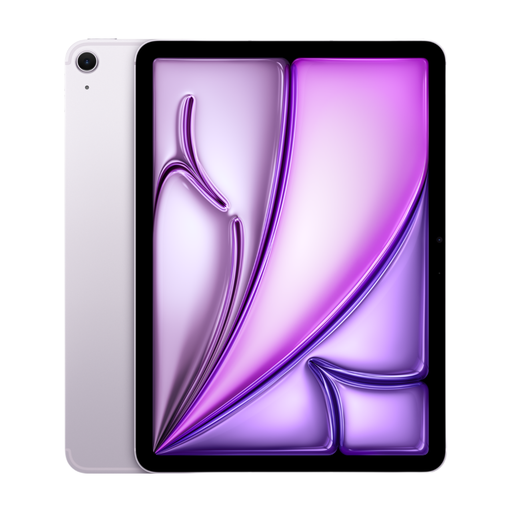
Apple iPad Air (2026, M4), 13-inch, Wi-Fi, 256GB, Purple
Consider this for an Apple-based planning workflow; confirm the compatible Pencil, keyboard and room-display setup. The product title identifies a 13-inch model, while its description gives a conflicting screen size, so check the exact variant before buying.
View on Joybuy
 No image available
Xiaomi Pad 8 Pro, Grey, 12GB RAM, 512GB storage
Consider this Android tablet for preparing materials; check the compatible pen and keyboard, required training apps and the connection to your workspace display.
View on Joybuy
 No image available
Xiaomi Pad 7, Grey, 8GB RAM, 128GB storage, Focus Pen
For handwritten session notes, the product title says a Focus Pen is included. Confirm the exact bundle and check keyboard and room-display compatibility if those tasks matter to you.
View on Joybuy
 No image available
iFLYTEK AINOTE 2, 10.65-inch E Ink digital notebook
Consider this for handwritten planning rather than assuming it will run every training app. Its title describes voice-to-text and 16-language transcription; check the required software and room-display workflow before choosing it.
View on Joybuy
 No image available
TECLAST ArtPad Pro (2025), 12.7-inch 2K, 256GB, stylus included
For planning across a larger screen, the product title specifies a 12.7-inch 2K display and an included stylus. Check keyboard options, required training apps and external-display compatibility separately.
View on Joybuy
Common questions
Can several staff members share one training tablet?
Yes, if the organisation sets up controlled access and a clear handover process. The National Cyber Security Centre advises a six-digit PIN or strong password for protecting shared business devices; staff should also avoid leaving session accounts signed in for the next user.
Can an iPad connect to a meeting-room monitor or projector?
A compatible USB-C iPad can connect to an external display, but the cable or adapter depends on the iPad and the display input. Apple Support describes adapter options for HDMI and VGA; check the room equipment and the exact iPad model before buying accessories.
Can a tablet replace a laptop for training administration?
It can handle a training workflow if your required apps, files and typing setup work on that device; a tablet is not automatically a laptop replacement. Microsoft positions Surface Pro for Windows-based tablet and laptop use, while an iPad or Android tablet may suit a pen-led workflow. Test the exact learning platform and document tasks before deciding.


