Choose the screen and its playing position together: an approximately 11-inch tablet is easier to carry between practice locations, while a 13-inch model gives chord text more room but needs a suitable holder. Before choosing iPadOS or Android, check your preferred chord app’s font controls, offline access and scrolling features, including any account-tier requirements.
Who needs which setup?
At-home chord-chart learners
If the tablet stays near your practice seat, concentrate on a secure, useful viewing angle that leaves both hands free. Lenovo specifies a 175-degree kickstand for the Tab Plus, though a tabletop position may still be too low for your setup.
Lesson and rehearsal travellers
A compact tablet is easier to accommodate when moving between practice spaces. For a concrete weight reference, Apple lists its 11-inch iPad (A16) Wi-Fi model at 477 g; check the weight of any other exact model rather than assuming it is the same.
Large-text and multi-panel readers
A larger display leaves more room to arrange enlarged chords alongside lyrics or other reference material, depending on the app. Apple offers a 13-inch iPad Air, while Samsung lists a 13.1-inch Galaxy Tab S10 FE+; either size also calls for a holder that fits the exact device.
What matters when choosing?
Start with a chord chart viewed from your usual playing position, then check the app and the way you will support the tablet. Screen size alone cannot establish whether the complete setup will work for you.
| Concern | What to check | Who this matters to |
|---|
| Readable chords |
Open a typical chart at your playing distance; compare screen size with the app’s font controls. |
If I need to see the next chord without leaning towards the screen, legible text takes priority over fitting more material on one page. Around 31% of consumers put readability first. |
| App workflow |
Confirm the exact app’s compatibility, offline songs, autoscroll and account-tier requirements. |
When both hands are on the guitar or a lesson has no Wi-Fi, I need songs prepared and easy to follow. For around 25% of consumers, that workflow is the primary concern. |
| Hands-free placement |
Match the device’s size and weight to a stand or clamp, then assess the angle at playing height. |
I need the screen to stay in view without holding the tablet, whether I practise at a table or music stand. Stable placement comes first for around 19% of consumers. |
| Complete setup |
Compare the exact tablet configuration and check which charger, holder, case and app features you need. |
If the tablet also needs accessories or a paid app feature, I want to account for the whole practice setup before choosing it. Around 25% of consumers make that their primary concern. |
Buying pitfalls
-
Judging readability by screen diagonal alone
App layout and text settings affect how much of a chord chart you can read. The Ultimate Guitar listings for iOS and Android describe adjustable tab font size.
Open a song in your intended app, enlarge the text and view it from your normal seated or standing playing distance.
-
Assuming an existing holder fits a larger tablet
Apple lists its 11-inch iPad Air Wi-Fi model at 464 g and its 13-inch model at 616 g. A holder used with one size should not be assumed suitable for the other.
Check the holder’s dimensions and load limit against the exact tablet, then assess its angle and charging-cable clearance.
A larger compatible clamp, music-stand mount or case may be needed.
-
Choosing a tablet before checking chord-app features
Ultimate Guitar’s app listings include in-app purchases, so installing the app does not establish that every tool you want is available in your account tier.
Check the tier required for your essential functions, particularly offline songs and autoscroll, before deciding on a tablet.
Brands to consider for chord-reading setups
Apple
An iPad route worth considering if you already use iPadOS apps or Apple accessories, with compact and larger display options across different models.
- Apple lists an 11-inch, 477 g Wi-Fi iPad (A16) and an 11-inch or 13-inch iPad Air. Check the specifications of the exact model and variant you choose.
- Apple lists the 13-inch iPad Air Wi-Fi model at 616 g; check that your holder supports its size and weight.
Samsung
An Android route with 10.9-inch Galaxy Tab S10 FE and 13.1-inch FE+ display options, according to Samsung’s UK materials.
- Samsung lists microSD expansion of up to 2 TB for the Tab S10 FE and up to 800 nits in High Brightness Mode for the FE+.
- A brightness mode does not establish readability in your app or replace a secure stand; check both in your intended position.
Lenovo
The Android Tab Plus is relevant to tabletop learners who would use an integrated stand.
- Lenovo lists an 11.5-inch display and a 175-degree kickstand for the Tab Plus.
- Check whether the built-in stand places the screen high enough and at a comfortable angle for your playing position.
Joybuy tablet choices
These tablets cover tabletop practice with a built-in kickstand, larger displays for chord charts and compact formats to carry between practice locations. Compare the exact app and holder you plan to use with each model.
 No image available
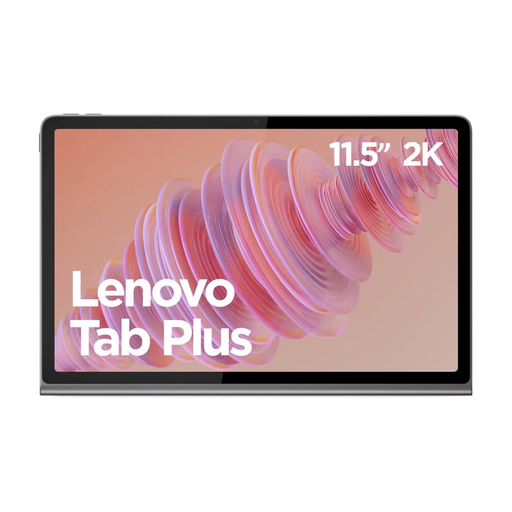
Lenovo Tab Plus 128GB Grey
Consider this for tabletop chord reading if its built-in kickstand positions the screen comfortably where you practise.
Lenovo specifies an 11.5-inch display and a 175-degree kickstand for the Tab Plus. Check whether you also need a raised holder.
View on Joybuy
 No image available
Teclast T65 13.4-inch 120Hz Android tablet, 6GB RAM and 128GB storage
Consider its larger screen for a fixed practice position where you can check the chart’s readability before choosing a holder.
The product title specifies a 13.4-inch display and 120Hz refresh rate. Confirm a holder’s fit and load limit for this exact tablet.
View on Joybuy
 No image available
Apple iPad Pro 13-inch (M5), Wi-Fi + Cellular, 1TB, standard glass, Silver
The 13-inch format may suit a fixed chord-reading position if your intended app displays text at a comfortable size.
Check the exact device’s weight and holder fit, as well as the connectivity variant, before choosing a setup.
Purchase link unavailable
 No image available
Apple 11-inch iPad Air (2026, M4), Wi-Fi 128GB, Starlight
This 11-inch option is worth considering if you carry your chord display between lessons and practice spaces.
Check the exact model’s weight and choose a holder that keeps the screen stable while you play.
View on Joybuy
 No image available
Samsung Tab A11+ SM-X230, 6GB/128GB, Silver
Consider this Android tablet if your preferred chord app works with the exact model and you have a suitable hands-free position for it.
The product title identifies the SM-X230 and 6GB/128GB variant. Confirm its screen dimensions and holder compatibility before purchase.
Purchase link unavailable
Questions about chord-reading tablets
Do I need an iPad to display guitar chords?
No: an Android tablet can also work if your chosen chord app supports it. Ultimate Guitar says its app is available on Android and iOS; check your particular app and saved-song library before changing platforms.
Can I practise with chord charts without Wi-Fi?
Yes, if your app allows the songs you need to be saved for offline use and you prepare them beforehand. Ultimate Guitar’s Android and iOS listings describe offline access to favourite tabs; check any content or account-tier conditions in your app.
Will chords scroll automatically while I play?
They can in an app with autoscroll, but check the view and account tier you intend to use. Ultimate Guitar describes automatic scrolling of song text and a Pin Chords feature that keeps chord cues at the top in Chords view.
Do I need a separate charger or tablet stand?
Check the exact tablet and its supplied accessories rather than assuming either is included. Samsung says the Galaxy Tab S10 FE and FE+ do not include a travel adapter; Lenovo’s Tab Plus has a built-in kickstand, but its tabletop height may not suit every playing position.


