What matters when choosing?
For hidden-object games during airport waits, start with the exact game and its connection requirements, then weigh screen detail against carrying comfort and charging plans.
| Concern |
What to check |
Who this matters to |
| Clear scene detail |
Compare the exact tablet’s screen size, resolution and glare treatment; consider whether its size fits your cabin bag. |
If I spend time scanning crowded illustrations, I want to see small objects without constantly zooming. Around 42% of consumers put scene detail first. |
| Game access |
Check the exact title in the relevant app store, its device requirements and download size, and whether it plays without a connection. |
If I am relying on a game during a wait, I need it installed and usable with the connection available to me. Roughly 33% of consumers make game access their primary concern. |
| Travel power and portability |
Compare weight and dimensions, charge the tablet before departure and check your airline’s power-bank rules. |
When I am carrying my tablet through the terminal, bag space and a workable charging plan matter more to me than a bigger screen. About 25% of consumers prioritise travel power and portability. |
Joybuy tablet choices
These Android tablets offer different screen sizes for viewing hidden-object scenes, from 11-inch models to substantially larger formats. Check your exact game’s compatibility and offline behaviour, then decide how much tablet you are comfortable carrying through an airport.
 No image available
DOOGEE Tab E3 11-inch tablet, Black
Consider its 11-inch format if you want room to scan illustrated scenes. The listing states an FHD+ 90 Hz display, Android 15 and an 8,800 mAh battery; confirm which of the stated storage options applies to the selected variant, and check your game before travelling.
View on Joybuy
 No image available
DOOGEE Tab G6 Plus 11-inch tablet, 256GB, Grey
Its 11-inch screen is a size to consider if you want scene detail without moving to a larger-format tablet. The title lists 256 GB of storage, an 8,000 mAh battery and a SIM card slot; mobile data needs a suitable plan and signal, and the exact game still needs a compatibility and offline-play check.
View on Joybuy
 No image available
TECLAST ArtPad Pro 12.7-inch tablet, 256GB, 2025 Edition
Consider the 12.7-inch screen if viewing space matters more to you than a compact carry. The title lists a 2K display, Android 15 and 256 GB of storage; check its dimensions against your bag and confirm your chosen game works on the device.
View on Joybuy
 No image available
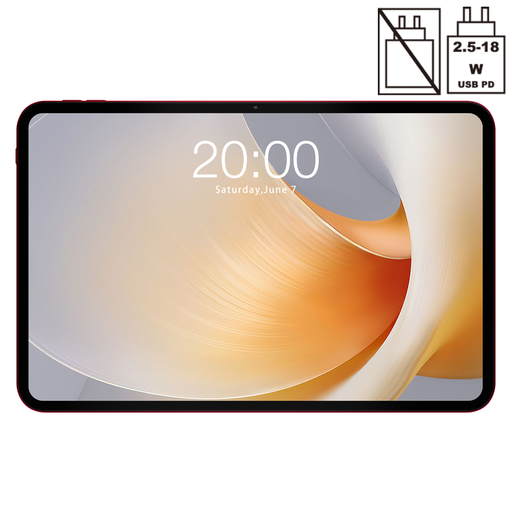
Teclast T65 Plus 13.4-inch tablet, 128GB
This 13.4-inch model suits a preference for a large viewing area if you can accommodate it in your travel bag. The title states a 120 Hz display, Android 15 and 128 GB of storage; compare its dimensions before buying and test the intended game offline before departure.
View on Joybuy
 No image available
TECLAST T70 14-inch tablet, 256GB, 2025 Edition
Choose this 14-inch format only if the extra viewing area is worth carrying a large tablet through the airport. The title states a 1920 × 1200 display and 256 GB of storage; confirm the operating-system version and battery details for this variant before relying on it for travel, as well as the game’s compatibility.
View on Joybuy
Frequently asked questions
Will a hidden-object game work without airport Wi-Fi?
It depends on the exact game and how it handles downloads and connection checks. Install the title and any required content before travelling, then test it in aeroplane mode rather than assuming its app-store listing confirms offline play.
Can I take a power bank for my tablet?
Yes, subject to the applicable battery rules: UK Civil Aviation Authority guidance says power banks must be carried in the cabin, limits passengers to two per person and says they must not be recharged onboard. Check your airline’s current requirements, including any capacity limits, before you travel.
Will a Google Play game work on an Amazon Fire tablet?
A Google Play listing does not establish Fire compatibility. Amazon says Google Play is not supported on Fire tablets, so check whether the exact game is offered for your intended device through the Amazon Appstore.
Do hidden-object games have in-app purchases?
Some do: the UK Apple App Store listing for June’s Journey identifies in-app purchases. Check the listing for the game you plan to install and review payment controls if someone else will use the tablet.


