Novel-first long-haul readers
If downloaded fiction will be your main use, consider how the screen feels to hold and read in an airline seat before prioritising features intended for other tasks.


For a long flight spent mainly reading novels, start by comparing tablets around 11 inches if you expect to hold the screen for much of the journey. A larger display may suit reading on a tray table, while expandable storage matters more if you also want to carry downloaded films and other files. Whichever format you choose, check that your books open offline and plan how you will charge and carry the device.
If downloaded fiction will be your main use, consider how the screen feels to hold and read in an airline seat before prioritising features intended for other tasks.
If you also plan to download films or audio, compare the exact internal-storage option and whether the tablet accepts a separate memory card.
If you expect to prop up the tablet rather than hold it throughout the flight, a larger display may be worth the extra space it takes in your bag and at your seat.
Decide whether you will mostly hold the tablet or rest it on a tray table, then check offline access, storage and your charging plan for the journey.
| Concern | What to check | Who this matters to |
|---|---|---|
| Screen comfort | Compare display size and reflection handling under the lighting you expect to use. | If I will read for hours, I want text I can follow without struggling with reflections or an awkwardly large screen; around 31% of consumers put screen comfort first. |
| Portability | Compare the exact model’s weight and dimensions, including any case you intend to carry. | For reading while holding the tablet in an airline seat, carrying and holding it comfortably is my main concern. Around 31% of consumers prioritise portability. |
| Offline storage | Check the selected storage capacity, memory-card support and whether your books open offline. | If I am taking books alongside downloaded entertainment, I need room for both without relying on a connection; around 23% of consumers make offline storage their primary concern. |
| Flight power | Check your airline’s current rules for carrying and using a power bank, and its battery marking. | I want a charging plan I can take into the cabin and use within the airline’s rules. For around 15% of consumers, flight power is the first concern. |
A larger tablet gives you a larger page view but takes up more room when held or placed at your seat.
Choose the size around how you will actually read: handheld for long stretches, or supported on a tray table.
Without a usable connection, a Wi-Fi tablet needs books that are already available offline.
Download your titles before departure and open each one to check offline access.
The UK Civil Aviation Authority says power banks belong in carry-on baggage, while tablets should normally travel in the cabin unless completely switched off and protected from damage.
Keep your tablet and power bank accessible if your cabin bag may be taken at the gate. Check your airline’s rules, and do not recharge a power bank onboard.
Expandable storage does not mean a memory card is supplied. Samsung says the Galaxy Tab S10 FE microSD card is sold separately, and its UK purchase page says the tablet package does not include a travel adapter.
Check the exact configuration and package contents, including whether you already have a suitable charger.
The 11-inch iPad (A16) and 11-inch iPad Air offer two Apple options for readers comparing compact screens.
The Galaxy Tab S10 FE is an Android option for readers comparing an approximately 11-inch screen with expandable storage.
The Tab Plus Gen 2 offers a larger Android format for readers who also expect to watch downloaded media.
These choices focus on tablet-sized screens for reading on the move, including Android tablets and an E Ink device. Compare your preferred book source, offline access and lighting needs before choosing between them.
 Image unavailable
Consider this 11-inch model if you want space for downloaded books alongside other files. The listing names 256GB storage and an 8580mAh battery; check that your preferred reading service works offline and that the screen suits your cabin lighting.
 Image unavailable
This is another 11-inch choice for a downloaded reading library. Its title specifies 128GB storage; confirm your ebook app’s offline support and the exact processor if that specification matters to you, as the product information gives conflicting processor descriptions.
 Image unavailable
Consider this Wi-Fi tablet if you plan to keep books on the device before boarding. The title specifies 128GB storage; check the exact display details, offline access through your chosen book service and expected battery life for your journey.
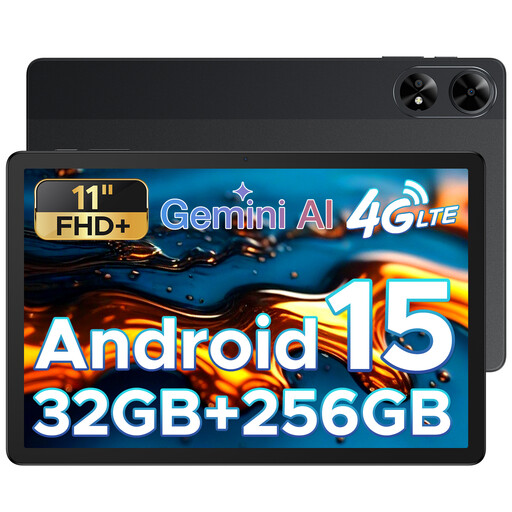 Image unavailable
This 11-inch option may suit a reader carrying books and other downloaded content. Its title specifies a 256GB configuration with expansion up to 2TB; check card requirements, ebook-app access and how the screen handles your expected cabin lighting.
 Image unavailable
Consider this E Ink option if reading is the priority and you can confirm access to your books. Check your preferred app or file-transfer method before buying, along with how you will read in a dim cabin; confirm the listed case is part of the package.
Yes, if you download your books beforehand and check that each title opens offline. Consider cellular only if you also need a mobile data connection away from Wi-Fi outside the flight; Apple describes that use for its Wi-Fi + Cellular iPads.
Start with an approximately 11-inch format if you expect to hold the tablet while reading. A larger screen may suit you if you will support it on a tray table and value the extra display area enough to carry a larger device.
Carry your power bank in cabin baggage, not a checked bag. The UK Civil Aviation Authority says tablets should normally be taken into the cabin too, unless completely switched off and protected from damage; check your airline’s current rules if your cabin bag may be taken at the gate.
Check the contents of the exact package and the charger you already own. Samsung’s UK purchase page says the Galaxy Tab S10 FE and S10 FE+ do not include a travel adapter.