Archive PDF annotators
You need to enlarge handwriting, compare pages and make notes alongside a letter. The deciding test is whether your intended app and the archive’s files allow the kind of annotation you plan to use.


An approximately 11-inch tablet is a practical starting point for reading historical-letter scans in a flight seat: it gives you room to inspect a page without committing to a larger device. Choose between models by testing your actual files at full-page and zoomed views, checking that they open offline, and confirming that any pen and app you need can annotate them. A compatible Kobo e-reader is a more specialised alternative if reading and permitted PDF markup matter more than general tablet apps.
You need to enlarge handwriting, compare pages and make notes alongside a letter. The deciding test is whether your intended app and the archive’s files allow the kind of annotation you plan to use.
You want the letters stored on the tablet before boarding so that reading does not depend on an in-flight connection. Available storage and a charging plan matter alongside the screen.
You mainly want space to read PDFs and scans without choosing accessories or specialist features you will not use. Check the complete configuration, particularly if a pen or charger is important to you.
Start with a representative letter scan: a display specification cannot tell you whether its handwriting will be comfortable to read. Next, check offline access and the exact note-taking workflow; a Kobo Stylus-compatible e-reader is worth considering only if your PDFs and their permissions suit it.
| Concern | What to check | Who this matters to |
|---|---|---|
| Letter legibility | Open one scan at full-page size and zoom into handwriting; compare screen size, resolution and the weight you would hold in a flight seat. | If I spend hours deciphering handwriting and marginal notes, I need enough page detail without constant repositioning. Around 42% of consumers put readable page detail first. |
| Offline reading | Download the complete document set, open it without a connection and check remaining storage. Plan charging around your intended use rather than a battery claim for another activity. | I do not want a missing file or connection to interrupt reading mid-flight. For around 33% of consumers, keeping the whole collection accessible offline is the primary need. |
| Notes and setup | Confirm app availability, PDF annotation permissions and what is included with the exact pen-and-tablet configuration. | When I transcribe or mark up letters, the pen and app must work with those particular files without unwanted extras. A workable note-taking setup comes first for around 25% of consumers. |
A tablet that supports handwriting may still need a separately selected accessory. Apple lists Pencil options separately for iPad Air, while Samsung says the Galaxy Tab S10 FE range does not include a travel adapter; Lenovo configurations also differ by bundle.
Check the contents of the exact model and bundle before deciding which setup meets your note-taking and charging needs.
Amazon states that Google Play is not supported on Fire Max 11. That distinction matters if your archive, cloud-storage or PDF workflow depends on a particular app.
Confirm that the required app is available through Amazon’s app options and that it opens a sample of your files offline.
Rakuten Kobo permits non-protected PDF imports, but says Kobo Stylus cannot mark up DRM-protected PDFs or PDFs that disable annotations.
Inspect a representative archive file and try the notes you intend to make before relying on an e-reader for the journey.
The 11-inch iPad Air is an option for readers who want a relatively light tablet and an Apple Pencil note-taking route.
Galaxy Tab S10 FE is an Android option for a downloaded document collection and S Pen-oriented use.
Fire Max 11 may suit readers whose chosen document apps are available through Amazon’s app options.
Tab M11 is an option for straightforward reading on an 11-inch Android tablet, with a pen arrangement that depends on the configuration.
A Kobo Stylus-compatible e-reader is a specialised alternative when the collection consists of compatible PDFs and general tablet apps are not needed.
These tablets offer different screen sizes, storage configurations and pen arrangements for reading downloaded letters. Compare their exact variants against your files and flight plans; a battery capacity or general runtime claim alone does not establish how long scanned-PDF reading will last.
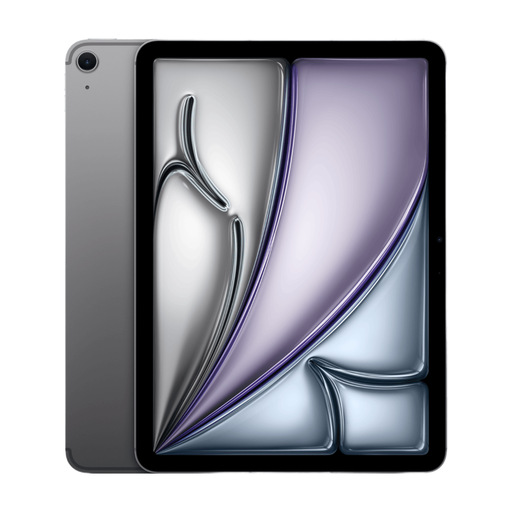 No image available
Consider this configuration if you want an approximately 11-inch screen and 512GB of stated local storage for a downloaded letter collection.
Apple’s iPad Air specifications list support for Apple Pencil Pro and Apple Pencil (USB-C); check the separately selected Pencil and your PDF app if handwritten notes are essential. Test offline access to your files and check endurance for your intended reading settings before departure.
 No image available
This variant is worth comparing if you plan to keep letters locally and want a pen included for your note-taking setup.
The stated configuration has 8GB RAM and 128GB storage. Confirm that your preferred PDF app works offline with your files, and check the tablet’s weight, reading endurance and charging arrangements for the flight.
 No image available
Consider the larger screen if viewing more of a scanned page at once matters more to you than choosing an approximately 11-inch tablet for a flight seat.
The product title specifies a 12.7-inch 2K display, 256GB storage and an included stylus. Check the precise display resolution, carrying weight, offline PDF annotation and reading endurance against your own files and journey.
 No image available
This configuration suits a comparison centred on stated local storage for a substantial downloaded letter collection.
The product title specifies 12G RAM and 512G storage. If handwritten annotation matters, confirm the compatible pen and what the exact bundle includes; also check weight, offline app behaviour and endurance for your flight.
 No image available
Compare this Wi-Fi configuration if 256GB of stated storage could accommodate the letter files you plan to download.
The product title identifies an 8GB RAM, 256GB variant. Check the required PDF app, stylus compatibility if you intend to write on files, and reading endurance; arrange charging for the journey separately.
No. Rakuten Kobo says Kobo Stylus-compatible devices cannot write on DRM-protected PDFs or files that disable annotation and markup. Try one of your actual archive files before choosing an e-reader for notes.
Not for letters you have downloaded and opened successfully offline. Choose a Wi-Fi or cellular tablet around your use away from the aircraft, and test access to every essential file before boarding rather than relying on an in-flight connection.
Do not assume that a tablet’s PDF app can recognise your historical handwriting. Readdle’s cited PDF Expert instructions describe optical character recognition for PDF Expert for Mac; check the feature on the specific tablet app you intend to use and test a representative scan before making OCR part of your purchase decision.