Home users wanting a larger screen than a phone
You mainly browse websites, read email, stream media and make video calls at home, and want a personal device that is easier to move around the house than a laptop.


Choose a tablet when you mainly want a portable larger screen for browsing, email, streaming and video calls, rather than sustained keyboard-heavy work or specialist desktop software. Check ease of setup, video-call features, battery performance, screen quality and responsiveness, then choose the operating system that fits the accounts and devices already used at home; a Windows tablet with keyboard is more appropriate when laptop-style work is a regular need.
You mainly browse websites, read email, stream media and make video calls at home, and want a personal device that is easier to move around the house than a laptop.
You need a manageable first setup and clear routines for accounts, updates and video calling. The Department for Science, Innovation & Technology’s 2025/2026 survey found that confidence with digital tasks varies among UK adults.
You mostly want touch-based browsing and calls, but sometimes write longer emails or complete forms. Choose an accessory-capable tablet only after checking keyboard compatibility and whether regular typing genuinely justifies an extra accessory.
Start with the tasks you will do most often, then check the exact model rather than assuming that every tablet with a similar screen size or operating system works in the same way. Which? includes setup, email and video calling alongside battery, screen and speed in its tablet assessments.
| Priority | What to check | Your needs |
|---|---|---|
| Setup and everyday use | Look for clear setup guidance, account recovery options and manufacturer support for the exact model. Check that email and the video-call apps you expect to use are available. | I want to sign in, send emails and make calls without an unnecessarily complicated routine. |
| Video calls at home | Check front-camera placement and specification, microphone and speaker arrangement, and call-app compatibility. Test Wi-Fi in the room where calls will normally take place. | I need family, friends or services to be able to see and hear me clearly when the tablet is propped up or held horizontally. |
| Screen, speed and battery | Use independent battery and screen tests where available. Compare screen sharpness, viewing angles and responsiveness for the apps and media you use. | I want a screen that remains comfortable for reading and streaming around the home, without needing to stay beside a charger. |
| Accounts and software support | Confirm the exact model’s update information, especially for Android devices. Enable automatic updates and use two-step verification on the main account. | I want email, photos and online accounts protected with a routine that is manageable after the first setup. |
| Typing and accessories | Check whether a stand or keyboard is compatible with the precise tablet model. Keep keyboard use separate from touch-first browsing, calls and media use. | I may write occasional longer messages or forms, but I do not want to pay for or carry a keyboard unless it will be used regularly. |
A larger display does not by itself confirm front-camera quality, microphone performance, speaker usability, home Wi-Fi quality or ease of using the call app.
Check the exact model’s front-camera placement and specification, audio arrangement and call-app compatibility. Test the household Wi-Fi in the room where calls will usually happen.
Android update availability can vary by device, manufacturer and carrier, so a suitable-looking model should not be treated as a confirmed long-term choice without checking its own support information.
Identify the full model number before buying and consult the manufacturer’s UK support information for update instructions. Turn on automatic updates after setup where the option is available.
A keyboard can help with longer typing, but it can make a simple touch-first home device less convenient. The right choice depends on how often you actually write long messages, forms or documents.
List the tasks you expect to do each week. Choose a basic tablet or stand for browsing, calls and media, and add a compatible keyboard only for frequent long-form typing or laptop-style work.
Software and app updates can include security fixes, while two-step verification helps protect important accounts if a password is obtained by someone else.
During initial setup, enable automatic updates, add two-step verification to the main account and make sure the recovery phone number or email belongs to the actual user.
An iPadOS route for buyers who prefer an Apple Account and other Apple devices at home. Apple’s current standard iPad is an 11-inch A16 model with optional Magic Keyboard Folio support.
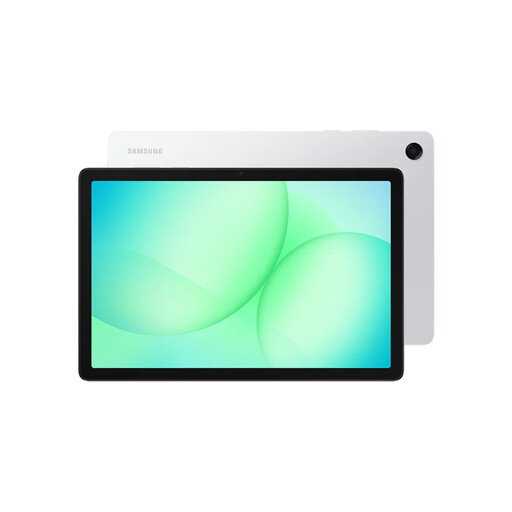
An Android route with compact and larger-screen Galaxy Tab A-series options. Samsung’s Galaxy Tab A11+ is an 11-inch Wi-Fi model with model-specific display, camera, speaker and battery specifications.
A Windows 2-in-1 route for households that need laptop-style tasks as well as touch use. Microsoft describes the current Surface Pro as having a kickstand, touchscreen and optional detachable keyboard.
Joybuy tablet options for everyday home browsing, streaming, email and video calls, with Android choices and an iPadOS option for households using Apple accounts and devices.
 No image available
A touch-first Android option for home browsing, streaming and routine video calls.
11-inch 1920 x 1200 display, 90Hz refresh rate, 6GB RAM, 128GB storage, 5MP front camera, quad speakers, 7,040mAh battery and Wi-Fi. The listing states Android 16 and security support through 30 November 2032; check the included charging hardware if 25W charging matters.
 No image available
This option adds a mobile-data route for use beyond home Wi-Fi as well as everyday calls and streaming.
11-inch 1920 x 1200 90Hz display, 6GB RAM, 128GB storage, 5MP front camera, quad speakers, 7,040mAh battery, Wi-Fi and 5G. A compatible SIM and data plan are needed for mobile use; check the model’s software-support information and included charging hardware.
 No image available
An Android option for web use, media and calls at home, with extra local storage for files and downloaded content.
11-inch 1280 x 800 90Hz IPS display, 256GB storage with microSD expansion, 8,580mAh battery, dual-band Wi-Fi, USB-C, headphone jack and 5MP front camera. Check the manufacturer’s model-specific update support and consider whether the stated screen resolution suits your reading and streaming distance.
 No image available
A larger-storage Android tablet for home browsing, email, streaming and calls.
11-inch 1920 x 1200 display, 8GB RAM, 256GB storage with microSD expansion, Wi-Fi, 5MP front camera and stated 480g weight. Check the exact software-support period, battery information, speaker arrangement and included charging hardware for this configuration.
 No image available
An iPadOS option for everyday browsing and media in a household already using Apple accounts and devices.
11-inch Liquid Retina display, M4 chip, 128GB storage, Wi-Fi, USB-C and compatibility with Apple Pencil and Magic Keyboard. Check the front-camera details and battery estimate if video calls are the main use; the keyboard and pencil are separate purchases.
A tablet suits you when you want a larger portable screen for browsing, online services, media and video calls while still moving around the home. It does not automatically replace a laptop or desktop where frequent long typing, complex documents, desktop applications or multiple-window work are core tasks.
Set up the main account with a trusted helper if needed, enable automatic software updates and turn on two-step verification for important accounts, particularly the email account used for recovery. Keep passwords private and make sure recovery contact details belong to the person using the tablet.
No. A keyboard is optional for touch-based browsing, short messages, media and calls. Add one only for regular longer emails, forms or typing, and confirm that it is compatible with the exact tablet model.
Use independent battery-test results where available, as capacity figures and manufacturer estimates are not directly comparable between models. Which? states that its tablet testing includes continuous web browsing and video playback until the battery is drained; manufacturer estimates should be read as applying only to the named model and conditions.