Choose an 8–9-inch tablet if fitting it beside paperwork and carrying it between rooms matter most; choose an 11-inch model if you regularly edit spreadsheets, compare documents or type longer maintenance notes at the desk. Measure the tablet’s body against your available space, then check your chosen app, backup method, accessories and the manufacturer’s security-update information before buying.
Who is this for?
Small-desk household organiser
You want a tablet within reach beside paperwork, but also need to carry it between rooms to tick off jobs, record meter readings and make quick updates. Body dimensions matter more to you than having the largest screen.
Photo-and-document tracker
You keep maintenance photos, manuals, receipts and warranty documents together. Storage and a workable way to back up or export those records are central to your choice.
Desk-based planner
You often review schedules, quotations or spreadsheets at one desk. You may need more display room and want to check whether a compatible keyboard suits the way you enter notes.
What matters when choosing?
Start with the space the tablet can occupy, then decide how often you need to read detailed records or type at the desk. App and backup compatibility matter whichever size you choose.
| Concern |
What to check |
Who this matters to |
| Desk space and portability |
Compare body height and width with the clear desk area; decide whether an 8–9-inch screen gives you enough room for checklists. |
If I update jobs beside paperwork and carry the tablet between rooms, I need it to be easy to place and pick up. Around 31% of consumers put a small footprint and portability first. |
| Records and storage |
Check the exact storage variant and backup or export options; if you want a microSD card, confirm both the slot and how your app handles files. |
Photos of faults, receipts and manuals can become a substantial set of records that I want to keep organised. Roughly 25% of consumers make storing those records their primary concern. |
| Apps and security updates |
Check your app’s UK listing and system requirements, its cloud or export workflow, and the manufacturer’s stated update period for the model. |
When I already use a maintenance app or cloud account, I need the new tablet to work with that workflow and have clear update information. About 25% of consumers prioritise compatibility and security-update information. |
| Typing and detailed planning |
Try your usual spreadsheet or document view at the intended screen size; check keyboard compatibility and bundle contents if you type regularly. |
If I write long notes or compare quotations at my desk, I need enough room to see and edit the details. Around 19% of consumers put typing and desk-based planning first. |
Buying pitfalls
-
Choosing by screen size alone
A larger screen can leave less room for receipts, manuals and other items on a small desk. Apple’s UK specifications put the iPad mini at 195.4 mm by 134.8 mm and the 11-inch iPad at 248.6 mm by 179.5 mm.
Measure the clear desk area and compare each model’s body dimensions and weight, not just its screen diagonal.
-
Assuming a microSD card will hold every app record
A tablet may accept a card while the maintenance app keeps its database, offline files or backups elsewhere.
Check the app’s storage, export and backup behaviour, then confirm that the exact tablet variant has the card slot you need.
You may need to obtain a compatible microSD card separately.
-
Overlooking the working setup
A tablet that suits short touch-screen updates may need a different setup for longer notes or desk-based document work.
Decide whether you need a keyboard, stylus, stand or charging adaptor, and check the exact bundle and accessory compatibility before ordering.
-
Buying before checking the app and update period
Size and storage will not resolve a workflow mismatch. An older model may also need closer attention to its remaining update support; Lenovo identifies the Tab M9 as a withdrawn model.
Check your app’s current UK listing, required features and export method, then find the manufacturer’s security-update statement for the exact model.
Brands to consider
Apple
Apple’s UK iPad specifications provide two size references for this decision: the compact iPad mini and an 11-inch iPad for more desk-based document work.
- Apple lists the Wi-Fi iPad mini at 195.4 mm by 134.8 mm and 293 g, with an 8.3-inch display.
- The 11-inch iPad measures 248.6 mm by 179.5 mm in Apple’s UK specifications. Its Magic Keyboard Folio is an optional accessory, so check desk space and the bundle before planning around it.
Samsung
Samsung’s Galaxy Tab A11 is an Android reference for consumers who want a compact screen and removable storage for local files.
- Samsung UK lists an 8.7-inch display, 64 GB or 128 GB storage options and microSD expansion up to 2 TB for the Galaxy Tab A11.
- Its listed 1340 by 800 display is worth comparing with your usual PDFs and spreadsheets before choosing a compact screen for detailed review.
Lenovo
Lenovo’s Tab M9 is a 9-inch Android reference for considering removable storage, rather than a model whose current availability should be assumed.
- Lenovo’s Tab M9 specifications list 32 GB, 64 GB and 128 GB configurations and microSD support up to 2 TB with compatible formatting.
- Lenovo marks the Tab M9 as withdrawn. Check availability and remaining software support for any unit you consider.
Joybuy tablets for this task
These choices include compact tablets for quick updates around the home and larger tablets to consider when document work takes priority and the desk has enough room. Check the exact model against your app and available space.
 No image available
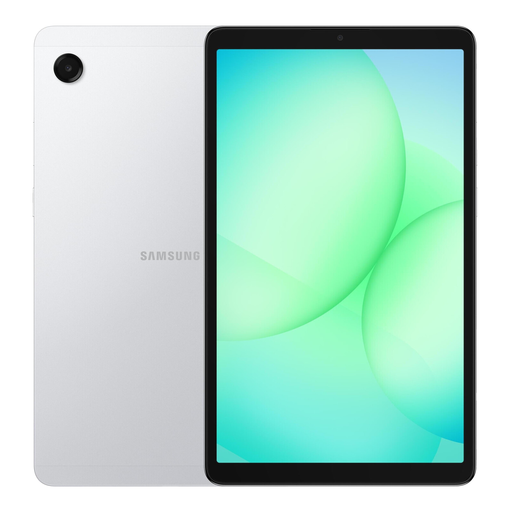
Samsung Galaxy Tab A11 X130 8.7-inch Wi-Fi, 4GB RAM, 64GB, Silver
Consider this compact option for short maintenance updates where desk space is limited. Check that your chosen app supports the way you want to store and back up records.
View on Joybuy
 No image available
Apple iPad mini 7 (A17 Pro), 512GB, Space Grey
Consider this iPad mini for quick updates around the home and a substantial local record library. Compare the exact model’s dimensions with your desk space, and check your app and security-update requirements.
View on Joybuy
 No image available
Samsung Galaxy Tab A11+ 11-inch Wi-Fi, 128GB, Grey
Consider the larger screen if you review maintenance documents at a desk that can accommodate it. Check the body dimensions, your app’s backup options and keyboard compatibility if you plan to type long notes.
View on Joybuy
 No image available
Xiaomi Pad 8 Wi-Fi, 8G RAM, 128GB, Grey
Consider this for desk-based record review if its dimensions leave enough working space. Check compatibility with your maintenance app and find the security-update information for the exact model.
View on Joybuy
 No image available
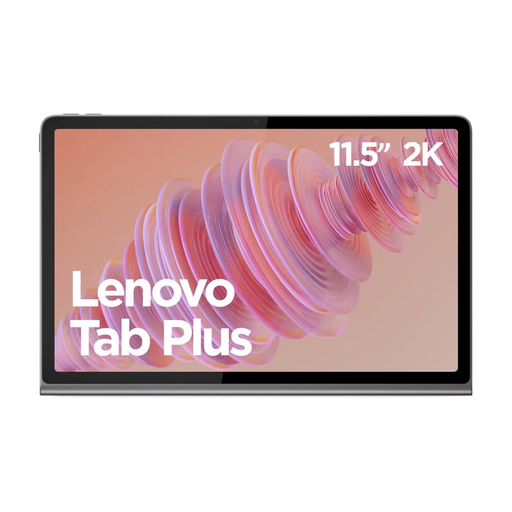
Lenovo Tab Plus, 128GB, Grey
Consider this for records you mainly review at a fixed desk, provided its footprint suits the space. Check your app’s file workflow, the model’s update information and the charging accessories you will need.
View on Joybuy
Frequently asked questions
Is an 8–9-inch or 11-inch tablet more practical on a small desk?
Choose an 8–9-inch tablet when fitting it beside other items and carrying it around the home matter most; consider 11 inches when detailed spreadsheets, PDFs or frequent typing are central to the task. Measure the body rather than judging by screen diagonal alone: Apple’s UK specifications list the iPad mini at 195.4 mm by 134.8 mm and the 11-inch iPad at 248.6 mm by 179.5 mm.
Do I need cellular connectivity for home-maintenance records?
A Wi-Fi tablet may suit a workflow based at home if you can access what you need over Wi-Fi. If you need records while away from it, check whether your chosen app can make the relevant files available offline or whether you need a cellular connection.
Will a tablet come with the keyboard or charging accessories I need?
Check the exact model and bundle rather than assuming those accessories are included. If you plan to type longer records, confirm keyboard compatibility; Apple presents the Magic Keyboard Folio for its 11-inch iPad as an optional accessory.
What security-update information should I check?
Look for the manufacturer’s stated minimum period for important security updates for the connected tablet you intend to buy. The UK National Cyber Security Centre explains this manufacturer disclosure requirement; check the applicable statement for the exact model, particularly if you are considering older stock.
How can I dispose of an old tablet when buying a replacement in the UK?
Check an appropriate electrical recycling collection point or a qualifying retailer take-back option. UK government guidance says a retailer must accept an old electrical product free on a like-for-like basis when you buy a new one.


