What matters when choosing?
Decide how you will access the route away from Wi-Fi, then weigh screen readability and carrying size against how often you will use the tablet.
| Concern |
What to check |
Who this matters to |
| Access to directions |
Check the exact Wi-Fi or cellular variant and whether your map app lets you save the route you need. For cellular use, confirm the intended network and coverage. |
If my route changes after I leave the terminal, I need directions I can refresh—or a saved route I can still open. Around 45% of consumers put dependable access first. |
| Readability and carrying size |
Compare display size, glare treatment and device weight; account for the case you intend to carry. |
When I am checking an address between connections, I want the details legible without carrying a tablet that feels cumbersome. For roughly 33% of consumers, readable portability comes first. |
| Occasional-use value |
Check storage for your travel files and apps, and confirm that the software and any charging equipment you need suit your plans. |
If I will mainly open bookings and maps on occasional trips, I would rather choose for those tasks than for extras I may not use. Keeping the purchase proportionate is the primary concern for about 22% of consumers. |
Joybuy tablets for checking directions
These tablets offer different ways to view hotel details and saved routes. Check each model’s connectivity before deciding whether it suits travel that calls for live directions.
 No image available
TABWEE W90 11-inch 4G LTE tablet, 256 GB
Consider this model if you need to check changing directions away from airport Wi-Fi and can arrange a compatible mobile-data connection.
The product name lists dual-SIM 4G LTE and 256 GB storage. Check network compatibility and the battery specification before relying on it throughout a journey.
View on Joybuy
 No image available
Samsung Galaxy Tab A11+ 8 GB/256 GB Wi-Fi, grey
This Wi-Fi configuration suits travellers prepared to save directions or use an available connection.
The product name specifies 8 GB RAM and 256 GB storage. Check the battery performance you need for your journey.
Purchase link unavailable
 No image available
Xiaomi Pad 7 8 GB/128 GB, grey, with Focus Pen
Consider it for viewing travel information if you can confirm how you will access or save the maps you use.
The product name specifies 8 GB RAM, 128 GB storage and an included Focus Pen. Check connectivity and carrying weight if either affects your journey; the listing says a charger is not included.
View on Joybuy
 No image available
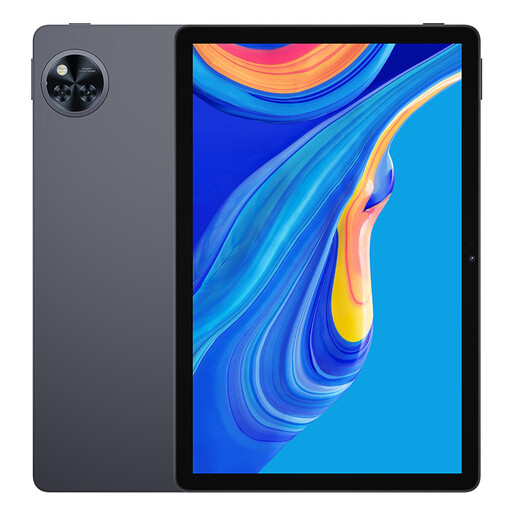
DOOGEE U11 11-inch Wi-Fi tablet, 128 GB, grey
This model suits checking saved hotel details and maps when Wi-Fi or a phone hotspot is available.
The product name lists 128 GB storage, an 8580 mAh battery and GPS. Check the screen under the lighting conditions in which you expect to read directions.
View on Joybuy
 No image available
Apple iPad Pro 11-inch (M5) Wi-Fi, 256 GB, standard glass, silver
This Wi-Fi model is an option if saved directions and available connections meet your travel needs.
The product name specifies 256 GB storage and standard glass. Check carrying weight and battery runtime if you need the tablet throughout a long journey.
View on Joybuy
Questions before you travel
Is Wi-Fi enough for checking hotel directions at an airport?
A Wi-Fi tablet can be enough if you save the hotel address, confirmation and usable directions in advance. If you often need live changes away from Wi-Fi, consider a cellular variant and check its data-plan terms and coverage; Apple UK lists 5G and eSIM for the cellular versions of its 11-inch iPad (A16).
Should I put my tablet in cabin baggage?
British Airways advises carrying small electronic devices such as tablets in hand baggage. Check the instructions of the carrier operating your flight, particularly if you plan to pack the device elsewhere.
Should the tablet be charged before airport security?
Charge it before you travel. British Airways says security staff may ask you to turn on an electronic device, so keep your essential directions accessible another way if the tablet runs out of power.
Can I use a tablet during the flight?
On British Airways flights, the airline says handheld devices including tablets can be used when flight mode is enabled before departure. Follow the operating airline’s instructions and any directions from the cabin crew.
What should I check before packing a power bank?
Check your operating airline’s current power-bank instructions before travelling. The UK Civil Aviation Authority’s requirements effective from 27 March 2026 say power banks must be carried in cabin baggage; your itinerary may also be subject to the airline’s operational conditions.


