Hotel-room training planners
Travellers preparing slides, session notes, handouts or schedules who need a device they can use in a temporary workspace.


Choose a touch-first tablet if you mainly review slides, annotate documents and organise session notes while travelling; add a keyboard if substantial typing is part of the job. If your training materials depend on full Windows applications, consider a Windows 2-in-1 instead. Check your required apps, accessories and display connection against the exact device before buying.
Travellers preparing slides, session notes, handouts or schedules who need a device they can use in a temporary workspace.
People whose preparation involves substantial typing, several working documents or applications that require Windows.
People who mark up planning documents with a pen and may need to rehearse using a TV, monitor or projector.
Start with the applications and files your session requires, then decide whether you need a keyboard, pen or external display. A compact tablet and a laptop-style 2-in-1 solve different parts of that workflow.
| Concern | What to check | Who this matters to |
|---|---|---|
| Workspace and display | Check display output on the exact model and the cable or adapter needed for the intended screen. | I want to review slides on a larger screen when the hotel desk feels cramped. Around 25% of consumers put workspace and display flexibility first. |
| Typing and software | Open representative training files in the required apps; check the keyboard arrangement. | If I spend the evening editing decks and notes, my applications and typing setup determine the choice. For around 25% of consumers, that workflow is the primary concern. |
| Portability | Compare the exact device’s size with the space available in your bag and on the desk, including accessories you intend to carry. | I need the planning kit to travel alongside my other materials without becoming cumbersome. Portability comes first for around 19% of consumers. |
| Annotation and reading | Check pen compatibility, whether a pen is supplied and whether the screen treatment suits the room lighting. | When I revise plans by hand and read documents for long stretches, the writing and viewing setup matters most. Around 19% of consumers prioritise annotation and readability. |
| Connectivity and security | Plan offline file access or an approved connection fallback, and follow workplace secure-access requirements. | I cannot rely entirely on hotel Wi-Fi for last-minute files, particularly when materials are sensitive. Around 12% of consumers make reliable, secure access their first concern. |
A tablet that works for reading slides may need a keyboard for long editing sessions or an adapter for presentation rehearsal. Apple lists the Magic Keyboard for iPad Air separately, while Samsung says cabled DeX use may require additional display hardware.
Check what comes with the exact configuration and identify the keyboard, pen, stand, charger and display adapter your workflow needs.
A TV or projector may have an inaccessible input or require a connection your tablet cannot make with the cable you brought.
Confirm display-output support for your model and test the intended cable and adapter with the presentation setup before travelling.
Pen annotation and slide review do not establish that an organisation’s required applications, add-ins or file-handling workflow will work on a touch-first tablet.
Try representative decks and templates in the intended operating system; consider a Windows 2-in-1 if full Windows applications are essential.
The National Cyber Security Centre distinguishes public hotel Wi-Fi from a more secure private WPA2 network. Training documents may also be subject to your organisation’s access rules.
Keep permitted essential files available offline and use your organisation’s approved encrypted services or VPN where required.
These product lines illustrate different planning setups; the required apps and complete accessory configuration still determine which one fits your work.
iPad Air suits an iPadOS workflow centred on touch input, document review and optional pen or keyboard use.
Galaxy Tab S11 offers an Android route for pen-oriented planning and a desktop-style workspace through Samsung DeX.
Surface Pro is a Windows 11 tablet-form-factor route when training preparation depends on desktop applications.
Tab P12 with Matte Display is an Android option to examine if reading and annotating plans on a larger screen are central tasks.
These choices cover touch-first tablets for planning and annotation, an accessory bundle for a compact setup, and a convertible Windows laptop for a more laptop-like workflow. Match the form factor to your files and the space available in your hotel room.
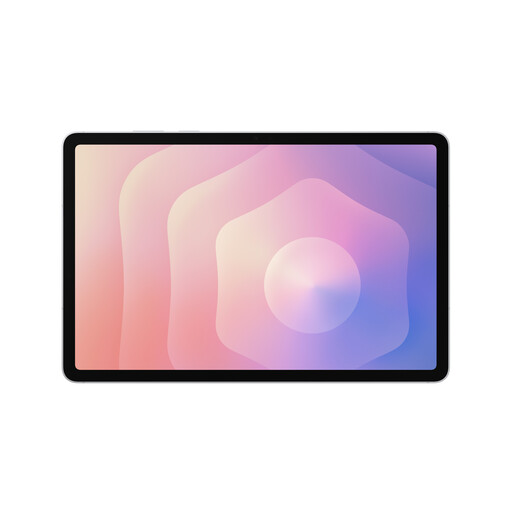 No image available
Consider this Galaxy Tab S11 for an Android-based planning workflow with pen input and Samsung DeX. Check the keyboard arrangement and test any intended external-display connection.
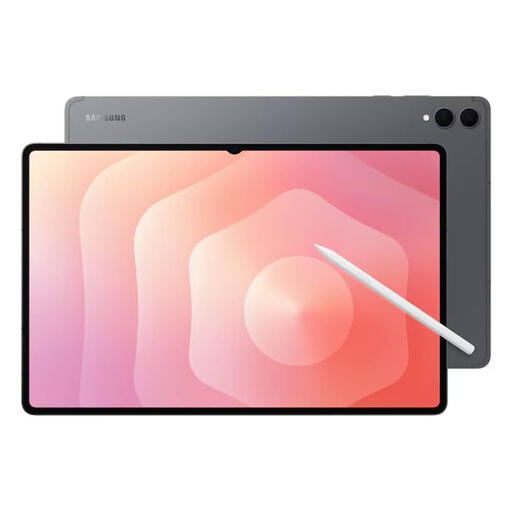 No image available
Consider this Galaxy Tab S11 Ultra if you want to assess a larger Android tablet for reviewing training materials. Check its dimensions against your travel and desk space, and confirm the pen, keyboard and display setup you intend to use.
 No image available
Consider this 11-inch iPad Air for reviewing slides and working in iPadOS. Confirm that your training apps run as needed, which keyboard or Apple Pencil suits this M3 model, and how it would connect to your intended display.
 No image available
Consider this bundle if you want typing, pointer input and a stylus alongside a 10.1-inch tablet. Its title lists a 5,000mAh battery; check the supplied Android version, required training apps and any display connection before relying on it for a session.
 No image available
Consider this Windows 11 Home 2-in-1 if a convertible laptop suits your training workflow better than a detachable tablet. Try your required applications and files, and check that its form factor works in your hotel-room workspace.
Possibly, if the exact tablet supports the connection and the display has an accessible, compatible input. Apple Support says the iPad Air M4 supports one external display up to 6K at 60Hz; Samsung says cabled DeX use may require an adapter or related accessory. Check your particular model and test the cable before travelling.
A Wi-Fi-only model may suit you if essential files are available offline and your work does not depend on a continuous connection. If you need online access during preparation, consider a cellular model or an approved hotspot, subject to your organisation’s rules.
Do not treat hotel Wi-Fi as equivalent to a private network. The National Cyber Security Centre says a private WPA2 network is more secure than public Wi-Fi such as a hotel service; follow your organisation’s secure-access requirements, including an approved VPN where required.
Check the exact configuration for the keyboard, pen, stand or case, charging equipment and any display adapter your session preparation requires. Apple lists its Magic Keyboard for iPad Air separately, and Samsung says cabled DeX may need additional display hardware.
Check that the charger is appropriate for your device and consult current UK product-safety alerts if you are considering an unfamiliar replacement. The UK Office for Product Safety and Standards has published recalls concerning specific chargers with electric-shock and fire risks; a recall for one product does not establish a risk for every charger.