Space-limited inventory reviewer
If your tablet must sit beside labels, paperwork or a notebook, start by assessing a compact screen and the device’s physical dimensions. Check that your usual list remains readable at that size.


Start with the space available and the way you review your inventory: an 8.3- or 8.7-inch tablet leaves more room on a small desk, while an 11-inch model gives wider lists more viewing space but takes up more of the work surface. Before choosing either, confirm that your inventory app works on its operating system, handles your records as needed and supports any accessories you plan to use.
If your tablet must sit beside labels, paperwork or a notebook, start by assessing a compact screen and the device’s physical dimensions. Check that your usual list remains readable at that size.
If you regularly inspect long lists or several columns at once, you may prefer an 11-inch screen, provided the tablet and any stand still fit your desk.
If you depend on a particular inventory app, syncing method, stylus or USB-C accessory, check the exact tablet and accessory combination before letting screen size decide.
For inventory review on a small desk, check the space the tablet will occupy, then test how your lists display and whether your existing software and accessories will work.
| Concern | What to check | Who this matters to |
|---|---|---|
| Desk footprint | Compare the tablet’s dimensions with the clear desk space, including its intended case or stand. Check readability on a similarly sized screen. | I need room for records beside the tablet and mainly check items one at a time. Around 42% of consumers put usable desk space first. |
| List visibility | Try a representative list in the app’s landscape layout and see whether important columns remain visible. Allow space for a stand if needed. | When I review wider spreadsheets, I would give up some desk space to see more information at once; around 33% of consumers prioritise list visibility. |
| App and accessory workflow | Confirm app support, sign-in, sync, export and backup on the selected operating system. Check exact-model compatibility and bundle contents for accessories you need. | My records and any capture or annotation tools need to work together before screen size helps me. For around 25% of consumers, that workflow is the primary concern. |
A compact tablet leaves more room on the desk, but your inventory app may show fewer columns or less of each item’s notes.
Open a representative list on a similarly sized display if possible, and measure the desk with the case or stand you intend to use.
Apple lists Apple Pencil support for the iPad mini (A17 Pro), but its in-box contents name the tablet and USB-C cable, not a Pencil. Lenovo lists a Tab Pen with the cited Tab M11 configuration.
Check the exact model, part number and in-box contents before planning an annotation setup. Check charger inclusion separately.
Samsung lists microSD expansion of up to 2 TB for the Galaxy Tab A11 and A11+, but card capacity does not establish where your inventory app stores records or whether it synchronises them.
Confirm how the app saves, exports and backs up your household records before relying on internal storage or a microSD card.
The iPad mini (A17 Pro) is a compact option if your inventory app works on iPadOS and you value a smaller physical footprint.
The Galaxy Tab A11 and A11+ offer different Android screen sizes for comparing desk footprint with list-viewing space.
The cited Tab M11 configuration is an 11-inch Android option to assess if you have room for a larger screen and want to use a pen.
These tablets offer compact and larger-screen options for reviewing household lists, as well as a model to consider for a pen-based setup. Compare each one against your available desk space and the requirements of your inventory app.
 No image available
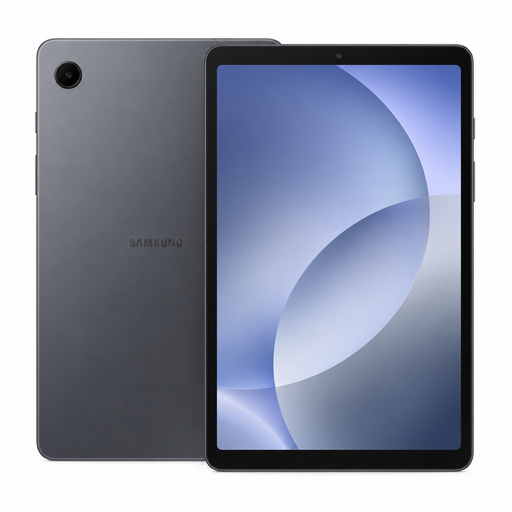
Consider this model when desk space is tight, then check whether its 8.7-inch display shows enough of your inventory list. Samsung specifies a 1340 × 800 display for the Galaxy Tab A11; this product variant has 64GB storage. Confirm your app and backup workflow before buying.
 No image available
Consider its 11-inch display if wider inventory lists matter more than keeping the tablet compact. This variant is identified as 8GB with 256GB storage; Samsung lists microSD expansion of up to 2 TB for the Galaxy Tab A11+. Measure the desk with your intended stand and check how your app handles saved files.
 No image available
Consider this tablet for longer lists if its screen and your intended stand fit the desk. The product name identifies 8GB RAM, 128GB storage and Wi-Fi; check your inventory app’s layout, compatibility and backup options for this model.
 No image available
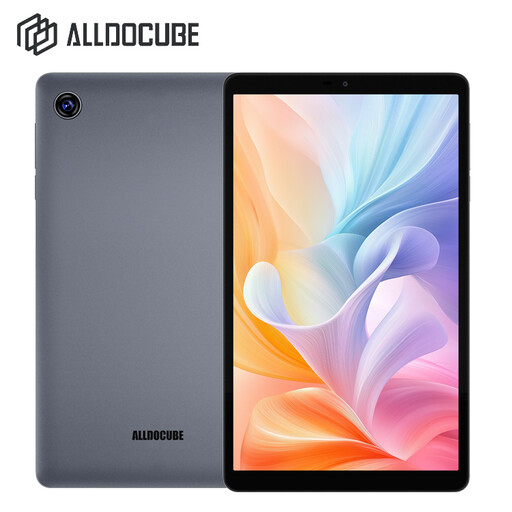
Its stated 8.68-inch display makes it worth assessing for a restricted work surface, provided your list remains readable. The product name specifies 4GB memory, 64GB storage and Android 15, and says no charger is included. Check its physical dimensions and your app’s requirements before choosing it.
 No image available
Consider this 11-inch model if you can accommodate a larger tablet while reviewing lists or using an accessory-based workflow. The product name identifies the M4 variant and 128GB storage. Check the exact Apple Pencil or keyboard compatibility for this iPad Air, whether those accessories are included, and whether your inventory app meets your needs.
Choose a compact tablet if leaving room for paperwork is your main concern; consider an 11-inch model if you regularly inspect wider lists and can accommodate its footprint. Try your inventory app’s layout at the intended screen size, because a larger display alone does not guarantee that more columns will be usable.
No. Apple lists Apple Pencil support for the iPad mini (A17 Pro), but its in-box listing names the tablet and USB-C cable, while Lenovo lists a Tab Pen with the cited Tab M11 configuration. Check the precise model and bundle contents before buying.
A USB-C port alone does not confirm that your complete setup will work. Apple says compatible USB-C iPads can connect to accessories including external storage and displays; check the selected tablet, accessory or adapter, file format and inventory app together.
Contact the seller promptly and keep your purchase and delivery records. The explanatory notes to section 22 of the UK Consumer Rights Act 2015 describe a minimum 30-day time limit for the short-term right to reject; the applicable remedy depends on the circumstances of the fault. This statutory right is distinct from a retailer’s change-of-mind returns policy.