Keyboard-first transcript editors
If you turn recordings or rough notes into structured text during a journey, sustained typing, file handling and room to review a document matter more than pen input alone.


For reviewing transcripts and making short edits in a confined seat, start with a tablet of roughly 11 to 12 inches; if you will type for much of the journey, check the complete keyboard setup rather than the tablet alone. An iPad Air suits an existing iPadOS workflow, a Galaxy Tab S10 FE comes with an S Pen for annotation, and a Surface Pro is worth considering when your work requires Windows desktop software. The larger or more laptop-like the setup, the more carefully you should check the space it needs on a train.
If you turn recordings or rough notes into structured text during a journey, sustained typing, file handling and room to review a document matter more than pen input alone.
If you mainly read, highlight and annotate interview material, with only brief text corrections between stations, a manageable tablet and a supplied or compatible pen may suit your workflow.
If you cannot count on train Wi-Fi, decide whether to download recordings and documents before travelling, tether to a phone or choose a cellular configuration. Local storage also matters for files you need without a connection.
Choose the software your interview-editing work requires before deciding how much keyboard, pen and screen space to carry. Then check whether your files will be available throughout the journey.
Consider it when: You already work in iPadOS apps and want an 11-inch tablet that can be paired with a keyboard for text editing.
Trade-off: Apple lists the Magic Keyboard and compatible Apple Pencil models as separate purchases.
Consider it when: Annotation in an Android-tablet workflow is central: Samsung lists an S Pen in the standard package and microSD expansion for local files.
Trade-off: The standard package does not list a keyboard or travel adapter.
Consider it when: Your editing depends on Windows desktop applications or a keyboard and touchpad arrangement.
Trade-off: Microsoft lists the keyboard and Slim Pen separately, and the kickstand setup needs a suitable place to rest.
| Concern | What to check | Who this matters to |
|---|---|---|
| Sustained typing | Check the exact keyboard model and UK layout, and whether the complete setup fits your usual seat or tray table. | If I will turn a long transcript into usable notes, I need a stable way to type without losing too much document space to an on-screen keyboard. Around 36% of consumers put sustained typing first. |
| Annotation and review | Check pen compatibility and whether the pen is supplied with the exact configuration. | When my work is mostly highlighting, speaker labels and margin notes, I want pen input close to hand; around 29% of consumers make annotation their primary concern. |
| Offline files and mobile data | Decide what must be downloaded before boarding and whether you need a cellular model or can tether to a phone. | I need recordings and documents to remain accessible when a connection drops. For around 21% of consumers, working without dependable train Wi-Fi takes priority. |
| Carry weight and space | Compare the tablet and the accessories you will actually carry, then consider how you would use them without a table. | If I often review notes while standing or changing trains, I want a device I can manage without setting up a workstation; roughly 14% of consumers put light-carry use first. |
A pen, keyboard, case and charging equipment change what you carry and what the usable setup costs. Samsung lists an S Pen with the standard Galaxy Tab S10 FE but no keyboard or travel adapter; Apple and Microsoft list relevant keyboards separately.
Check the contents of the exact configuration against the way you plan to edit, rather than assuming a tablet listing includes your typing setup.
More display space does not ensure that a keyboard and kickstand will fit on a small tray table. Apple specifies a weight of 464 g for the 11-inch Wi-Fi iPad Air and 616 g for its 13-inch counterpart, both before accessories.
If possible, try the full arrangement in a space resembling your normal seat. Give handheld use and bag space priority if you rarely have a table.
Microsoft’s figure of up to 15.5 hours for the 12-inch Surface Pro refers to video playback, not a promised runtime for editing or transcription. Transport for London’s information on London Overground fleets also illustrates why passenger access to sockets should not be assumed.
Charge before travelling, save the files you need locally and plan how to work without a socket or live connection.
The iPad Air is a tablet-first option for an iPadOS editing workflow, with 11-inch and 13-inch formats.
The Galaxy Tab S10 FE offers an Android-tablet route with a 10.9-inch display, a supplied S Pen and a separate 5G configuration.
The Surface Pro is a detachable Windows option for work that calls for desktop applications and a keyboard with touchpad.
These tablet choices cover compact document review, keyboard-bundle typing and pen-led annotation, alongside a larger-screen option. Compare each exact configuration with the space, input method and offline files your journey requires.
 No image available
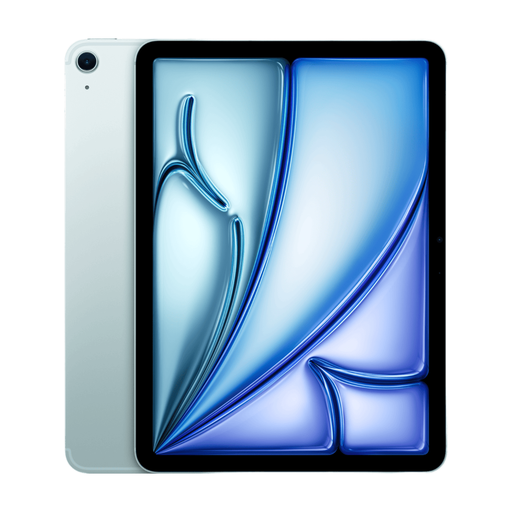
Consider this 11-inch configuration if your interview notes are edited in iPadOS apps. It has 256GB storage and Wi-Fi; check the compatible keyboard, its UK layout and the combined carry weight if you will type for long stretches.
 No image available
The named keyboard bundle may suit typing on a smaller screen. Check the keyboard’s UK layout and how the setup fits your seat; confirm the exact RAM configuration before choosing this variant.
 No image available
Consider this configuration if marking up interview documents matters more than extended typing. The product name lists a Focus Pen and 128GB storage; check keyboard compatibility and the charging equipment you will need for travel.
 No image available
This Wi-Fi configuration may suit reviewing interview documents saved locally. Its name lists 256GB storage; if sustained typing is essential, check the exact model identity and compatible UK-layout keyboard before choosing it.
 No image available
Consider this larger format if document markup and a mobile-data option matter more than a compact handheld setup. The product name lists a 2K display, 256GB storage, dual-SIM 4G LTE and an included stylus; check its weight, keyboard compatibility and the space available at your seat.
Not if you can download the recordings, transcripts and reference files you need before travelling, or tether when a connection is necessary. If independent mobile data is important, check the exact cellular configuration: Apple, Samsung and Microsoft offer cellular or 5G options for the iPad Air, Galaxy Tab S10 FE and Surface Pro respectively.
That depends on the exact model and package. Apple lists the iPad Air’s compatible Pencil models and Magic Keyboard separately, while Microsoft lists Surface keyboards and Slim Pen separately; Samsung lists an S Pen, but no keyboard or travel adapter, in the standard Galaxy Tab S10 FE package. Check bundle contents before relying on either input method.
Plan to work without a passenger socket unless your specific service confirms one is available. Charge the tablet before leaving and keep essential files accessible offline; an advertised battery figure, such as Microsoft’s video-playback figure for the 12-inch Surface Pro, does not establish editing runtime.