For an older relative moving from a desktop to portable web use, start by trying their usual websites at their preferred text size and with familiar input. A detachable-keyboard tablet suits frequent handheld reading with occasional typing; separate Bluetooth accessories suit touch-first use at a table, while a Chromebook or Windows 2-in-1 fits better when a laptop-style keyboard or computer workflow matters more. Check the exact accessories, essential websites and software, files, and support terms before choosing: a keyboard alone does not establish desktop-app compatibility.
Who might suit a tablet with a keyboard?
Desktop-habitual web user
For someone who already navigates websites with a keyboard and mouse, compare the full input setup and required services before changing operating systems. Compatibility is among the factors identified in Coventry University research on older adults’ tablet use.
Handheld reader and viewer
Someone who browses or streams away from a desk may want a screen and text size that feel comfortable in the intended position. Try the device at the usual viewing distance as well as checking its listed screen size.
Occasional desk typist
For someone who mainly uses touch but sometimes types emails or selects small website controls, compare a detachable keyboard with separate paired accessories. Apple and Google guidance describes different input options and conditions across devices.
What should you prioritise when choosing?
Decide which part of the existing desktop routine matters most, then compare input, software compatibility and screen comfort before settling on a form factor.
| Concern |
What to check when buying |
Who this matters to |
| Typing and pointer control |
Try the keyboard layout and pointer together; check that a fitted keyboard is compatible with the exact tablet model. |
If I am replacing a desktop routine, I want familiar ways to type and navigate websites; around 36% of consumers put typing and pointer control first. |
| Websites, software and files |
Test essential websites and services; identify any installed programs, external drives or printers the relative needs. |
If the relative relies on particular websites, programs or stored files, I would check those before changing operating systems; around 29% of consumers prioritise compatibility with existing services and files. |
| Screen and portability |
Try familiar websites at the preferred text size and viewing distance, both handheld and with the keyboard and stand in place. |
For reading and streaming away from a desk, I want text to be comfortable to view without making the device awkward to hold; around 21% of consumers prioritise screen and carrying comfort. |
| Support and package contents |
Look up support information for the exact model; check whether the required keyboard and other accessories are included. |
If the device is expected to stay in use, I would check its support arrangements and complete setup before settling on a model; around 14% of consumers put support and ownership terms first. |
Buying pitfalls to avoid
-
Assuming a tablet keyboard makes it like a laptop
A keyboard accessory provides physical typing, but does not establish that desktop programs or familiar peripherals will work on the tablet.
Try the relative’s usual activities first, then check the exact keyboard model, tablet compatibility and package contents.
-
Assuming an older Chromebook has its full update period left
Software support depends on the exact device. Google says that opting into extended updates on certain older models removes Android app support.
Look up the model-specific final update date and check whether an opt-in would affect an app the relative uses.
-
Choosing a screen by its diagonal measurement alone
A listed screen size does not show whether text, pointer targets or the complete keyboard-and-stand arrangement will feel comfortable to the person using it.
Try the relative’s usual websites at their preferred text size, both handheld and at the intended table.
-
Expecting a drive or peripheral to work the same way on every system
Apple and Google specify different external-storage conditions, while some Windows on Arm setups need checks for particular programs or driver-dependent equipment.
Before choosing, identify the actual drive format, connector and peripheral model, and check compatibility for the exact device.
Relevant brands to compare
Apple
Apple’s UK iPad (A16) and model-matched Magic Keyboard Folio illustrate a tablet setup that can switch between handheld use and physical typing.
- Apple specifies an 11-inch display and a two-piece keyboard with trackpad for this pairing.
- For iPad external storage, Apple specifies a single data partition and supported file formats. These details do not establish that a particular desktop program will run.
Samsung
Samsung’s Galaxy Tab S10 FE and FE+ show Android tablet options in two manufacturer-listed screen sizes, with keyboard accessories available for specified models.
- Samsung lists 10.9 inches for the FE and 13.1 inches for the FE+.
- Samsung’s UK support information names a trackpad keyboard for specified FE models. Check the exact tablet and package rather than assuming the accessory is included.
Microsoft
Microsoft’s UK Surface Pro range represents a touchscreen Windows 2-in-1 for buyers who want touch alongside a computer-style workflow.
- Microsoft describes an optional keyboard for the cited range and lists keyboard compatibility by Surface Pro model.
- For an Arm-based Windows configuration, check any essential legacy app or driver-dependent peripheral against the exact setup.
Lenovo
Lenovo’s IdeaPad Duet 5 Chromebook illustrates a detachable ChromeOS option for browser-led use and occasional tablet handling.
- Lenovo describes a detachable folio keyboard and a 13-inch format for this line.
- Check the exact configuration and Google’s device-specific update schedule rather than applying a range description to every unit.
Acer
Acer’s Chromebook Plus Spin 514 range illustrates a hinged convertible Chromebook with a laptop-style keyboard.
- Acer describes a 14-inch touchscreen on the cited range.
- Acer lists display variants, so check the specification and remaining update support for the exact unit.
Joybuy products for laptop-style and tablet use
These Joybuy options focus on convertible Windows laptops, a Chromebook and a tablet with keyboard accessories for portable browsing and laptop-style typing.
 No image available
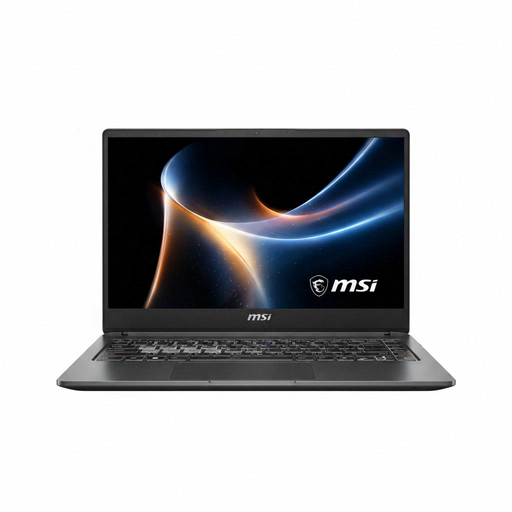
MSI Prestige N16 Flip AI+ C1XMT-044UKY, 16-inch 2-in-1 Copilot+ PC
Consider this convertible when laptop-style typing and touchscreen use are both part of the intended routine.
The listed configuration has a 16-inch 2.8K OLED touchscreen, 32GB RAM and a 1TB SSD. Its listed weight is 1.9 kg, making it a laptop-sized carry rather than a small handheld tablet.
Joybuy
 No image available
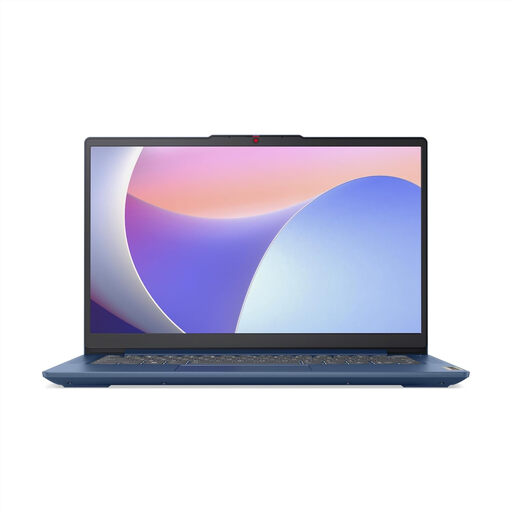
Lenovo IdeaPad Slim 3 14 Chromebook, 82XJ0010UK
This Chromebook is a laptop-style option to consider for browser-based activities such as browsing and streaming.
The listed specifications include a 14-inch Full HD screen, 8GB RAM, 128GB eMMC storage and a 1.3 kg weight. Check that the relative’s essential services and any required peripherals work with the exact device.
Joybuy
 No image available
HP 16-as0004na OmniBook X Flip, 16-inch 2-in-1 Copilot+ PC
Consider this convertible if the relative wants a laptop-style setup with a touchscreen and alternate viewing positions.
The listed configuration includes a 16-inch 2K IPS touchscreen, 16GB RAM, a 512GB SSD and a 360-degree hinge with laptop, tent, stand and tablet modes.
Joybuy
 No image available
HP 14-fh0006na OmniBook Ultra Flip 2-in-1 Copilot+ PC
This convertible may suit someone who wants laptop-style typing but also expects to use the touchscreen in tablet mode.
The listed configuration includes a 14-inch 3K OLED touchscreen, 16GB RAM, a 1TB SSD and a 360-degree hinge. Its listed weight is 1.34 kg.
Joybuy
 No image available
TABWEE T20 10.1-inch tablet, 256GB, with keyboard and mouse
This tablet is an option to compare for handheld browsing with physical keyboard and pointer accessories for use at a table.
The listing specifies a 10.1-inch display and 256GB storage, and identifies a removable keyboard and mouse among the included components. Check that the relative’s essential websites and services work with the device.
Joybuy
Common questions
Can an existing USB drive move between an old computer and an iPad or Chromebook?
It may, but check the drive’s format and connector first. Apple says an iPad external drive must have one data partition and use a supported format, including exFAT. Google lists exFAT and NTFS among file systems accessible on Chromebooks. Recognising a drive does not make a desktop application available on the new device.
How should we try a keyboard and mouse before buying?
Pair the intended accessories and try an email and the relative’s usual websites. Google documents physical-keyboard pairing and layout settings for Android; Apple specifies iPadOS 13.4 or later for Bluetooth mouse or trackpad use. For a fitted keyboard cover, check compatibility with the exact tablet model.
Does a Chromebook’s update policy show how long a particular device is supported?
No: check Google’s update schedule for the exact device. Google says some eligible older Chromebooks require an opt-in for extended updates, which removes Android apps and the Play Store on those devices.
What if an online-bought device is unsuitable or faulty?
For eligible UK distance purchases, GOV.UK guidance describes a 14-day cancellation period after delivery, subject to the applicable rules. Faulty-goods remedies are separate: GOV.UK says a trader must repair or replace an item within six months unless the trader can prove it was not faulty when bought. Check the terms that apply to the purchase; a manufacturer warranty is separate from statutory rights.


