Who may benefit from a touchscreen study setup?

Long-form assignment writers

If you regularly type essays, submit work online or need course-specific software, prioritise a physical keyboard and confirmed access to the required platforms. The Digital Poverty Alliance describes the importance of regular access to a device suitable for schoolwork; Microsoft Support also sets out platform-specific limits for desktop apps.

Handwritten-note and creative learners

If you annotate readings, work through diagrams or draw, check that the exact device supports a compatible pen and that your apps can handle the work you need to submit. Apple and Samsung list pen support for specific tablet models, while Google Classroom Help explains that some app features also require Docs, Sheets and Slides.

Mixed-task or shared-device households

If study alternates between typing and pen input, or a suitable computer is shared, consider both the complete accessory setup and whether the learner can use it when needed. Lenovo and Microsoft describe convertible or detachable options with different accessory arrangements; the Digital Poverty Alliance distinguishes device ownership from regular access.

What should you prioritise when choosing?

Tablet

Choose when: handwriting, PDF annotation or drawing is the main task and the required assignment workflow works in the tablet’s apps or browser.

Trade-off: a compatible pen or physical keyboard may be a separate purchase, and tablet access does not establish desktop-software compatibility.

Keyboard-equipped laptop

Choose when: essays, online submissions or required desktop applications take priority; check separately whether the model has a touchscreen if you need direct annotation.

Trade-off: a conventional laptop does not necessarily provide pen input. Microsoft says its Windows and Mac desktop Microsoft 365 versions cannot be installed on a Chromebook.

Convertible laptop-tablet

Choose when: you regularly alternate between keyboard work and on-screen annotation and the operating system supports your course software.

Trade-off: accessories vary by model: Lenovo describes the Yoga Pen as optional, while Microsoft says the cited Surface Pro keyboard and Slim Pen are sold separately.

Concern What to check when buying Who this matters to
Typing and written assignments Check the keyboard setup, assignment file formats and submission workflow; confirm any required desktop-only software. If I write essays or submit work regularly, I need comfortable typing and the right apps to complete assignments; around 33% of consumers put written work first.
Handwriting and creative input Check exact-model pen compatibility, whether the pen is included, and support for the note or drawing app and export formats you use. If I annotate readings or draw, I need a compatible pen and a way to use the work in my assignments; around 27% of consumers prioritise handwriting or creative input.
Switching between input styles Check whether the design folds or detaches, what accessories are included, and whether its operating system supports required apps. If I move regularly between typing and touchscreen tasks, I want both input styles available on the device I use; around 20% of consumers prioritise switching between them.
Shared access and file storage Check when the device is available, usable local storage, connector compatibility and which files can be accessed offline. If a household device is shared or files need to be available offline, I need reliable study access and a workable file setup; around 20% of consumers put access and file continuity first.

Buying pitfalls to avoid

  • Assuming every touchscreen is ready for handwritten notes

    Touch support does not establish that a compatible pen is included. Lenovo lists its Yoga Pen as optional, and Apple specifies support for particular Apple Pencil models.

    Check pen compatibility for the exact device and confirm what the package includes.

    A compatible pen may need to be purchased separately.

  • Assuming a keyboard case makes every tablet equivalent to a laptop

    A keyboard adds physical typing, but it does not change which apps or software the tablet can run. The assignment’s required features and submission format still matter.

    Check the required application and workflow before choosing a tablet or adding a keyboard.

    If essential software needs a different platform, you may need access to another suitable device.

  • Comparing a bare detachable device with a fully equipped laptop

    For the cited Surface Pro 12-inch (2nd Edition), Microsoft says the keyboard and Slim Pen are sold separately, so the device alone may not provide both input methods.

    Compare configurations by the keyboard and pen setup you actually need, checking the exact listing.

    The keyboard and pen can both be additional purchases for this Surface Pro edition.

  • Counting a shared household computer as always available

    A device in the household may not be accessible at the time a learner needs to complete an assignment. The Digital Poverty Alliance’s UK research distinguishes having a device from regular access to one suitable for schoolwork.

    Check study-time access before deciding whether a different sharing arrangement, keyboard or additional device addresses the need.

Relevant brands to consider

Apple

The iPad 11-inch (A16) is a tablet option for direct annotation and creative work, with specified compatible Apple Pencil models and an optional keyboard folio.

  • Apple lists 128GB as a capacity option and supports Apple Pencil (USB-C) and first-generation Apple Pencil for this iPad.
  • The Magic Keyboard Folio is a separate, model-compatible accessory and requires iPadOS 18.3 or later. Check that your course workflow works on iPadOS.

Samsung

The Galaxy Tab S10 FE Wi-Fi is an Android tablet route for pen-led notes and expandable file storage.

  • Samsung UK identifies the 10.9-inch Wi-Fi model SM-X520NZAREUB, S Pen use and microSD support up to 2TB.
  • Those specifications do not establish that a particular school app, storage policy or keyboard accessory meets your requirements; check the exact setup.

Lenovo

The Yoga 7 2-in-1 Gen 10 (14-inch AMD) is a folding touchscreen laptop option for alternating between typing and pen-oriented work.

  • Lenovo describes laptop, tablet and tent positions for the cited design.
  • Lenovo says the Yoga Pen is optional and sold separately. Check the exact configuration rather than assuming every Yoga model or listing has the same pen support or bundle.

Microsoft

The Surface Pro 12-inch (2nd Edition) is a detachable Windows tablet-computer option with touch input and the option of a laptop-style keyboard.

  • Microsoft describes this edition as a detachable device that can be used with a keyboard and Slim Pen.
  • Microsoft says the keyboard and Slim Pen are sold separately. Check that required desktop applications support the exact device configuration.

Acer

The Chromebook Plus Spin 714 CP714-1HN-541L is a touchscreen convertible with a built-in UK keyboard for browser-centred study.

  • Acer lists ChromeOS, a 14-inch touchscreen, 16GB memory and a 512GB SSD for this configuration.
  • Microsoft says its Microsoft 365 web apps work on Chromebooks, but Windows and Mac desktop versions cannot be installed. Check whether the web apps cover your course requirements.

Joybuy product choices for study

The listings below cover touchscreen laptops and convertible PCs for keyboard-led or mixed-input study, alongside a tablet described with a keyboard, mouse and stylus. Check course software and the included accessories against your needs.
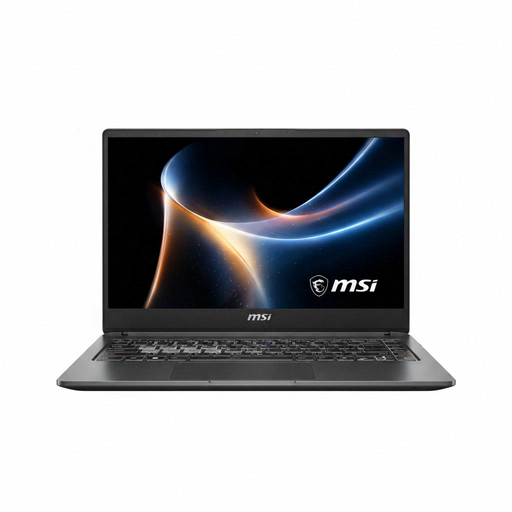
MSI Prestige N16 Flip AI+ C1XMT-044UKY 16-inch 2-in-1 PC

MSI Prestige N16 Flip AI+ C1XMT-044UKY, 16-inch

A touchscreen 2-in-1 with a UK keyboard for study that alternates between typing and touch input.

The listing specifies a 2.8K 120Hz OLED touchscreen, 32GB RAM and a 1TB SSD. MSI Nano Pen compatibility is stated, but pen inclusion is not confirmed.

View on Joybuy

Microsoft Surface Laptop 7 15-inch Copilot+ PC

Microsoft Surface Laptop 7, 15-inch Copilot+

A touchscreen laptop for keyboard-led assignments where direct touch input is also useful.

The listing specifies a Snapdragon X Elite processor, 16GB RAM and a 256GB SSD. Check required course software against the device’s platform and configuration.

View on Joybuy

HP OmniBook X Flip 16-as0004na 16-inch touchscreen 2-in-1

HP OmniBook X Flip 16-as0004na, 16-inch

A touchscreen 2-in-1 for study that switches between keyboard work and touch use.

The listing specifies an Intel Core Ultra 5 226V processor, 16GB RAM, a 512GB SSD and Windows 11 Home.

View on Joybuy

HP OmniBook Ultra Flip 14-fh0006na touchscreen 2-in-1

HP OmniBook Ultra Flip 14-fh0006na

A touchscreen 2-in-1 with a 360-degree hinge for alternating between keyboard and tablet-style use.

The listing specifies 16GB RAM, a 1TB SSD and Windows 11 Home.

View on Joybuy

TABWEE T20 10.1-inch tablet with keyboard, mouse and stylus

TABWEE T20, 10.1-inch tablet

A tablet setup described with a removable keyboard, mouse and stylus for mixed typing and touch input.

The listing specifies 256GB internal storage. Check that the device’s apps and assignment workflow meet your course requirements.

View on Joybuy

Frequently asked questions

Can a tablet complete Google Classroom assignments?

Yes, Google says its mobile app can be used to find, complete and turn in assignments. Docs, Sheets and Slides are needed for all app features, so check the exact assignment and any other required apps before making a tablet your only study device.

Will Microsoft 365 schoolwork run on a Chromebook?

Microsoft supports access to Word, Excel, PowerPoint, OneNote and OneDrive through its web apps on a Chromebook, but says Windows and Mac desktop Office versions cannot be installed. If a course requires a desktop-only feature or another installed application, confirm that requirement with the school.

Which account do I need to join a Teams class?

Microsoft’s Teams for Education instructions tell students to sign in with their school email and password. Confirm that the learner has access to the relevant class; owning a compatible device does not provide an institution’s account.

How can I keep study files available when my connection drops?

Set up and check offline access in the service you use. Microsoft’s OneDrive guidance explains that selected synced files can be available offline; Google also identifies offline functions for downloaded Classroom attachments on Android.

What UK rights apply if I buy the wrong device online or receive a faulty one?

For covered online distance sales, GOV.UK says a customer can notify the seller of cancellation within 14 days of receiving an item, with another 14 days to return it. GOV.UK also says sellers must refund goods that are faulty, not as described or unfit for their intended purpose. Check the transaction and applicable statutory exceptions; a manufacturer’s warranty does not replace statutory rights.