What matters when choosing
Start with the tasks that must work, then decide whether touch input is enough or a keyboard-based setup is necessary. Operating system and accessory choices matter most when they change that answer.
Android tablets
Consider when: Reading, calls and learning services work in the Android apps or browser you need.
Check: Desktop software may still require another computer; separate user profiles documented by Google for Pixel Tablet should not be assumed on every Android model.
iPadOS tablets
Consider when: Required tasks work in iPad apps or a browser and you want to use supported windowed multitasking.
Check: Apple keyboards fit particular models, and multitasking does not provide access to an unavailable desktop application.
Windows tablets
Consider when: A tablet form factor appeals but a Windows-based workflow is important.
Check: Confirm that required software and peripherals work on the exact device; Microsoft describes a compatible Surface Pro keyboard as a separate accessory.
| Concern | What to check | Who this matters to |
|---|
| Software and files |
Confirm required course apps and websites on the exact operating system; check essential peripherals and file workflows. |
If my course requires a desktop application or a particular file process, portability cannot come before completing the work. Around 36% of consumers put software and workflow compatibility first. |
| Typing and input |
Check the exact keyboard, trackpad or stylus compatibility and whether a stable stand suits longer sessions. |
For regular drafting or comparing documents, I need to know whether touch input will be enough. Roughly 29% of consumers make sustained typing and precise input their primary concern. |
| Reading and calls |
Confirm the call service works, the device can be positioned for calls and the intended multitasking mode is supported. |
I want to read or join calls away from a desk without losing access to my learning materials. Around 21% of consumers place portable reading and calls first. |
| Household sharing |
Inspect the exact model's user, guest and account-switching features before sharing it. |
If several people use one tablet, I want their accounts and settings kept apart. For roughly 14% of consumers, household account separation is the main deciding need. |
Joybuy tablet choices
These Android tablets relate to portable reading, calls and light home-study tasks. Before treating any of them as a laptop replacement, check your required apps and websites, as well as keyboard and household-sharing needs.
 Image unavailable
TABWEE T20 10.1-inch tablet with keyboard, mouse and stylus
Consider this listing if light typing and pen input are part of your home-study plans. The title specifies a 10.1-inch display, 256 GB storage and a keyboard, mouse and stylus; confirm the supplied bundle and software version before buying.
Check the apps and websites you need, plus separate-user support if the tablet will be shared.
Joybuy
 Image unavailable
TABWEE T80 10-inch Android 16 tablet with keyboard
This is an option to assess for reading and occasional keyboard-based tasks. Its title specifies a 10-inch display, Android 16, 128 GB storage and a keyboard.
Confirm the keyboard bundle, required call and study services, call positioning and sharing features on the exact model.
Joybuy
 Image unavailable
Xiaomi Pad 8, 8 GB RAM, 128 GB, Wi-Fi, grey
Consider this Wi-Fi tablet for app- or browser-based study if those services meet your needs. The title identifies an 8 GB RAM and 128 GB variant.
If longer typing or sharing matters, check keyboard compatibility and user-account features for this variant.
Joybuy
 Image unavailable
TECLAST T65 Plus 13.4-inch Android 15 tablet
This model is worth assessing if you want a 13.4-inch screen for reading and working with on-screen material. Its title specifies a 120 Hz display and 256 GB storage.
Check whether its size suits use away from a desk, and confirm required apps, keyboard options and sharing features.
Joybuy
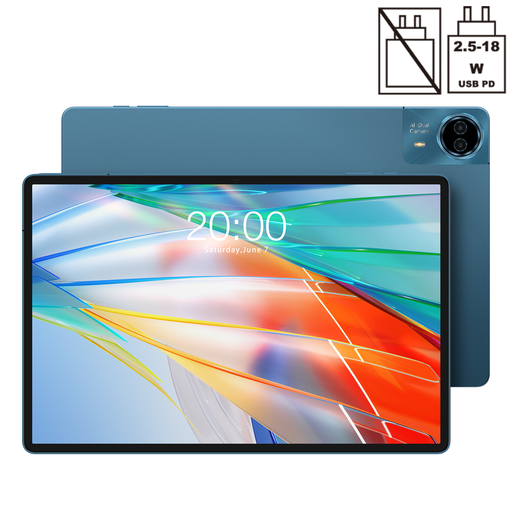 Image unavailable
TECLAST T70 14-inch Android 15 tablet, 128 GB
Assess this model if a 14-inch screen is useful for your reading setup. Its title specifies a 2240 × 1400 display and 128 GB storage.
Check its weight and stand arrangement for use around the home, along with required apps, keyboard options and account-sharing features.
Joybuy
Common questions
What home-study work can I do on a tablet?
Reading, notes, video calls and web-based tasks may work well when every required service supports the tablet's apps or browser. Loughborough University IT Services cautions that the range of software accessible on tablets is limited, so check course-specific work before making one your main device.
When should I keep a laptop?
Keep laptop access when essential study work needs desktop software, particular peripherals or a file workflow your tablet cannot handle. University College London advises its students to have regular laptop or desktop access; check your own course's requirements rather than assuming the same rules apply everywhere.
Do I need a keyboard or stylus straight away?
Choose a keyboard for regular longer writing and a stylus if handwriting or annotation is central to your work; neither is necessary for every reader. Check the exact tablet and accessory pairing, since Apple, Samsung and Microsoft describe model-specific options.
Can several people use one tablet with separate accounts?
Some tablets support separate users, but check the exact model before relying on account separation. Google documents personal spaces for Pixel Tablet users, including separate accounts, apps and settings; that does not establish the same features on every tablet.


