What matters when choosing?
Settle on the book service you need, then compare tablets with a sample chapter enlarged to your usual reading size. The routes below differ in screen space and app access; none makes every reading app use the same layout.
13-inch iPad Air
Consider it when: you want more room for enlarged text and can read with the tablet supported. Apple specifies a 13-inch display and provides iPad text and magnification controls.
Trade-off: Apple lists the 13-inch Wi-Fi model at 616 g; try your actual book app before committing to the larger device.
11-inch Android tablet
Consider it when: you want an 11-inch reading canvas and Android access to your chosen book service. Samsung specifies an 11-inch Galaxy Tab A9+ with optional microSD expansion.
Trade-off: check the exact model configuration and how your reading app handles enlarged type; a system font setting does not establish the layout of every book.
Fire Max 11
Consider it when: your reading is centred on Kindle and you want an 11-inch colour tablet with Fire's font-size and magnification settings.
Trade-off: Amazon says Google Play is not supported on Fire tablets, so confirm any other essential reading app before choosing this route.
| Concern |
What to check |
Who this matters to |
| Large-text page layout |
Open a sample chapter at your usual font size. Check margins, line length and contrast in the exact app. |
If I enlarge every page, I need enough readable text on screen without awkward line breaks or constant page turns; around 36% of consumers put large-text page comfort first. |
| Books and apps |
Confirm that each required book service has a suitable app for the tablet and that your books open in it. |
When my historical-fiction library sits with one service, keeping access to those books matters more than a screen specification; around 29% of consumers make app and library compatibility their primary concern. |
| Handling and lighting |
Compare the stated weight, try your usual holding position and assess the screen in your typical light. |
For lengthy handheld sessions or reading near a bright window, I need a device I can position and see comfortably; around 21% of consumers prioritise handling and lighting. |
| Configuration and outlay |
Compare like-for-like storage and advertising configurations; check what accessories you would need. |
If I mainly read fiction, I want the enlarged-text setup I need without paying for features I will not use; around 14% of consumers put upfront outlay first. |
Brands to consider
These product lines illustrate different ways to approach large-text reading. Judge the particular tablet and reading app together rather than treating a brand name as a guarantee of fit.
Apple
The iPad Air line offers 11-inch and 13-inch screen choices alongside iPad accessibility controls.
- Apple specifies a 2732 × 2048 display for the 13-inch iPad Air; its accessibility guidance describes text, contrast and magnification adjustments.
- Apple lists the 13-inch Wi-Fi model at 616 g. Check both your holding position and the font controls in your chosen book app.
Samsung
The Galaxy Tab A9+ is an 11-inch Android option for readers considering a conventional tablet and expandable storage.
- Samsung specifies 64 GB and 128 GB configurations and microSD support up to 1 TB for the Galaxy Tab A9+ line.
- Configurations can vary by country or region. Confirm the exact UK variant and test text settings in the book app you intend to use.
Amazon Fire
The Fire Max 11 is an 11-inch option for readers whose book access centres on Kindle.
- Amazon describes font-size and magnification settings for Fire tablets.
- Amazon says Google Play is not supported on Fire tablets. Confirm other required apps and whether the selected configuration displays sponsored content.
Joybuy tablets for large-text reading
These Android tablets offer screen sizes from 11 to 13.4 inches for considering an enlarged reading page. Screen size alone cannot establish book-app compatibility or handheld comfort: try your usual font setting in the required app and check how you would hold the exact model.
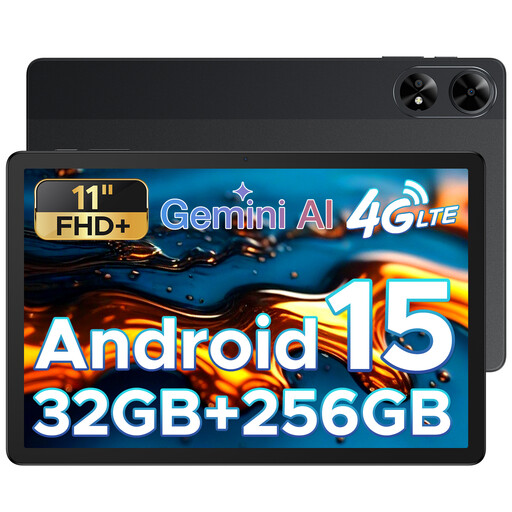 Image unavailable
DOOGEE Tab G6 Plus 11-inch, 32 GB RAM, 256 GB, black
Consider the 11-inch screen if you want to assess an enlarged novel page without moving to a larger tablet.
The product name specifies an FHD+ display, 256 GB storage, expansion up to 2 TB and an 8000 mAh battery. Check your required reading app and its large-text layout on this model.
View on Joybuy
 Image unavailable
DOOGEE U11 PRO 11-inch, 30 GB RAM, 256 GB, black
This is another 11-inch option to assess with a sample chapter at your preferred font size.
The product name specifies an IPS screen, 256 GB storage, a 90 Hz refresh rate and an 8580 mAh battery. Confirm that your book service runs on it and offers the text adjustments you need.
View on Joybuy
 Image unavailable
TECLAST ArtPad Pro 2025 Edition, 12.7-inch, 256 GB
Consider its larger screen if your usual enlarged font leaves too little text visible on an 11-inch page.
The product name specifies a 12.7-inch 2K display, Android 15 and an included stylus. Check the exact book app, and confirm the device weight if you plan to read while holding it.
View on Joybuy
 Image unavailable
Xiaomi Pad 8 Pro, grey, 12G RAM, 512G storage
Its stated 11.2-inch screen places it close to the 11-inch options when comparing an enlarged reading layout.
Check that your reading service and preferred text controls work on the exact variant, and confirm its weight if handheld sessions matter to you.
View on Joybuy
 Image unavailable
Teclast T65 2026, 13.4-inch, 128 GB
The 13.4-inch screen is worth assessing if you want more page area for substantially enlarged type and have a comfortable way to support a larger tablet.
The product name specifies Android, 128 GB storage and 26 GB RAM, described as 6 GB plus 20 GB virtual. Check your reading app, the display resolution and the device weight before deciding.
View on Joybuy
Common questions
How do I check whether a tablet's text will be large enough?
Open a sample historical-fiction chapter in the app you intend to use and set its font to your usual size before judging the screen. Rakuten Kobo says its iOS and Android app lets readers change font size through Reading Settings or pinch gestures; check margins, contrast and page turns as well as the type itself.
Will my existing e-books open in any tablet reading app?
No: owning a book through one service does not mean another service's app can open it. Rakuten Kobo says its Android app does not support Amazon Kindle e-books or audiobooks, so check your accounts, required apps and titles before selecting a tablet.
Can I return an online tablet purchase if the enlarged layout does not suit me?
For an online purchase from a business, Citizens Advice says a change-of-mind cooling-off period generally applies for 14 days from the day after delivery, subject to exceptions. Check the guidance applicable where you live and the seller's return procedure; change-of-mind returns are distinct from remedies for faulty goods.
What if the tablet is faulty after purchase?
A faulty, damaged or misdescribed tablet may give you legal remedies, regardless of whether a change-of-mind return applies. Citizens Advice explains that a refund, repair or replacement may be available depending on the circumstances, and that a warranty adds to rather than replaces legal rights; keep your proof of purchase.


