Large-grid readers
If you like to see written clues alongside the board, screen space matters. Egghead Games’ Logic Grid Puzzles listings describe grids reaching 4×7, though the layout of your chosen app will determine how much fits on screen.


Choose a tablet for logic-grid puzzles by checking the app you want to use, then balancing room for clues and grids against how comfortable the device is to hold. A compact iPad mini suits portable sessions, while a larger iPad or Android tablet gives you more screen space; neither choice makes premium gaming specifications a requirement for the puzzle apps discussed here.
If you like to see written clues alongside the board, screen space matters. Egghead Games’ Logic Grid Puzzles listings describe grids reaching 4×7, though the layout of your chosen app will determine how much fits on screen.
If you play during travel or short breaks, carrying and holding the tablet may matter more than maximising screen size. Apple specifies an 8.3-inch display and a 293 g weight for the Wi-Fi iPad mini.
If a particular app or its continuing content costs will decide your purchase, check its platform and store listing first. Egghead Games’ iPad and Android listings describe optional paid content, while Smart Hints require internet access.
For logic-grid puzzles, start with the intended app and its layout, then decide whether a roomier board or easier hand-held use matters more to you.
| Concern | What to check | Who this matters to |
|---|---|---|
| Readable clues and grids | Compare screen size and resolution, then inspect the exact app’s layout on a similar-sized screen. | If I work through larger grids, I want clues and the board visible without constant zooming. Around 46% of consumers would put readable workspace first. |
| Comfortable carrying and holding | Compare the weight and dimensions of the exact configuration, not just its screen-size label. | For short puzzles away from a desk, I would rather hold a compact tablet than carry a larger screen. Roughly 27% of consumers would make portability their primary concern. |
| App and content access | Check the intended app’s compatibility, offline features, paid content and internet requirements for hints. | I need the app I plan to play, and I want to know which features need a connection or continuing payment. About 27% of consumers would prioritise platform and content access. |
More space can help with clues and grids, but a bigger tablet may be less comfortable to carry or hold. Apple specifies 293 g for the Wi-Fi iPad mini and 477 g for the Wi-Fi 11-inch iPad.
Decide whether you usually play hand-held or seated, then compare the exact models’ dimensions as well as their displays.
Egghead Games describes offline core play for its Android app, but says Smart Hints need internet access on both its Android and iPad apps. Additional puzzle content is optional and paid.
Read the listing for the exact app you intend to use, including its hint, purchase and subscription-renewal terms.
The app features described by Egghead Games focus on reading clues and entering answers. A higher refresh rate or more storage does not, by itself, establish a benefit for this game.
Check app compatibility and screen fit before choosing hardware features intended for other uses.
A Galaxy Tab S10 FE+ is not the Galaxy Tab S10 FE, and a storage or connectivity variant can also differ from the one you intended to compare.
Check the complete model name, configuration and product details before purchasing.
The iPad and iPad mini offer different screen-size routes to the iPad logic-grid app listed by Egghead Games.
The Galaxy Tab S10 FE is an Android option for consumers considering an approximately 11-inch puzzle screen.
The Lenovo Tab Plus is an Android option to consider for seated puzzle sessions.
These tablets offer compact iPad play or larger-screen options for reading clues and grids. Before choosing any model, check the compatibility and layout of the particular puzzle app you want to use.
 No image available
Consider this 11-inch model if you want space to view puzzle clues and a grid. The named configuration has 128GB storage and Wi-Fi connectivity; check the intended app’s compatibility with the exact device.
 No image available
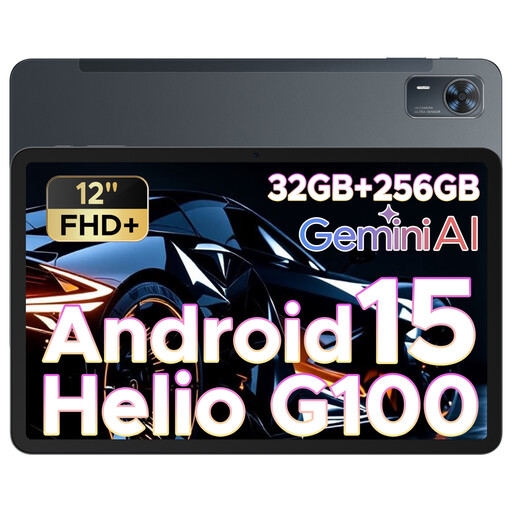
Consider the 12-inch screen if seeing more of a puzzle at once matters more than choosing a compact tablet. The named model runs Android 15; check the intended app’s compatibility and whether this size suits how you hold or carry it.
 No image available
This larger-screen model is worth considering if you usually work through clues while seated. Its name specifies a 12.7-inch 2K display and an included case; check the app layout and the tablet’s carrying dimensions before buying.
 No image available
The 11-inch format may suit consumers who want room for a puzzle board without choosing a 12-inch-class tablet. Compare fine clue text in your intended app on the exact display, and check app compatibility before buying.
 No image available
Consider the iPad mini for portable puzzle sessions if you accept less space for clues and a large grid. The named variant has 512GB storage; compare your intended app’s layout on the smaller screen and check exact-model compatibility.
It can suit portable play, but check whether you can comfortably see the clues and grid together. Egghead Games describes puzzles up to 4×7 in its iPad app and notes a browsing-layout adjustment for smaller iPad screens; compare that app’s layout with a larger tablet if you dislike zooming.
Core play can work offline in Egghead Games’ Android logic-grid app, according to its listing. Its Smart Hints require internet access, as do Smart Hints in the corresponding iPad app, so check the particular features you expect to use while disconnected.
Not necessarily: Egghead Games lists free puzzles alongside optional paid content for its iPad and Android apps. Check the current listing for the puzzle packs you want and any subscription-renewal terms before choosing a tablet around that app.
A stylus is not established as a requirement for the Egghead Games logic-grid apps discussed here; their listings describe on-screen puzzle controls. Consider one separately if you also intend to write or draw in other apps, and check compatibility with the exact tablet.