What to check before buying
Start with the app you intend to play, then decide how much screen space you want to carry. A display diagonal helps compare size, but cannot show whether that app makes its clues comfortable to read.
| Concern | What to check | Who this matters to |
|---|
| Portability |
Compare the screen size and stated weight of the exact variant. Apple lists its Wi-Fi iPad mini at 293 g and its Wi-Fi 11-inch iPad (A16) at 477 g. |
If I will be holding the tablet in a queue or fitting it into a small bag, I would put easy carrying ahead of extra grid space. Around 42% of consumers would put portability first. |
| App and offline play |
Find the exact game in the relevant app store; check its device requirements and whether downloaded puzzles work offline. |
I do not want a puzzle session to depend on airport connectivity or discover that my chosen game uses a different app store. App access and offline play would be the primary concern for around 33% of consumers. |
| Grid workspace |
Compare display size with the game’s actual layout and the selected tablet configuration, rather than relying on screen size alone. |
If dense clues make me zoom and pan repeatedly, I would accept a larger device for more viewing room. Readable grids would come first for around 25% of consumers. |
Joybuy tablets for this use
These compact and 11-inch tablets offer different ways to balance carrying a device with viewing a logic grid. Check your chosen app and its offline requirements separately for any model you consider.
 No image available
Apple iPad mini 7 (A17 Pro), 512 GB, Space Grey
Consider this compact iPad if carrying a smaller screen matters more than maximising grid space. Check your chosen iPadOS game and its offline functions before travelling.
 No image available
Samsung Galaxy Tab A11+, 11 inches, 128 GB, Wi-Fi, Grey
Consider the 11-inch format if you want more physical display space for grids and clues. Confirm that your preferred game runs on this tablet and works offline if needed.
 No image available
DOOGEE U11 11-inch Android 15 tablet, Blue
The 11-inch format is worth considering if grid space takes priority over a compact screen. The product name lists Android 15 and Bluetooth 5.0; confirm the processor specification for the selected variant and check the game’s offline functions.
 No image available
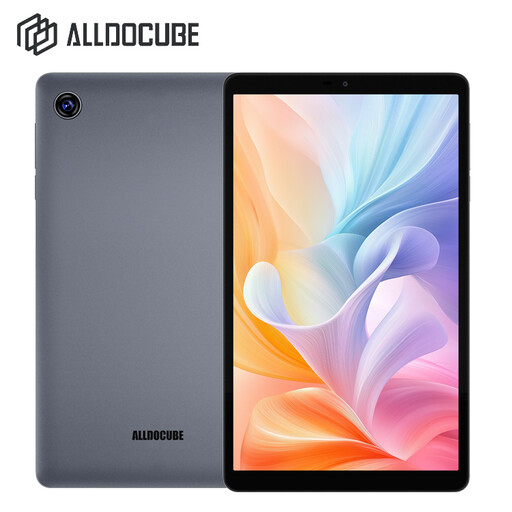
ALLDOCUBE iPlay60 Mini, 8.68 inches, 4 GB/64 GB
Consider its smaller screen if a compact tablet is your priority. The product name lists Android 15 and a 4,000 mAh battery and says no charger is included; check that you have a compatible charger, along with the game’s offline requirements.
 No image available
DOOGEE Tab E3 11-inch Android 15 tablet, Blue
This 11-inch option suits a preference for more physical grid space over a smaller screen. Its product name lists an FHD+ 90 Hz display and an 8,800 mAh battery; confirm the selected storage variant and whether your game works offline.
Frequently asked questions
Is an 8-inch or an 11-inch tablet easier to use for logic grids?
Choose a smaller screen when carrying and holding the tablet matters most; consider 11 inches when you want more room for clues and grid cells. Apple lists its Wi-Fi iPad mini at 8.3 inches and 293 g, compared with 11 inches and 477 g for its Wi-Fi iPad (A16), but the game’s layout also affects readability.
Do I need a cellular tablet to play at the airport?
Not necessarily: a Wi-Fi tablet can work for this purpose if your chosen game and required puzzles are installed and usable offline. Check the app’s requirements and test it in flight mode before travelling.
Will every Android logic-grid game work on an Amazon Fire tablet?
No. Amazon says Fire tablets do not support Google Play, so check whether the exact game is offered in the Amazon Appstore before choosing one.
Can I take my tablet through a UK airport?
Tablets can normally be taken in cabin baggage, according to the UK Civil Aviation Authority. GOV.UK advises checking electronic-device rules before travel because requirements can differ between countries; check your airline’s rules too.
Where should I pack a power bank for the tablet?
Keep it in cabin baggage, not checked luggage. That is the UK Civil Aviation Authority’s packing guidance; check your airline’s current requirements for the power bank you plan to carry.


