What matters when choosing
Decide how much tablet you want to carry before choosing a screen size, then check the exact game and storage configuration. A display specification alone cannot establish whether that game will work offline.
| Concern |
What to check |
Who this matters to |
| Portability |
Compare the chosen tablet’s dimensions and weight, then check whether it fits your bag with its case. |
I want to carry my tablet through the terminal without giving up too much bag space or finding it awkward to hold while waiting. Roughly 42% of consumers would put portability first. |
| Game-board space |
Compare an 8–9-inch display with an 11-inch display, allowing for the tablet and case you will carry. |
If I will mostly play while seated, I would rather have more room to see and tap the game board than carry the smallest tablet. Around 33% of consumers would make screen space their primary concern. |
| Android configuration |
Check internal storage and the exact game’s compatibility. For Galaxy Tab A9 and A9+, Samsung says microSD storage is for media, not apps. |
I want to keep my games and necessary downloads installed on an Android tablet without relying on a memory card for app space. Approximately 25% of consumers would prioritise that configuration need. |
Joybuy tablet choices
These tablets cover compact and larger-screen choices for playing match-three games while travelling. Choose by the size you want to carry and the configuration you need, then check your game on the exact device and operating system.
 Image unavailable
Apple iPad Mini 7 (A17 Pro), 512GB, Space Grey
Consider this compact iPad if carrying a smaller tablet matters more than having an 11-inch game board.
The listed variant has 512GB storage. Check that your game, account progress and purchases work on iPadOS, and test offline play before travelling.
View on Joybuy
 Image unavailable
Samsung Galaxy Tab A11+, 11-inch, 128GB Wi-Fi, Grey
Consider this Android tablet if an 11-inch game board matters more to you than a compact carry size.
This is the 128GB Wi-Fi variant. Check its fit with your bag and case, and test your particular game offline if you plan to play without a connection.
View on Joybuy
 Image unavailable
TABWEE T20 10.1-inch tablet, 256GB, with keyboard, mouse and stylus
The 10.1-inch size is worth considering if you want more screen space than a compact tablet but do not want an 11-inch model.
The name lists 256GB storage and a keyboard, mouse and stylus bundle. Decide which accessories you would actually carry, confirm the delivered Android version if it matters to your game, and test offline play.
View on Joybuy
 Image unavailable
DOOGEE U11 PRO 11-inch tablet, 256GB, Black
This is another 11-inch Android choice for someone who would rather have a larger game board than a smaller tablet to carry.
The name lists 256GB storage and a 90 Hz screen. Confirm the delivered processor configuration if that affects your choice, and check your game’s compatibility and offline behaviour.
View on Joybuy
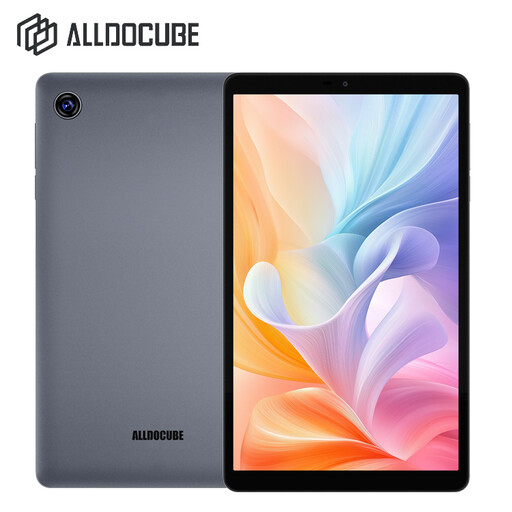 Image unavailable
ALLDOCUBE iPLAY60 Mini 8.68-inch tablet, 4GB RAM, 64GB storage
Consider this compact Android model if an 8.68-inch screen suits the space available in your travel bag.
The name lists 4GB RAM, 64GB storage and Android 15, and states that no charger is included. Check its full dimensions, arrange a compatible charger and test your game before travelling.
View on Joybuy
Common questions
Can I take a tablet through a UK airport?
Yes. GOV.UK lists tablets as permitted in both hand luggage and hold luggage. Check your airline’s rules for your journey, particularly if it includes airports outside the UK.
Why should I charge my tablet before airport security?
GOV.UK advises charging electronic devices before travel because a device that cannot switch on when requested will not be allowed onto the aircraft. Charge it before leaving and keep a compatible cable accessible.
Do I need a cellular tablet for match-three games at the airport?
Not if your particular game works as you need it to without a connection. Install it, sign in, complete required downloads and test it in airplane mode; consider cellular connectivity if you need mobile data away from Wi-Fi.
Can a microSD card hold more games on a Galaxy Tab A9 or A9+?
No. Samsung says external memory on the Galaxy Tab A9 and A9+ can store media but not applications. Choose internal storage with the games and downloads you intend to keep installed in mind.
What should I check before travelling with a new gaming tablet?
Check that your exact game installs, your saved progress appears and any required content has downloaded. If you want to play without internet access, test the game with Wi-Fi and mobile data turned off; also charge the tablet before setting off.


