What matters when choosing?
Start with how your game works without a connection, then consider where you will see the screen and charge the tablet. Compare the exact configuration rather than relying on a tablet family name.
| Concern | What to check | Who this matters to |
|---|
| Offline play |
Install and test the intended game offline before travelling; decide whether a phone hotspot covers the features you need. |
If I cannot rely on campsite Wi-Fi, I want the game to keep working between connections. Around 27% of consumers put offline access first. |
| Daylight visibility |
Compare screen size and stated display information, then consider glare and your likely viewing position. |
Playing outside, I need to see and tap the game board comfortably despite changing light. Daylight readability comes first for around 20% of consumers. |
| Charging |
Compare battery capacity for the exact model and plan a compatible way to charge it at the campsite. |
When sockets are limited, I want to plan play and charging without treating battery capacity as a runtime promise. Around 33% of consumers prioritise charging resilience. |
| Size and configuration |
Check the exact screen size, storage and memory variant, alongside what you are willing to carry. |
If I am carrying the tablet around the campsite, I want enough room for games and updates without choosing a larger device than I need. Portable value is the main concern for around 20% of consumers. |
Tablets on Joybuy
These Android tablets offer different screen sizes and connectivity options for campsite play. Check your chosen game, charging setup and the exact listing configuration before deciding.
 Image unavailable
Samsung Galaxy Tab A11+ 11-inch Wi-Fi, 128 GB, grey
Consider this 11-inch Wi-Fi model if you prefer a larger game board and can arrange downloads before travelling or use a hotspot.
Samsung makes a direct-sunlight visibility claim for the Galaxy Tab A11+ family; it is not a weather-resistance claim. Confirm the exact variant and keep the tablet dry.
View on Joybuy
 Image unavailable
Xiaomi Pad 8 Wi-Fi, 8 GB RAM, 128 GB, grey
Consider this Wi-Fi configuration if its stated memory and storage suit the games and other apps you intend to install.
Check screen visibility in your expected light and plan how you will charge it; a display specification alone cannot establish outdoor readability.
View on Joybuy
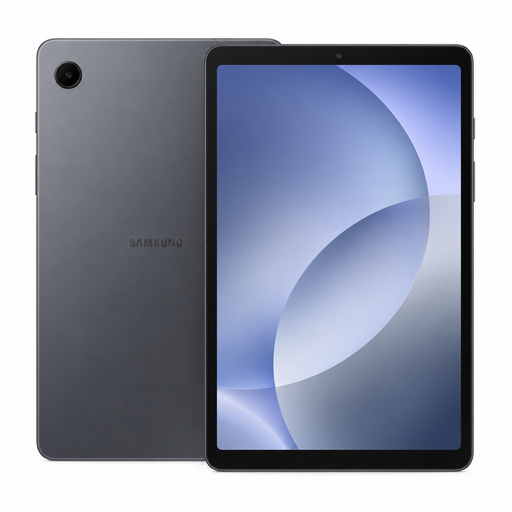 Image unavailable
Samsung Galaxy Tab A11 Wi-Fi, 64 GB
Consider this model if you would rather carry a smaller tablet than use the larger-screen options.
Check that 64 GB of storage leaves room for your intended games and updates, and assess the screen in the light where you expect to play.
View on Joybuy
 Image unavailable
TECLAST ArtPad Pro 12.7-inch, 256 GB, with stylus
Consider the larger screen if you also want room for activities beyond match-three games; check whether a 12.7-inch tablet is convenient to carry and position at your campsite.
The listing names a 2K display, 8 GB physical RAM plus 12 GB virtual RAM, dual-SIM 4G LTE, a 10,000 mAh battery and Android 15. Battery capacity does not establish gaming runtime; confirm that your intended game is available for the device.
View on Joybuy
 Image unavailable
DOOGEE Tab E3 11-inch, black
Consider this 11-inch model if you want to compare a stated 8,800 mAh battery with other options while planning for limited charging access.
The title specifies an FHD+ 90 Hz display and Android 15. Confirm the exact storage and physical RAM configuration before buying; the battery figure is not a promise of gaming hours.
View on Joybuy
Frequently asked questions
Do I need a cellular tablet for match-three games at a campsite?
Not if your intended game supports the offline play you need. King Community says Candy Crush Saga supports offline core play after installation, but purchases, adverts and some online features require a connection. Consider cellular if you need connected features away from Wi-Fi or a hotspot and have suitable coverage.
What should I do before leaving for the campsite?
Install and update your chosen game, sign in if needed, and test a session with the tablet disconnected. Check available storage and take the charging cable and power source appropriate for your exact device.
Can I charge a tablet in a cold or hot tent?
Check the charging guidance for your exact device and avoid exposing it to temperature extremes. Lenovo Support describes 16°C to 30°C as an ideal charging range for its tablets, warns that charging above 35°C can permanently reduce battery capacity, and advises against charging at low temperatures.
Does a tablet described as suitable for daylight play resist rain?
No conclusion about rain resistance follows from a display claim. Keep the tablet and charging equipment dry, and check the exact model's manufacturer documentation for a relevant water-resistance rating before exposing it to rain.
How should I dispose of an old tablet in the UK?
Take it to an appropriate electrical-waste recycling collection point rather than putting it in household rubbish, as advised by the UK Office for Product Safety and Standards.


