What matters when choosing?
Settle the viewing position and app requirements before deciding whether handwriting or a larger display will change how you plan meals.
| Concern |
What to check |
Who this matters to |
| Stable, raised viewing |
Check the kickstand or stand against the tablet’s size, then assess screen height and distance at your desk. |
If I leave recipes open while standing, I need a screen I can see without holding the tablet or leaning over it. Around 31% of consumers would put this desk-positioning need first. |
| Handwriting |
Check pen compatibility, box contents and whether your notes app suits handwritten menus. |
Writing on a weekly menu or annotating a recipe is part of my routine, so a workable pen setup takes priority. For around 25% of consumers, handwriting would be the primary need. |
| Readable planning space |
Compare screen size and the way your chosen apps display recipes, calendars and lists; consider where you will carry the tablet. |
When I glance between a recipe and my plan, I want enough room to read the content from where I stand. This screen-space need would come first for around 25% of consumers. |
| Apps and setup |
Confirm your essential apps and check whether the stand, adaptor or other accessories you need are supplied. |
I can use a straightforward tablet, but only if it runs my planning tools and I can set it up with the accessories available to me. Around 19% of consumers would make that practical fit their first concern. |
Joybuy tablets for meal planning
These tablets offer different starting points for viewing recipes, making lists and, on some models, writing notes. Check each one with the stand, apps and accessories your standing-desk routine requires.
 No image available
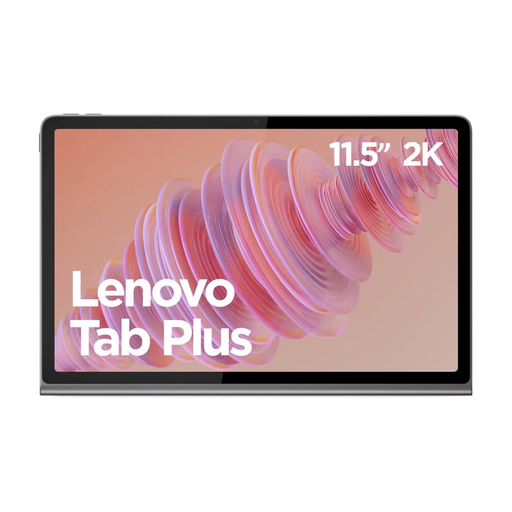
Lenovo Tab Plus 128GB Grey
Consider this model if recipes and lists will usually remain open at your standing desk. Check whether its kickstand places the screen high enough for your position; the 128GB variant should not be assumed to have the same configuration as another Tab Plus listing.
View on Joybuy
 No image available
TABWEE T20 10.1-inch 256GB tablet with keyboard, mouse and stylus
The listed keyboard, mouse and stylus make this a model to examine if you alternate between typing a weekly plan and writing notes. Check the supplied stand at your desk and confirm the exact operating-system version before choosing it.
View on Joybuy
 No image available
TECLAST ArtPad Pro 2025 Edition 12.7-inch 2K 256GB tablet with stylus
This model combines a larger listed display with an included stylus for consumers who want room for a planning view and handwritten notes. Its product name specifies Android 15; check that a suitable stand supports the tablet at the height you need.
View on Joybuy
 No image available
Samsung Galaxy Tab A11+ 8GB/256GB Wi-Fi Gray
Consider this configuration for an app-based recipe and list routine, subject to checking your particular apps. Its title identifies 8GB of memory and 256GB of storage; confirm your stand arrangement and any stylus requirements separately.
View on Joybuy
 No image available
Xiaomi Pad 8 8GB/128GB Wi-Fi Gray
This is another tablet to consider for reading recipes and managing a weekly plan. Its title identifies 8GB of memory and 128GB of storage; check the desk stand and whether the exact bundle meets any handwriting needs.
View on Joybuy
Questions about the setup
Do I need a separate stand for meal planning at a standing desk?
Not necessarily, if the tablet’s integrated kickstand is stable and positions the screen suitably. A kickstand controls angle, not necessarily height: compare the result with Health and Safety Executive guidance on screen position and viewing distance.
Is a stylus worthwhile for a weekly meal plan?
A stylus is most useful if you regularly handwrite menus, shopping lists or recipe annotations. Samsung lists an S Pen in the Galaxy Tab S10 FE box; Apple lists Pencil compatibility for iPad Air, so check the accessory and bundle for the exact model you choose.
Will a Fire HD 10 run my meal-planning apps?
Check each app before choosing a Fire HD 10. Amazon says Fire tablets do not support Google Play, so confirm that your essential planning and grocery-list tools are available through its supported apps or an acceptable web version.
How long will the 2023 Fire HD 10 receive security updates?
Amazon states that Fire HD 10 Generation 13, released in 2023, will receive security updates at least through 31 December 2029. That statement applies to this generation, not automatically to other Fire tablets.


