Joybuy tablets for records and forms
These Joybuy tablets offer larger screens for membership lists and forms. Before taking one into the field, check your application, connection requirements, security settings and the conditions in which it will be used.
 No image available
TABWEE W90 11-inch Android tablet
Consider it for viewing records where a cellular connection may be useful: the listing specifies an 11-inch screen, dual 4G SIM capability and 5G Wi-Fi. Check app compatibility, mobile coverage, offline operation and storage-encryption settings before relying on it for member data. Confirm the battery specification for the exact unit.
View on Joybuy
 No image available
TECLAST ArtPad Pro 12.7-inch 2K tablet
The 12.7-inch display may suit longer membership lists and forms; the listing also specifies dual-SIM 4G LTE, T-Pen compatibility and an included case. Check the records app, coverage, offline workflow and storage-encryption configuration. Do not treat the included case as evidence of rugged protection.
View on Joybuy
 No image available
DOOGEE U11 PRO 11-inch tablet, black
Its 11-inch screen offers room to review records while travelling; the listing specifies an 11-inch 90Hz display and Wi-Fi. Confirm whether the intended configuration meets your connectivity needs, and test the app’s offline behaviour and the device’s security setup before field use.
View on Joybuy
 No image available
DOOGEE Tab G6 Plus 11-inch tablet, black
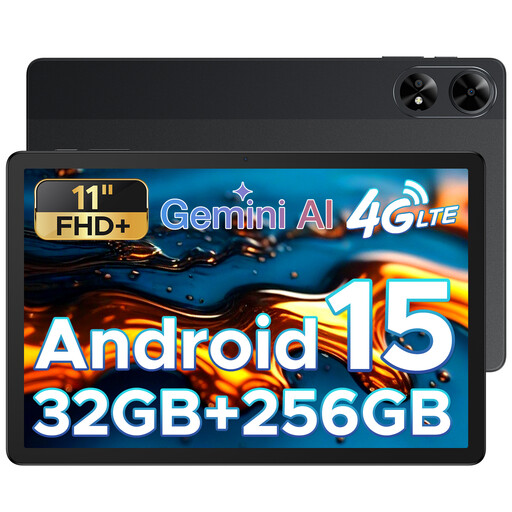
The listed 11-inch FHD+ display provides space for viewing membership lists, and the product information specifies Wi-Fi. Check connectivity for the trip, app compatibility, offline access and storage-encryption settings before putting member records on it.
View on Joybuy
 No image available
Blackview Link 8 12.7-inch tablet with keyboard and stylus
The listed 12.7-inch display, keyboard and stylus may suit teams entering information into longer forms. Confirm that the membership application works on the exact device, and check connectivity, offline operation and security settings before using it for field records.
View on Joybuy
Common questions
Does a tablet holding membership records need encryption?
Enable storage encryption if the tablet stores members’ personal information: the Information Commissioner’s Office specifically advises it for tablets that store personal data. Use an appropriate passcode as well, and manage access, updates and local copies rather than relying on encryption alone.
Should field staff use a Wi-Fi-only or cellular tablet?
Choose a cellular-capable configuration if staff need live access where dependable Wi-Fi is unavailable, but check coverage at the actual venues first. If the membership system can work offline and synchronise later, test that complete workflow before deciding which connection the tablet needs.
What should happen before staff start using the tablet?
Prepare the tablet under the organisation’s device-security process before loading member records. The Information Commissioner’s Office advises guidance covering software updates, strong passwords, minimal personal-data storage and reporting a suspected breach.
Does a manufacturer’s warranty replace faulty-goods rights?
No. For a UK purchase, a manufacturer’s warranty is separate from statutory remedies for faulty goods under the Consumer Rights Act 2015. Check the seller’s process and the exact model’s warranty terms; Samsung UK states a 24-month manufacturer warranty for its tablets, but coverage exclusions still matter.


