What matters when choosing?
Settle how you will get online at the cottage before choosing a screen size: a larger display will not retrieve live opening hours when the connection is down.
| Concern |
What to check |
Who this matters to |
| Connection at the cottage |
Confirm the host's Wi-Fi arrangements and use Ofcom's postcode tools to check broadband availability and predicted mobile coverage. Check whether the exact tablet has cellular capability if you need it. |
If I need live opening hours and directions, I want a backup when cottage Wi-Fi is uncertain; around 42% of consumers would make a dependable connection their primary concern. |
| Readable maps and bookings |
Compare the exact models' screen sizes and resolutions; consider whether you will read maps for long periods or share the display. |
When I am comparing routes and booking pages with someone else, I need enough room to read them comfortably; roughly 33% of consumers would put screen readability first. |
| Portable occasional use |
Check the screen size, the services you need in the browser or app store, and what charging equipment comes with the exact variant. |
For quick lookups on a short trip, I would rather carry a compact device, provided it opens the services I use; around 25% of consumers would prioritise portable occasional use. |
Joybuy tablet options
These options include compact Wi-Fi tablets, larger-screen Wi-Fi tablets and a dual-SIM 4G LTE tablet. Match the connection type to the cottage before weighing screen space against portability.
 No image available
Xiaomi Pad 8, 8G RAM, 128GB Wi-Fi, Grey
Consider this Wi-Fi tablet for museum websites and booking pages when you have a working cottage connection or a phone hotspot.
Check the exact variant if you need cellular access, and confirm which charging equipment comes with it.
View on Joybuy
 No image available
Samsung Galaxy Tab A11+, 11-inch, 128GB Wi-Fi, Grey
The 11-inch screen may suit readers who want more room for maps and booking pages while using cottage Wi-Fi or a phone hotspot.
If independent mobile data matters, confirm the connectivity of this exact variant. Check whether you need a separate charging adaptor.
View on Joybuy
 No image available
TECLAST ArtPad Pro 2025 Edition, 12.7-inch 2K, 256GB, dual-SIM 4G LTE
Consider this larger tablet if you want space for maps and an option to use mobile data when cottage Wi-Fi is uncertain. The named variant includes a stylus.
Before relying on 4G LTE, check compatible service, network bands and predicted coverage for the cottage postcode. Allow for the 12.7-inch size when packing.
View on Joybuy
 No image available
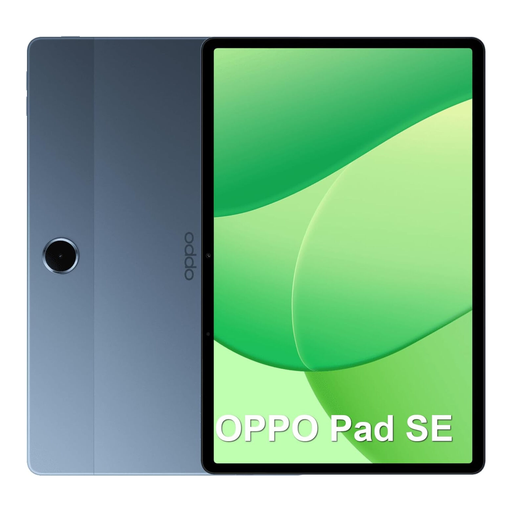
OPPO Pad SE OPD2419 EUN, 128GB, 4GB, Wi-Fi, Twilight Blue
This Wi-Fi tablet is an option for online museum lookups when the cottage connection or a phone hotspot meets your needs.
Check the exact variant for cellular capability, and confirm that any essential museum or booking service works in its browser or through an available app.
View on Joybuy
 No image available
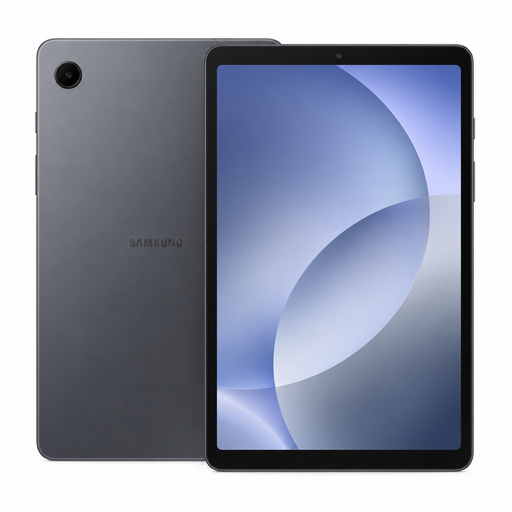
Samsung Galaxy Tab A11 Wi-Fi, 64GB
Consider this compact model for one-person museum lookups when you can use cottage Wi-Fi or a phone hotspot. Samsung specifies an 8.7-inch, 1340 × 800 display for the cited Tab A11.
The smaller screen leaves less room for detailed maps or shared viewing. Check the exact package for a suitable charging adaptor.
View on Joybuy
Frequently asked questions
Should I choose a Wi-Fi-only or cellular tablet for a holiday cottage?
A Wi-Fi tablet is sufficient if you can rely on the cottage connection or use a phone hotspot; consider a cellular-capable model if you want the tablet to connect independently. Ofcom's postcode tools can help you check broadband availability and predicted mobile coverage before you decide.
Can a compact tablet handle museum hours and bookings?
Yes, a compact tablet can suit basic browser lookups, though it leaves less room for maps, forms and shared viewing. The cited Fire HD 8 has an 8-inch display, compared with the 11-inch displays of the cited iPad and Lenovo Tab M11.
Do I need a particular app store to check museum information?
Not if the museum and booking services you use work in a web browser. Check any essential app before buying a Fire tablet, because Amazon says Google Play is not supported on Fire tablets.
What should I check before relying on cottage Wi-Fi?
Ask the host for the network details and test the connection when you arrive. Before travelling, Ofcom's postcode tools can show broadband availability and predicted mobile coverage by provider, but its coverage checker does not report maintenance or local service issues.


