What matters when choosing?
Decide where you will use the tablet most: outside at stops, on the move between locations, or chiefly in the car and accommodation. Whichever format you choose, prepare maps and reserve information before travelling into areas with uncertain reception.
| Concern |
What to check |
Who this matters to |
| Offline routes |
Check your map app’s offline support and download the full driving area before leaving coverage. Save reserve access details separately. |
If reception drops on the way to a reserve, I want the driving area saved before I set off. Around 36% of consumers put offline route access first. |
| Outdoor use |
Check the exact model’s brightness mode and stated water-and-dust resistance; do not extend one model’s rating to its accessories or other tablets. |
When I check plans outside the car, I need to weigh screen visibility and protection against carrying and looking after the device. Roughly 29% of consumers prioritise outdoor use. |
| Portability |
Compare weight and dimensions as well as screen size, including anything you intend to carry with the tablet. |
If I take the tablet from the car to reserve facilities, I want it to be manageable to carry, even if a smaller screen shows less route detail. About 21% of consumers make portability their primary concern. |
| Seated planning |
Check display size, Wi-Fi or cellular configuration, and what charging equipment comes with the exact model. |
I mainly review routes and reserve pages while seated, so I would favour more screen space over the lightest device. Approximately 14% of consumers place larger-screen planning first. |
Tablet choices on Joybuy
These tablets offer different approaches to road-trip planning: larger displays for reviewing routes, mobile-connectivity configurations to consider for travel, and a compact iPad mini for carrying between stops. Check each model’s exact configuration against where you expect to use it.
 No image available
TABWEE W90 11-inch Android 16 tablet
Consider this configuration if you want a larger screen and a stated mobile-data option for planning during a road trip.
- The product name specifies 256 GB storage, dual 4G SIM support and 5G Wi-Fi.
- It lists 24 GB RAM as 8 GB plus 16 GB; do not read that as 24 GB of physical memory.
- Download map areas ahead of time and check outdoor display and protection specifications if you will use it outside.
View on Joybuy
 No image available
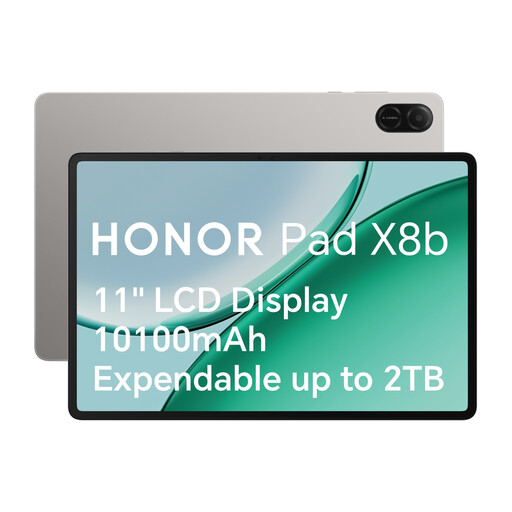
HONOR Pad X8b 128GB Space Grey
This tablet is a choice to examine for reviewing reserve information and saved maps; confirm that its display and connectivity fit your planned use.
- The product name identifies the 128 GB Space Grey variant.
- If live data, on-device location or use in wet conditions matters, check the exact configuration and protection rating before buying.
View on Joybuy
 No image available
TECLAST ArtPad Pro 12.7-inch 2K tablet
The larger display makes this a configuration to consider when you will review routes and reserve pages chiefly while seated.
- The product name specifies 256 GB storage, 4G LTE, 5G Wi-Fi and an included case.
- Its stated 20 GB RAM combines 8 GB with 12 GB virtual memory, rather than indicating 20 GB of physical memory.
- Check carrying weight and outdoor protection if you plan to take it beyond the car.
View on Joybuy
 No image available
Samsung Galaxy Tab A11+ 11-inch 128GB Wi-Fi Grey
Consider this Wi-Fi configuration if you will prepare maps before travelling and want an 11-inch screen for route and reserve-page review.
- The product name specifies 128 GB storage and Wi-Fi connectivity.
- Check its own outdoor protection and display specifications rather than applying Galaxy Tab S10 FE claims to this model.
View on Joybuy
 No image available
Apple iPad Mini 7 (A17 Pro) 256GB Space Grey
The compact iPad mini format suits frequent checks between the car and reserve facilities when carrying size matters more than a larger planning screen.
- The product name identifies the 256 GB Space Grey variant; Apple lists an 8.3-inch display for the iPad mini.
- Google Maps supports downloaded areas on iPad, but offline walking and cycling directions are unavailable. Check this variant’s connectivity and charging equipment against your trip plans.
View on Joybuy
Common questions
Do I need a cellular tablet for a nature-reserve road trip?
Not necessarily: Google Maps supports downloaded areas on Android tablets and iPads. Save the areas before travelling, and remember that offline mode does not provide walking, cycling or public-transport directions, traffic information or alternative driving routes.
Can a downloaded map replace a reserve’s visitor information?
No. Check the relevant reserve’s access, parking and visitor notices before departure, then follow signs and local restrictions when you arrive. GOV.UK’s Countryside Code directs visitors to follow signs about where they may go.
Which countryside guidance should I check for my stop?
Check guidance for the nation and reserve you are visiting rather than relying on a route app alone. GOV.UK identifies its Countryside Code advice as applying to England and Wales and provides separate publications for Scotland and Northern Ireland.
What if the tablet is faulty after purchase?
The UK Consumer Rights Act 2015 covers remedies for faulty goods, including repair or replacement where applicable. Keep your order record and distinguish those statutory rights from any separate manufacturer warranty or retailer returns policy.
Should I expect a charging adaptor in the box?
Check the exact product listing rather than assuming one is included. Joybuy’s Lenovo Tab Plus listing says it is supplied without a charging adaptor and specifies a suitable charging-device output of at least 18 W and at most 45 W.


