What matters when choosing
For retro games during an airport wait, establish an offline setup first, then decide how much carrying comfort and screen space matter to you. RetroArch runs on Android and Apple tablets, but its app-store versions can vary in capability; a tablet’s gaming specifications alone cannot settle compatibility.
| Concern | What to check | Who this matters to |
|---|
| Offline games and storage |
Check the emulator features and cores you need, the selected storage capacity and whether your games and saves work without a connection. |
I want my games ready when Wi-Fi is unavailable, with room for the files and saves I intend to carry. Around 42% of consumers put that offline readiness first. |
| Controller and carry comfort |
Test the intended Bluetooth or USB controller; compare tablet weight, screen size and the space needed for accessories. |
I would rather use physical controls, but the tablet and controller still need to fit comfortably in my cabin bag. For around 33% of consumers, that combined concern comes first. |
| Screen, longer sessions and charging |
Compare display size and brightness, check what charging equipment is included, and test play time with your chosen games. |
If I expect a longer wait or want a larger view, I need a screen and charging setup that suits that session. Around 25% of consumers prioritise this concern. |
Joybuy product choices
These choices include a compact iPad mini and larger-screen Android tablets. Compare the particular device, storage variant and controller you would take to the airport; the larger models should not be treated as compact substitutes.
 No image available
Apple iPad mini 7 (A17 Pro), 512 GB, Space Grey
Consider this compact iPad for an offline setup if the emulator features and controller you need work on iPadOS. The selected variant has 512 GB storage; test your games, saves and controller without a connection before travelling.
View on Joybuy
 No image available
DOOGEE Tab G6 Plus, 11-inch, 256 GB, Black
This Android tablet suits a setup where an 11-inch screen and local storage matter more than minimal carrying size. Its title lists a 1920 × 1200 display, 256 GB storage and an 8,000 mAh battery; check the intended controller connection and test actual play time before travel.
View on Joybuy
 No image available
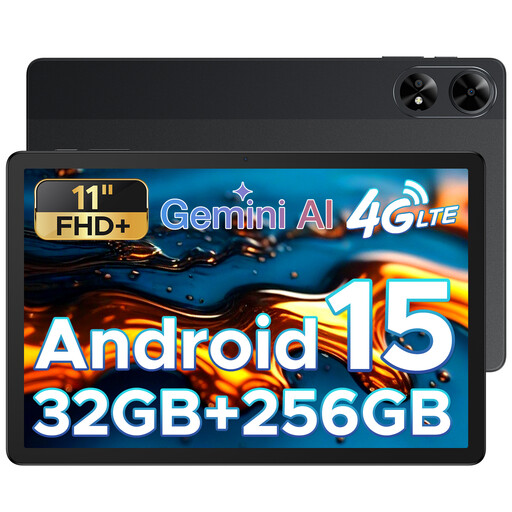
DOOGEE Tab E3, Android 15, 11-inch, Black
Consider this model if you want an Android tablet with a larger screen for an offline setup. Its title lists an 11-inch FHD+ display, 90 Hz refresh rate and Bluetooth 5.2; confirm the capacity represented by its 256 GB/2 TB storage wording and test your chosen controller.
View on Joybuy
 No image available
TECLAST ArtPad Pro 2025 Edition, 12.7-inch, 256 GB
This larger Android tablet is worth comparing if screen space and a 256 GB local library matter more than compact carry. Its title lists a 12.7-inch 2K display, Android 15 and Bluetooth 5.2; check its carrying weight and test the exact controller and emulator setup offline.
View on Joybuy
 No image available
DOOGEE Tab E3+, Android 15, 12-inch, Black
This Android option gives you a 12-inch screen rather than a compact travel format. Its title lists an FHD+ display, 90 Hz refresh rate and Bluetooth 5.2; confirm the exact capacity behind its 256 GB/2 TB storage wording, and check carrying weight and controller compatibility.
View on Joybuy
Common questions
Can I take a gaming tablet onto a flight from a UK airport?
GOV.UK lists tablets as allowed in both hand and hold luggage, but advises that electronic devices be charged. If a device cannot switch on when requested, it will not be allowed onto the aircraft; check any additional airline conditions before travelling.
Can I bring a power bank for the tablet?
You can plan to bring one only after checking the applicable airline conditions. UK Civil Aviation Authority guidance effective 27 March 2026 requires power banks to be carried in cabin baggage and individually protected when not in use; confirm the permitted battery rating and use restrictions for your flight.
Do retro games on a tablet need airport Wi-Fi?
A locally prepared game setup need not depend on airport Wi-Fi. Install and test the emulator, required cores, lawful game files, saves and controller before leaving home, then check that they still work in aeroplane mode.
Will my controller work with any Android tablet or iPad?
Do not assume compatibility from the tablet’s operating system alone. RetroArch supports automatic configuration for many controllers and also allows manual mapping, so test your exact controller, connection method and app version before the trip.
Does owning a retro game make any ROM download lawful in the UK?
Ownership alone does not establish permission for a particular download. UK Intellectual Property Office guidance says copyright exceptions are specific and that copying an entire work would not generally be fair dealing for private study; check the rights or licence for each game file you use.


