Choose an ordinary tablet if your relative wants to start calls and use photos, messages or other apps, and can manage it after setup and practice together. A family-managed device may suit someone who finds app navigation difficult, but check who can start or refuse calls, how contacts are approved, what connection it uses and whether a continuing service is required. A stand or stylus may address a handling difficulty without changing devices.
Who this choice is for
Family setting up simple calls
You need the intended user to recognise callers and manage a small circle of contacts, while someone else can help configure the device. AbilityNet and Apple Support (UK) describe options for family-managed contacts and calling controls.
Relative struggling with touch or text
You need to find out whether larger controls, readable text, voice operation or another input method makes calls manageable. AbilityNet and Google Android Accessibility Help note practical considerations around touchscreen use and text settings.
Household planning ongoing support
You need to consider the connection available at home and decide who will maintain accounts, provide help and manage any continuing service. Age UK and Ofcom discuss access, connectivity and digital-confidence barriers; Komp states that some of its functions require an active subscription.
What to consider before buying
For families choosing a home communication device for an older relative, the main priorities are the way calls work, who controls contacts, ease of interaction, connectivity and ongoing support.
| Concern |
What to check when buying |
Who this matters to |
| Simple call interaction |
Try the complete call sequence with the intended user, including finding, answering and starting a call. |
If your relative needs to manage calls with little repeated help, test the actual controls before deciding. Around 26% of consumers prioritise manageable calling. |
| Approved contacts and family controls |
Agree the preferred contact list, who maintains it and whether incoming calls can be refused. |
If you want a clear, agreed circle of callers and a supporter to manage the setup, check how contact controls work. Around 21% of consumers put approved contacts and family controls first. |
| Readable and operable display |
Try contact names, photo viewing and call controls at the intended user’s preferred text size; consider a stand or stylus if handling is the difficulty. |
If small text or touch controls make everyday use difficult, try the actual calling app and input method. Around 21% of consumers prioritise visible, usable controls. |
| Home connection and continuing service |
Check connection at the device’s intended location and confirm which functions depend on an ongoing plan. |
If you need calls to work on the available home connection and want to understand any continuing service commitment, check both before choosing. Around 16% of consumers prioritise connectivity and ongoing service. |
| Setup and help after purchase |
Identify who will configure the device, maintain its setup and help resolve later problems. |
If your household needs a realistic plan for setup and ongoing help, decide who can take that role. Around 16% of consumers prioritise sustainable family support. |
Buying pitfalls
-
Assuming fewer controls always mean more independence
Some simplified devices may not let the recipient start calls. Komp says its recipient cannot initiate a call, while Apple documents outgoing calls through configured Assistive Access contacts.
Ask the intended user whether making calls independently is essential before choosing a family-initiated calling device.
-
Considering only the device rather than its ongoing service
Komp states that an active subscription is required for calls, photos and app features.
Check the current service charges, cancellation terms and what happens to these functions if the plan ends.
-
Choosing by screen size without trying the controls
Google notes that Android font-size settings do not apply to every app, and touchscreen controls may still be awkward for some users.
Try a call and photo-viewing session with the intended user. Consider a stand or stylus if handling, rather than the software, is the main obstacle.
-
Enabling automatic connections without agreeing who may call
Komp describes calls starting after a countdown, while Amazon describes Drop In as an optional feature that can connect automatically.
Agree an approved contact list and a way to refuse calls before enabling either arrangement.
Relevant brands to consider
Apple
A mainstream tablet option for families who want calls, photos and other apps.
- Apple documents configurable Assistive Access calling, including favourite contacts and choices about who can call.
- These settings do not establish that every recipient can use them independently. FaceTime calls require compatible endpoints and a connection.
Samsung
The UK Galaxy Tab A11+ is a mainstream Android tablet option for calls and other apps.
- Samsung specifies a front camera, speakers and a headphone jack for this model.
- Google Android Accessibility Help notes that text-size adjustments do not apply to every app. Test the actual calling app rather than relying on hardware specifications as a usability test.
GrandPad
A purpose-built touchscreen tablet route for families considering a managed contact network and simplified communication.
- AbilityNet describes approved contacts and family customisation for this kind of managed communication.
- AbilityNet’s UK leasing description dates from January 2025; check current service terms and let the intended user try the touch and calling controls.
Komp
A family-managed calling and photo screen for someone who does not want to navigate tablet apps.
- Komp says calls begin after a countdown, the recipient can decline them with a button, and built-in 4G can work without home Wi-Fi.
- Komp says the recipient cannot initiate calls and an active subscription is required for calls, photos and app features.
Amazon
Echo Show is a voice-operated display option for calls with compatible Alexa users.
- Amazon describes hands-free video calls with Echo Show or Alexa-app users.
- Amazon describes Drop In as an optional feature that can connect automatically. Decide together which contacts may use it and whether to enable it; Echo Show is not a general-purpose tablet.
Tablet options on Joybuy
These are tablet options to consider for home video calls, photos and everyday communication. Check each model’s interface and calling app with the intended user.
 No image available
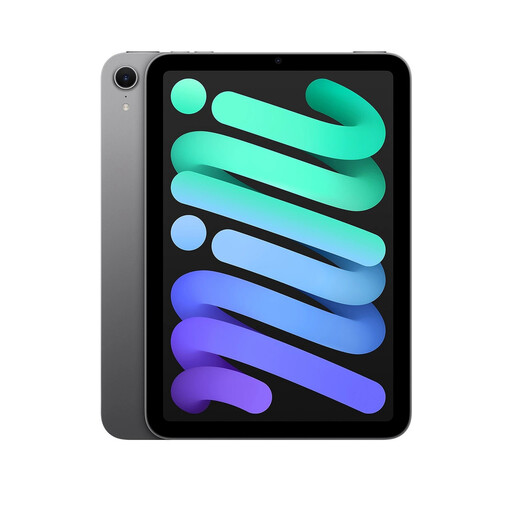
Apple iPad Mini 7 (A17 Pro) - 512GB - Space Grey
A tablet option for a household that wants a general-purpose device alongside calls and photos; check the calling app and controls with the intended user.
Variant details: 512GB storage; Space Grey.
View on Joybuy
 No image available
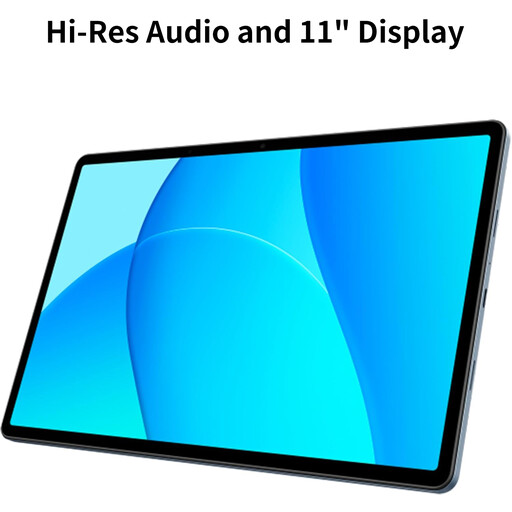
OPPO Pad SE, 128GB, 6GB, Twilight Blue, LTE, Model OPD2420 EUN
The LTE model may suit a household considering mobile-network access; check the network and service arrangements where it will be used.
Variant details: 128GB storage; 6GB RAM; LTE; Twilight Blue; model OPD2420 EUN.
View on Joybuy
 No image available
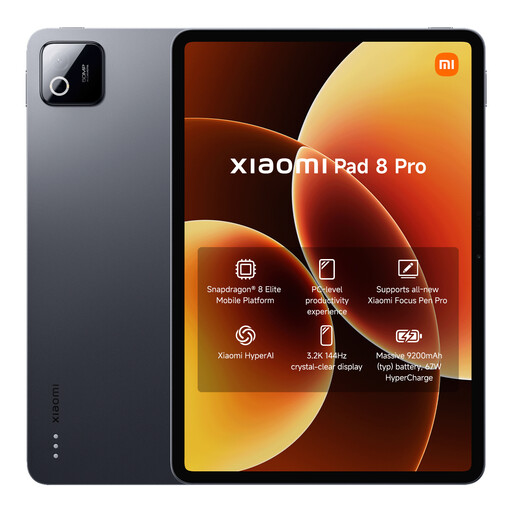
Xiaomi Pad 8 Pro, Gray, 12G RAM, 512G ROM
A tablet option for families comparing devices for calls and photo sharing; try the actual interface before setting it up for the intended user.
Variant details: 12G RAM; 512G ROM; Gray.
View on Joybuy
 No image available
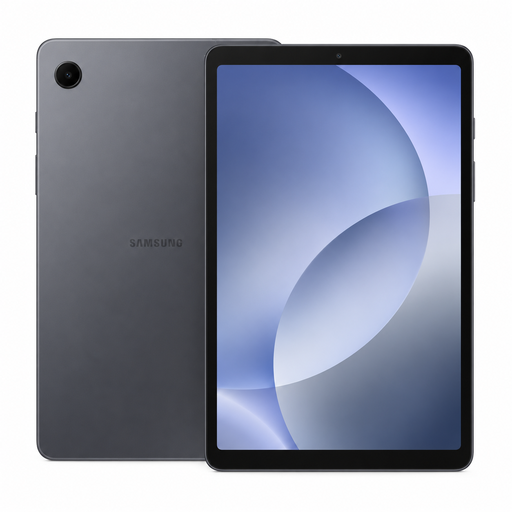
Samsung Galaxy Tab A11 Wi-Fi, 64GB
This Wi-Fi-only tablet is an option for a home with usable Wi-Fi; the listing specifies that it has no cellular connectivity.
Variant details: Wi-Fi; 64GB storage; no cellular connectivity.
View on Joybuy
 No image available
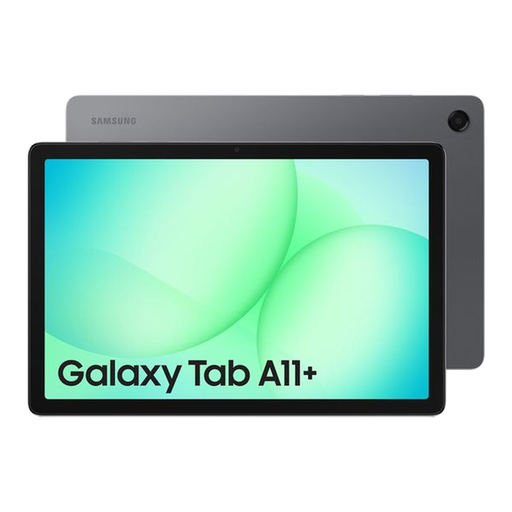
Samsung Galaxy Tab A11+, 8GB, 256GB, Wi-Fi, Gray
A tablet option for a household considering calls and photo sharing; check the intended calling app and controls with the person who will use it.
Variant details: 8GB; 256GB; Wi-Fi; Gray.
View on Joybuy
Frequently asked questions
Can my relative choose whom to call on a simplified iPad?
Yes, if you configure Assistive Access Calls accordingly. Apple documents choices for incoming and outgoing callers and favourites on the first Calls screen; practise making and declining a call with the intended user.
Will increasing Android’s font size enlarge every calling app?
Not necessarily. Google says its font-size setting does not apply to some apps, so test the actual calling app, contact names and answer control at the chosen size.
Does a family-managed calling screen need broadband?
It depends on the device and service. Komp says it has built-in 4G and works without Wi-Fi, but an active subscription is needed for its photo, video-call and app functions; check mobile coverage where the device will be used.
What cancellation right applies to a tablet bought online in the UK?
For an ordinary online goods purchase covered by UK distance-selling rules, GOV.UK says the seller must tell customers they can cancel up to 14 days after delivery without giving a reason. Check the seller’s return instructions and distinguish the device purchase from any separate service subscription.


