What to consider before buying
A 10–11-inch tablet
Consider it when: touch controls, games and streaming are the main activities and the required apps are available.
Trade-off: the app-store choice differs between devices, so check each required game rather than assuming compatibility.
A larger-screen tablet
Consider it when: the relative will mainly use the device while seated with it supported and wants more screen area.
Trade-off: a larger display does not by itself make a game’s controls easier to use; check the intended viewing position and whether a stand is needed.
A touchscreen laptop
Consider it when: typing or playing in a desktop browser matters more than holding the device.
Trade-off: it is less convenient to hold; Google’s ChromeOS update policy is measured from platform release, not the date of purchase.
Age UK notes that changing font and icon sizes can make a device easier to see. Try the actual game and streaming menus at the intended viewing distance, then compare how the relative handles the controls.
| Concern |
What to check when buying |
Who this matters to |
| Screen comfort |
Try the actual game and streaming menus from the usual seat; adjust text and display size, then compare the screen and controls. |
If I am choosing for someone who watches and plays while seated, I want menus and game controls they can read and use comfortably; around 36% of consumers put screen comfort first. |
| Setup and upkeep |
Plan account recovery, app setup and who will help with updates; check support information for the exact model. |
When I am helping a relative get started, I want a routine for accounts and updates that we can both manage; around 29% of consumers prioritise setup and ongoing upkeep. |
| Games and streaming |
Check each required game and service in the device’s app store or browser; confirm sign-in and, for BBC iPlayer in the UK, TV Licence coverage. |
If specific games and programmes are the reason for the device, I want to know they are accessible on the intended system before choosing; around 21% of consumers put access to particular entertainment first. |
| Keyboard or touch |
Try the actual game with touch and, where relevant, keyboard input; check the browser requirements for a laptop. |
For someone who prefers typing or a browser-based game, a physical keyboard may matter more than handheld use; around 14% of consumers prioritise keyboard input. |
Joybuy tablet choices
These Joybuy choices cover touchscreen tablets for home games and streaming, including 10–11-inch and larger-screen options.
 No image available
Samsung Galaxy Tab A11+ 128GB Wi-Fi Grey
An 11-inch tablet option to compare for home streaming and games, with wired headphone listening available.
11-inch WUXGA display; 90 Hz display; quad speakers; 3.5 mm headphone jack; listed weight 477 g. The 25 W charger is sold separately.
Joybuy
 No image available
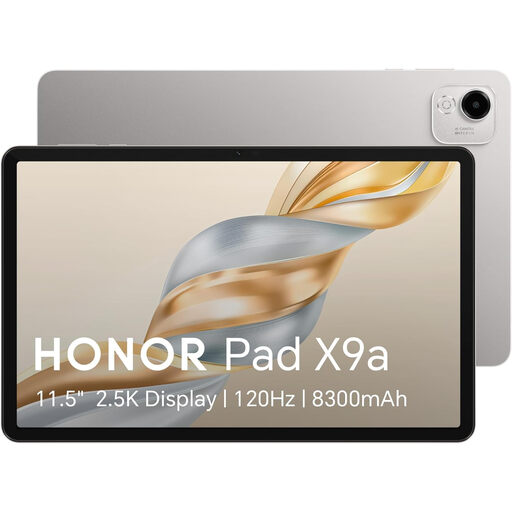
HONOR Pad X9a 11.45-Inch Wi-Fi 128GB Grey
An Android tablet option to compare when the relative’s intended apps are available through its stated Google Play setup.
11.45-inch 2K display; 6 GB RAM; 128 GB storage; four speakers; Google Play support.
Joybuy
 No image available
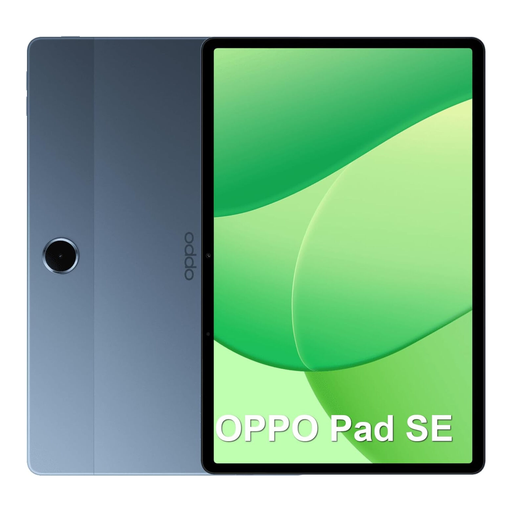
OPPO Pad SE 128GB 4GB Twilight Blue Wi-Fi, Model OPD2419 EUN
An 11.4-inch tablet option to compare for home entertainment, subject to checking the relative’s required apps.
11.4-inch display; 90 Hz refresh rate; quad speakers; 128 GB storage; 4 GB RAM.
Joybuy
 No image available
Xiaomi Pad 8 8GB RAM 128GB Wi-Fi Gray
An 11.2-inch tablet option to compare for touch-based games and viewing at home.
11.2-inch 3.2K IPS display; 144 Hz refresh rate; four speakers; listed weight 485 g.
Joybuy
 No image available
TECLAST T65 Plus 13.4-Inch 120Hz Tablet
A larger-screen tablet option to compare when the relative will mainly watch or play with the device supported.
13.4-inch display; 120 Hz refresh rate; Android 15; 256 GB storage; listed weight 720 g. The description specifies Widevine L1.
Joybuy
Frequently asked questions
Is an 11-inch screen automatically easier for my relative to use?
No. Let them try the intended game and streaming menus with adjusted text or display size at their usual viewing distance. Age UK describes these settings, but screen size alone cannot establish individual usability.
Will Assistive Access make every iPad game simpler?
Not necessarily. Apple Support says a supporter can select apps for Assistive Access, while most other iPadOS apps added to it retain their original design. Try the particular game before choosing.
What should we set up before handing over the device?
Arrange account recovery, install the intended games and viewing services, and practise signing in and updating together. Apple Support documents supporter-assisted setup, and Age UK provides digital-skills help for older people.
How can I check whether a device will keep receiving updates?
Check the exact model and any applicable seller conditions. Apple lists iPad (A16) as compatible with iPadOS 27, which does not specify its final update date; Amazon lists an at-least-through date for the 2023 Fire HD 10, and Google measures its ChromeOS policy from platform release.
Does watching BBC iPlayer on a tablet or laptop require a TV Licence in the UK?
Yes. TV Licensing says TV Licence coverage is required to watch or download BBC iPlayer, regardless of whether the device is a tablet, computer or television. Check coverage for the relative’s viewing circumstances rather than assuming the purchaser’s licence covers another home.


