A tablet can be your main day-to-day study companion if you mostly read, annotate, take notes and do lighter coursework, provided its apps and accessories fit your course. Choose a laptop as your primary device when you need specialist desktop software, substantial document work or an assessment platform that may not work on a tablet. UCL, Cambridge and UWE Bristol all caution against assuming a tablet alone will meet every university study requirement.
Who each setup suits
Reading and note-taking learners
If you spend much of your study time with PDFs, slides and handwritten notes, a tablet is worth considering as a portable companion. Loughborough University identifies note-taking and access to online resources as useful tablet tasks; check separately how you will complete any specialist software or assessment work.
Learners drafting coursework on the move
If you regularly use a virtual learning environment, research in a browser and draft documents, compare the tablet with a compatible keyboard against the length and complexity of your assignments. Check the apps and file formats your course actually uses before relying on mobile versions.
Students with specialist software or digital exams
Assess a laptop first if your course specifies installed applications, an operating system or a device for digital assessments. Cambridge warns that tablets may not suit all assessments, while UWE Bristol advises against using one as the primary device where specialist applications are needed.
What to check before choosing
Tablet-led study
Choose it when: reading, annotation, handwritten notes and compatible browser-based tasks make up most of your routine, with another suitable computer available for anything the tablet cannot do.
The trade-off: a pen or keyboard can improve input, but neither makes desktop-only applications or restricted assessment platforms work on a tablet.
Laptop as the primary device
Choose it when: your course requires installed specialist software, a specified operating system, substantial document authoring or a compatible device for digital exams. UCL, Cambridge and UWE Bristol identify limits to relying on tablets alone.
The trade-off: for handwritten annotation and touch-based reading, you may still prefer a separate tablet; check the course requirements before choosing the laptop’s operating system and configuration.
| Priority | What to check | Your needs |
|---|
| Course compatibility |
Ask your department which operating systems, installed applications, file formats and assessment platforms are required. Check those requirements on the exact device you intend to use. |
I need one primary device that can complete every required task, not just open course materials. UCL and UWE Bristol warn that a tablet alone may not meet university software needs. |
| Handwritten input |
Confirm pen support for the exact tablet model and whether the pen is part of the configuration. Check that your note-taking and PDF apps handle the files you use. |
Annotating slides and writing notes by hand are regular parts of my study routine. |
| Typing setup |
Check exact-model keyboard fit, the layout, stand and trackpad if needed. Try your usual document and virtual learning environment tasks in the available apps. |
I draft coursework often enough that typing and moving around documents matter more than touch input alone. |
| Reading and carrying |
Compare screen size with device weight and the space needed to use it. Consider how often you read beside notes or carry the setup between locations. |
I want enough room to read course PDFs without choosing a setup that is awkward to carry each day. |
| Access away from a desk |
Check Wi-Fi access where you study, offline access to essential files, and the microphone and camera needed for live classes. Confirm how institution-supported storage works across your devices. |
Classes and current files need to be accessible when I move between home, campus and other study locations. Cloud access will not replace an app my device cannot run. |
Common buying mistakes
-
Buying a tablet before checking course requirements
A tablet suited to notes and online resources may still be unsuitable for specialist applications or an assessment platform. Cambridge and UWE Bristol specifically caution that tablets cannot be assumed to meet all such requirements.
Ask your department for its software, operating-system, file-format and digital-exam requirements before deciding which device will be your primary one.
-
Planning around accessories that are not in the setup
A tablet without the input method you need may be inconvenient for regular typing or handwriting. Apple and Lenovo describe model-specific keyboard options, so the tablet name alone does not establish what comes with a particular configuration.
Check the exact package contents and the compatibility of any pen, keyboard, stand and charger you intend to use.
-
Assuming cloud access fixes app compatibility
Files stored across devices remain subject to the editing features and software available on each device. Cloud storage will not make a desktop-only application run on a tablet.
Check your institution’s storage and sign-in arrangements, then open and edit a representative course file using the device and app you plan to use.
Relevant tablet brands
These brand examples show input and configuration options to investigate, not a guarantee that a tablet will meet your course requirements.
Apple
Apple’s iPad Air range is an iPadOS option for learners considering pen-based notes alongside a separate typing setup.
- Apple lists Apple Pencil Pro and Apple Pencil (USB-C) support for iPad Air, and describes a Magic Keyboard option with a trackpad.
- Check accessory compatibility for the exact iPad Air model and confirm that iPadOS apps meet your course and assessment requirements.
Samsung
Samsung’s Galaxy Tab S10 FE is an Android tablet line to consider for S Pen notes and reading.
- Samsung’s UK listing identifies a 10.9-inch Galaxy Tab S10 FE configuration and microSD support of up to 2TB.
- Check the contents and capacity of the exact configuration, along with required course apps; expandable storage does not resolve software compatibility.
Lenovo
Lenovo’s Idea Tab Pro is an Android option for learners considering a larger reading screen and a separate keyboard setup.
- Lenovo lists a 12.7-inch 3K Idea Tab Pro configuration and an Idea Tab Pro keyboard pack with a built-in kickstand.
- Confirm the pen and keyboard contents for the configuration you choose, and check whether Android supports your required coursework and assessments.
Tablet options on Joybuy
These tablets are options for a study routine centred on reading, notes and lighter coursework. If your course needs desktop software or a particular digital-exam setup, establish a suitable primary computer before choosing a tablet companion.
 No image available
TABWEE T20 10.1-inch tablet with keyboard and stylus
The listed keyboard and stylus offer two input options for lighter coursework and notes. The title specifies 256GB storage; confirm the keyboard layout and installed Android version, as the supplied version descriptions conflict.
View on Joybuy
 No image available
Apple 11-inch iPad Air (2026, M4) Wi-Fi 128GB, Starlight
This 11-inch configuration is an option for portable reading and notes if iPadOS meets your course needs. The listing identifies Apple Pencil and Magic Keyboard options as separate accessories; confirm which versions fit this model and whether 128GB accommodates your local files and apps.
View on Joybuy
 No image available
Xiaomi Pad 7 Grey, 8GB RAM, 128GB, Focus Pen bundle
The 11.2-inch tablet is worth considering for reading and pen-based notes. Its title describes a Focus Pen as included, but confirm the package contents and exact pen compatibility before relying on that bundle; check a suitable keyboard separately if you type regularly.
View on Joybuy
 No image available
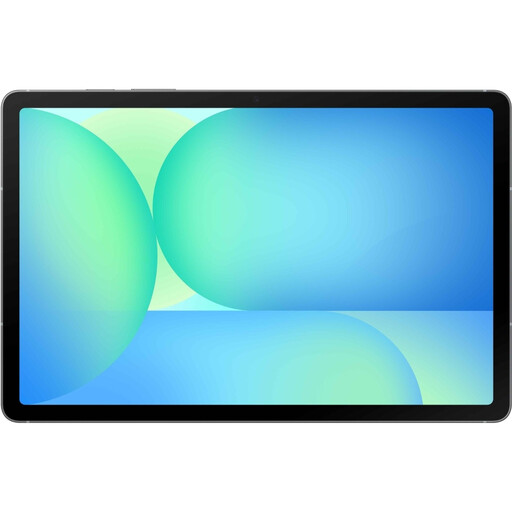
Samsung Galaxy Tab S10 FE 256GB Wi-Fi, Grey
The listed S Pen makes this configuration relevant to handwritten notes and annotation. It has a 10.9-inch display and 256GB internal storage; check exact-model keyboard fit and layout if drafting coursework is also a regular task.
View on Joybuy
 No image available
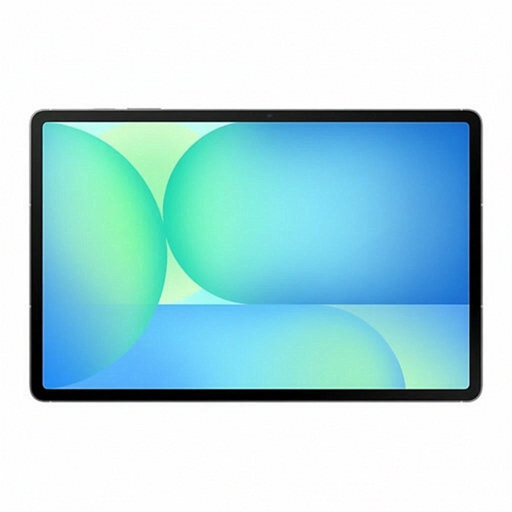
Samsung Galaxy Tab S10 FE+ 13.1-inch Wi-Fi 128GB, Silver
Its 13.1-inch display gives you a larger screen to consider for reading beside handwritten notes, and the listing specifies an included S Pen. The listed weight is 664g, so consider the carrying burden; check keyboard compatibility and layout if you will draft coursework on it.
View on Joybuy
Frequently asked questions
Can a tablet be my only device for university study?
Only if your department confirms that its required software, file workflows and assessments work on your proposed setup. UCL says students need regular access to a laptop or desktop, Cambridge cautions that tablets may not suit all assessments, and UWE Bristol advises against tablets as the primary device where specialist applications are required.
When should I add a keyboard to a study tablet?
Consider one if you regularly draft coursework or edit documents rather than mainly reading and taking handwritten notes. Check its fit with the exact tablet, layout and included stand or trackpad; a keyboard will not provide desktop software that the tablet cannot run.
Should I choose a stylus, a keyboard or both?
Let your regular tasks decide: a compatible stylus serves handwritten notes and annotation, while a compatible keyboard serves repeated typing. If you need both, confirm the contents and compatibility of each accessory for the exact tablet configuration.
How much tablet storage do I need for coursework?
Check the space required by your course files, offline materials and apps before choosing a capacity. Confirm the exact model’s internal storage and any expansion option, then arrange a backup; cloud file access does not make incompatible course software work on a tablet.


