Choose around the controls your relative prefers and the services they actually use, rather than assuming a tablet will be easier. Try a real form, game and video call together, then check readable screen space, the complete keyboard and charging arrangement, and who will help with setup, updates and account recovery.
Who this guide is for
Touch-first everyday users
For relatives who prefer tapping and swiping for browsing, entertainment and short messages. Set text and touch options to their preferences rather than assuming those preferences from age. Apple Support and Samsung document tablet settings and capabilities that can be explored during setup.
Keyboard-and-mouse regulars
For relatives who want familiar typing and pointing controls for forms, messages or web activities. Compare a detachable keyboard arrangement with a notebook, and check the exact accessory compatibility: Apple Support notes that not every mouse works fully with every iPad model.
Families planning ongoing support
For buyers who want to agree who will help with setup, updates and account recovery. Google publishes Chromebook update guidance, while Apple Support documents an account recovery contact option.
What to prioritise
Start by trying the intended activities with the person who will use the device, then check whether the required services, controls and ongoing support fit that choice.
| Concern |
What to check when buying |
Who this matters to |
| Preferred controls |
Try typing a message and completing a form with the proposed setup. Check the exact keyboard and mouse compatibility; Apple Support cautions that mouse compatibility varies by iPad model and device. |
If familiar typing, pointing or touch controls matter most, I would try them in the activities the person already uses. About 25% of consumers prioritise their preferred controls. |
| Access to required services |
List the exact apps, websites and features needed, then test sign-in and the main task. Google Meet sets requirements for the device, operating system, app or browser, broadband and camera; a device category alone does not establish compatibility. |
I would check that the specific game, call service and browser task work before settling on a format. About 25% of consumers put access to their required services first. |
| Readable screen and handling |
Try the actual page or game at the preferred text size and test the device in its intended position. Apple lists the iPad (A16) as 11-inch and 477 grams for the Wi-Fi model; that weight excludes a case or keyboard. |
If reading and operating the actual activity comfortably is the priority, I would test its layout at the intended text size and position. About 19% of consumers prioritise readable screen space and handling. |
| Ongoing support |
Check the exact model’s update information and agree who will help with setup and account recovery. Google bases Chromebook update periods on the platform release date; Apple documents a recovery-contact option. |
When a family support and recovery plan matters most, I would check the model’s support information and agree who can help. About 19% of consumers prioritise ongoing support. |
| Charging and accessories |
Check the exact UK box contents, charging instructions and the complete keyboard, mouse and case arrangement. Apple’s UK iPad (A16) specifications list a USB-C cable but not a power adapter; Samsung advises checking the instructions for the exact model. |
If I want the gift to be ready for its intended setup, I would check the cable, adapter and accessories as a set. About 12% of consumers prioritise a complete, manageable setup. |
Buying pitfalls
-
Assuming a touchscreen must be easier
Being comfortable with a PC does not establish that someone will prefer a tablet interface. A different format changes the controls they use for everyday tasks.
Let the intended user try familiar activities with touch, a keyboard and pointing controls before choosing.
An unwanted keyboard or mouse can add components to set up and manage, while changing a familiar workflow may take time.
-
Comparing the tablet without its full setup
A keyboard, pointing device, case and power adapter may be separate from the tablet. Apple’s UK iPad (A16) box list includes a USB-C cable but not a power adapter.
Check the UK bundle contents and try the fully assembled device in the position it will be used.
If accessories are needed, there may be more items to choose, connect and keep track of.
-
Starting the Chromebook update clock at purchase
Google bases the update period on the platform release date, not the date a buyer purchases the Chromebook. Some models also require an opt-in for extended updates.
Check Google’s support information for the exact model, including any opt-in requirements.
A shorter remaining support period than expected may mean planning for a replacement sooner.
-
Assuming TV licensing depends on owning a television
GOV.UK says a TV Licence is required to watch or record live TV on any channel or service, and to use BBC iPlayer. This applies regardless of whether the viewing device is a tablet or notebook.
Check the intended services and existing licence arrangements. TV Licensing distinguishes BBC iPlayer and live TV from on-demand viewing on other services.
The intended viewing activity may bring a licensing requirement even if the household uses only a tablet or notebook to watch.
Relevant brands to consider
Apple
The iPad (A16) is a touch-first tablet route with optional detachable keyboard-and-trackpad input and a documented account recovery option.
- Apple lists an 11-inch marketed display and a 477-gram Wi-Fi device. Its UK box contents list a USB-C cable, not a power adapter.
- Apple Support documents adjustable accessibility settings and a recovery contact who can provide a recovery code without access to the account.
- Magic Keyboard Folio and mouse compatibility must be checked for the exact iPad model and accessory; Apple says not every mouse is fully compatible.
Samsung
The Galaxy Tab S10 FE family offers documented display-size options for buyers comparing tablet screen space.
- Samsung lists 10.9-inch and 13.1-inch display routes across the S10 FE and S10 FE+ family.
- Samsung specifies support for up to 2TB microSD storage for this family.
- MicroSD support does not establish that every app can be installed on the card. Check the exact model and its charging instructions.
Lenovo
Lenovo’s UK IdeaPad Slim 3 Chromebook Gen 8 family represents a notebook-format option for browser-centred activities.
- Lenovo’s UK product-family page identifies a 14-inch MediaTek Chromebook route.
- Check the exact configuration and its Google update information. Do not confuse the MediaTek family with the similarly named Intel 14IAN8.
Microsoft
Surface Go 4 is a Windows detachable example for buyers considering a Windows workflow and detachable input.
- Microsoft documents Windows editions, USB-C and Surface Connect ports, and service-parts information for Surface Go 4.
- Check the exact Windows edition and complete keyboard arrangement. Microsoft’s business positioning does not establish suitability for every family activity or game.
Joybuy tablet options
These options represent the tablet route for everyday online activities, browsing and media. Check each model’s stated configuration against the specific apps and setup the user needs.
 No image available
Xiaomi Pad 8 Pro, Gray, 12G RAM, 512G ROM
A tablet option to consider if the intended activities suit a touch-first format.
Joybuy
 No image available
Samsung Galaxy Tab A11+, 8GB, 256GB, Wi-Fi, Gray
Consider this tablet if the intended services and activities suit a touch-screen format.
The product name specifies 8GB and 256GB, Wi-Fi and a grey finish.
Joybuy
 No image available
Xiaomi Pad 8, 8G RAM, 128GB, Wi-Fi, Gray
A tablet option for browsing and media when the intended activities suit touch controls.
The product name specifies 8G RAM, 128GB and Wi-Fi.
Joybuy
 No image available
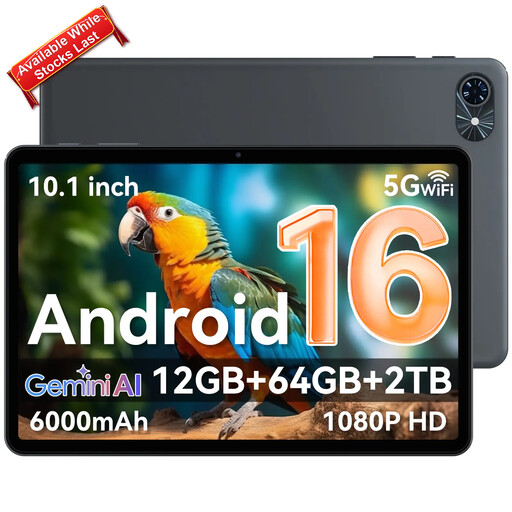
TABWEE T80, 10.5-inch Android tablet, 12GB (4+8) RAM, 64GB ROM
Consider this tablet if a 10.5-inch touch-screen format suits the intended activities.
The product name specifies Android 16, 12GB (4+8) RAM, 64GB ROM and Wi-Fi.
Joybuy
 No image available
TECLAST T65 Plus, 13.4-inch, 120Hz, 256GB
Consider this larger-screen tablet if its size suits the intended reading or viewing position.
The product name specifies a 13.4-inch 120Hz display, Android 15, 256GB ROM and Wi-Fi.
Joybuy
Frequently asked questions
How can I choose a screen size without making assumptions about the user?
Let your relative try the actual website or game at their preferred text size. Compare the visible layout and the complete supporting arrangement; Apple documents Zoom and text settings for iPad, while Chromebook Help describes magnification and spoken-text tools.
Will touch gestures work as usual with a screen reader enabled?
No. Apple Support says ordinary gestures do not work as usual when VoiceOver is enabled. Practise it with the intended user if they want that feature, rather than enabling it as a default setting.
What should I test before relying on a device for video calls?
Test the exact service and how the call will be joined. Google Meet requires a supported app or browser, compatible device and operating system, broadband and a camera; check the microphone and camera permissions during setup as well.
Does a newly purchased Chromebook receive ten years of updates from its purchase date?
No. Google bases its stated update period on the platform release date. Check the exact model’s support information, including whether extended updates require an opt-in.
What should I check about charging before giving someone a tablet?
Check the exact UK box contents and model instructions before reusing a charger. Apple’s UK iPad (A16) specifications list a USB-C cable but no power adapter; Samsung advises identifying the exact model and consulting its manual for charging guidance.


