Who each device may suit
The useful distinction is not simply screen size: it is whether the device can handle the services, communication and support someone needs in their routine.
People relying on one device
If calls, messages, sign-in codes and services must remain available at home and away, a smartphone is a practical starting point. Test its screen and controls before assuming it will be comfortable for forms. Ofcom reports that 20% of online UK adults rely solely on a smartphone; access alone does not mean every online task is manageable.
People reading pages and completing forms
If dense information, documents or longer answers are the main difficulty, a tablet offers more screen space to try. Consider where it will connect to the internet and whether another device is needed for calls or sign-in codes.
People needing a supported setup
When visual access, touch controls or multi-step account tasks are difficult, try the accessibility settings with the intended user. Work through device unlock, updates and account recovery together rather than choosing on headline specifications alone.
What matters when choosing
For everyday online services, decide where access is needed, then try reading, typing and signing in on the device itself.
Smartphone
Choose it when: One device must keep calls, messages and service access available away from home.
Trade-off: The smaller working area can make dense pages and lengthy forms harder to manage.
Tablet
Choose it when: Reading information and entering longer answers on a larger screen are the priority, usually where dependable Wi-Fi is available.
Trade-off: It is less pocketable, and a tablet used alongside a phone adds another device to charge and manage.
| Concern |
What to check |
Who this matters to |
| Readable screen and controls |
Try larger text, magnification or spoken feedback on the exact device. Check whether the intended user can navigate the services they need. |
If small text or touch controls make a service difficult, I need to be able to read and navigate it without struggling. Around 29% of consumers put readable, manageable controls first. |
| Access away from home |
Check requirements for calls, mobile data and sign-in codes; establish how a tablet would handle each task. |
When I need messages and accounts while out, I cannot rely only on a device that connects at home. Portable access is the main concern for around 29% of consumers. |
| Typing and practical support |
Try a longer form. If considering a keyboard, check compatibility with the exact tablet and how it connects. |
Long answers and unfamiliar setup steps are where I need help, so easier input and a workable support routine matter most. Around 21% of consumers prioritise that need. |
| Updates and account access |
Check the exact model's stated update policy and work through device locking, sign-in and recovery options. |
I need to keep using important accounts without losing access when a security prompt appears. For around 21% of consumers, updates and recoverable account access come first. |
Relevant brands to consider
Brand accessibility information is a starting point for a trial, not a substitute for checking the particular phone or tablet and the services it must run.
Apple
The iPhone and iPad lines give consumers a smartphone and tablet route within Apple's software platforms.
- Apple documents features including VoiceOver, Zoom and Display and Text Size for iPhone and iPad.
- Apple describes Assistive Access as a simplified iPhone interface; do not assume the same mode applies to iPad or that every service will be easy for a particular user.
Google Pixel
A Google-made Android phone line for consumers considering documented screen-reader, display and interaction controls.
- Google Pixel Help documents TalkBack and other Android accessibility controls.
- Google Store UK advertises a seven-year update commitment for Pixel phones, but check the terms and starting point for the exact model.
Samsung
Galaxy phones and tablets offer two device formats within Samsung's Android range.
- Samsung UK documents mobile accessibility options for vision, hearing, mobility and cognition.
- Controls, software versions, update policies, network capability and keyboard bundles need checking for the specific Galaxy model.
Joybuy product choices
These phones offer options to examine for access while away from home; the tablet offers a larger-screen option for reading and forms. Compare the exact device against your service, accessibility and account needs rather than treating its format as a guarantee of suitability.
 No image available
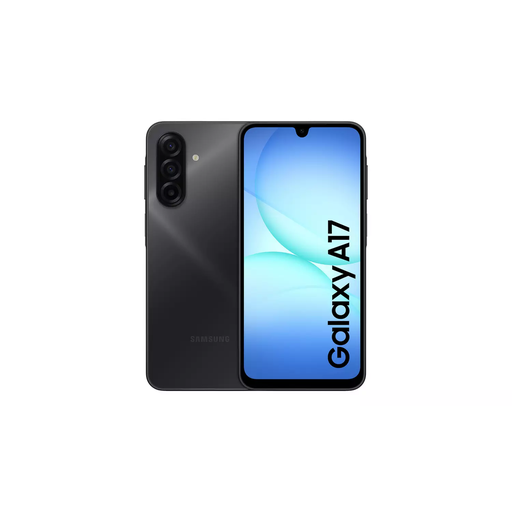
Samsung Galaxy A17 5G A176 Dual SIM, 4GB/128GB, Grey
A phone to consider when calls and online access need to travel with you. This variant is listed with 5G, Dual SIM, 4GB memory and 128GB storage; check network and sign-in-code requirements for your services.
Try its accessibility controls and setup on the device. A charger is not included, so check that you have a compatible USB-C charger.
View on Joybuy
 No image available
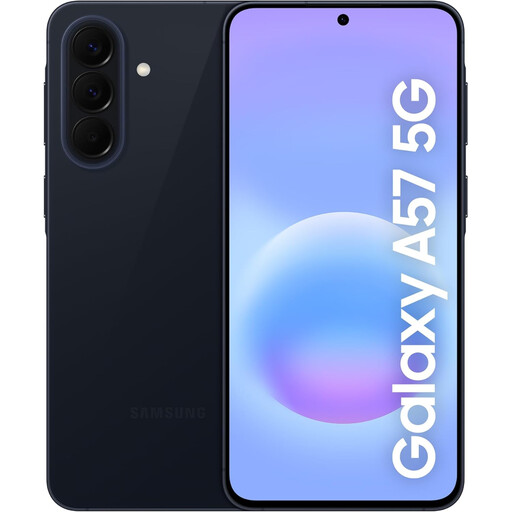
Samsung Galaxy A57 5G, 256GB, Awesome Navy
A smartphone option for keeping online services available away from home, with 5G and 256GB storage stated in its name. Check the services and sign-in methods you use on the exact phone.
Try its accessibility controls and confirm the model's update policy. The listing says no charging adaptor is supplied; check that you have a suitable charger.
View on Joybuy
 No image available
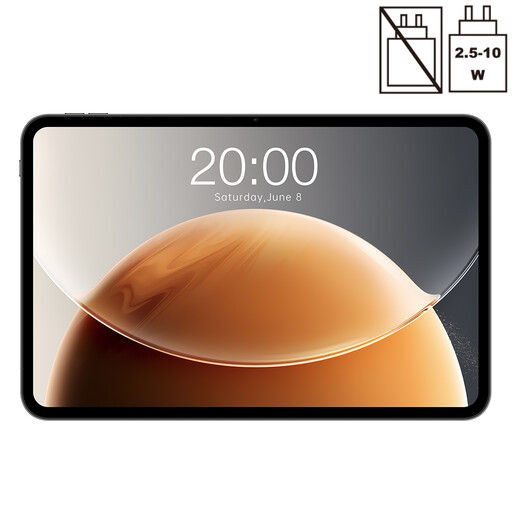
Teclast T65 13.4-inch Android tablet, 6GB + 20GB virtual RAM, 128GB
Consider this tablet if viewing longer pages on a larger screen is the priority. Its title specifies a 13.4-inch, 120Hz display, Dual SIM 4G and 128GB storage; check network requirements before relying on it away from Wi-Fi.
Try the intended services and accessibility controls, and check the model's update policy. If you need a keyboard for forms, confirm its compatibility and whether it is supplied separately.
View on Joybuy
 No image available
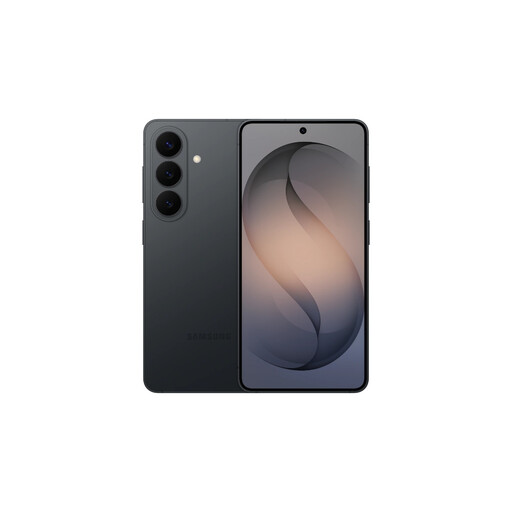
Samsung Galaxy S26, 12GB/256GB, Black
A smartphone option to try if everyday services must remain available while travelling. This Black variant is identified with 12GB memory and 256GB storage; try reading a form on its screen before deciding whether the phone format suits you.
Confirm its accessibility controls and exact update policy. A charger is not included, so check that you have a compatible USB-C charger.
View on Joybuy
 No image available
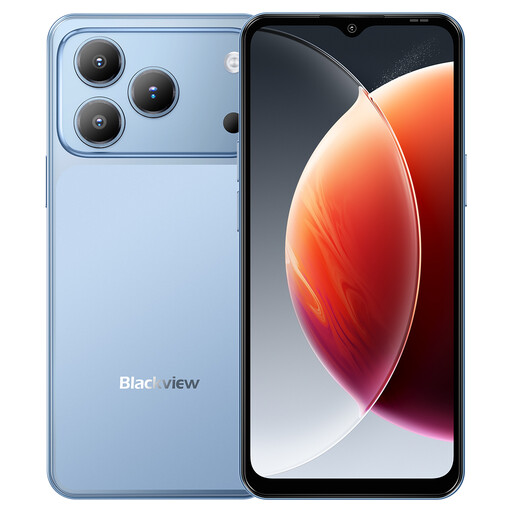
Blackview Wave 7C Android 16, 4GB + 12GB virtual RAM, 128GB, Blue
A phone to examine for portable online access. Its title specifies a 6.56-inch display, 4G Dual SIM and 128GB storage; the stated 16GB RAM comprises 4GB RAM plus 12GB virtual memory.
Try your services and accessibility controls on the exact device, and confirm its software-update policy and account sign-in compatibility before relying on it for essential tasks.
View on Joybuy
Common questions
Is a tablet automatically easier to use for online forms?
No: a larger display and an optional keyboard may make reading and longer entries more manageable, but they do not fix every website or sign-in process. Try the specific forms, text settings and typing method, and check whether you still need a phone for calls or SMS codes.
Which accessibility controls should I try before buying?
Try larger text or magnification, spoken feedback, display settings and accessibility shortcuts on the exact device. Ask the intended user to unlock it, open a browser, read a message and return to the home screen. Apple documents VoiceOver and Zoom; Google and Samsung document TalkBack and other controls, but the relevant setup depends on the model and software.
How should I secure a device used for public services?
Set up a device lock, keep software and apps updated, and use two-step verification where an important service offers it. The National Cyber Security Centre says two-step verification makes account access harder for someone who knows the password. Check which services offer passkeys or other sign-in methods, and make sure the account holder can complete recovery steps.
What if a new phone or tablet is faulty?
UK consumer-rights guidance covers remedies for faulty goods against the seller; a voluntary manufacturer warranty is separate. Keep the order confirmation, exact model details and correspondence with the trader so you can describe the fault and pursue the appropriate remedy.


