Photo-led journal editors
If you organise and adjust travel photos before placing them on journal pages, check the display, your editing-app workflow and where you will store the images. A bundled pen may matter less than those choices.


For a travel journal that combines photos and writing, choose the tablet around your editing apps, preferred way of writing and storage needs before focusing on processor specifications. An 11-inch-class screen offers room for journal pages while remaining practical to pack; a smaller tablet may suit lighter bags, but gives you less space to edit. Check the exact pen and charging bundle before comparing your options.
If you organise and adjust travel photos before placing them on journal pages, check the display, your editing-app workflow and where you will store the images. A bundled pen may matter less than those choices.
If you write entries, annotate maps or sketch on screen, check which pen works with the exact tablet and whether it comes in the box.
If your tablet will move between bags and locations, compare its actual weight and screen size alongside the pen and charging equipment you would need to carry.
For photo-led work, start with the apps and screen space you need; if entries will be handwritten, establish the pen arrangement before choosing a tablet. These three routes address different priorities rather than forming an overall ranking.
Consider it: Apple specifies a 464 g Wi-Fi model with a P3, laminated, anti-reflective display for an iPad-based photo and journal workflow.
Allow for: Apple lists compatible Apple Pencil models as separate selections, so pen-led journalling requires an additional purchase.
Consider it: Samsung's UK package information lists an S Pen in the box, and the cited 128 GB Wi-Fi listing offers microSD expansion for files.
Allow for: Samsung says a travel adapter is not included; check the contents of the exact seller bundle.
Consider it: Xiaomi specifies an 11.2-inch 3.2K display and confirms Focus Pen compatibility for buyers who want an Android editing and writing setup.
Allow for: Xiaomi presents the Focus Pen separately; check whether the individual tablet bundle includes it and a charger.
| Concern | What to check | Who this matters to |
|---|---|---|
| Photo-editing workflow | Check the screen and storage configuration, then whether your editing and journal-layout apps work with your other devices. | If I organise photos before building each journal page, I need an editing workflow that fits both tasks. Around 37% of consumers put photo-editing workspace and apps first. |
| Handwriting and sketches | Confirm the compatible pen model and whether it is included with the exact tablet bundle. | When I write daily entries or mark up maps, I want to know I can use a pen as soon as my setup is ready; roughly 27% of consumers make handwriting their primary concern. |
| Portability and power | Compare the exact model's weight and dimensions, and check the supplied charging equipment. | For journeys between locations, I need a tablet and charging setup I can comfortably carry. Portability and power come first for around 18% of consumers. |
| Setup and storage | Compare the complete tablet-and-accessory setup, installed storage and microSD support where relevant. | If my journal will hold many photos, I need storage that fits my files without overlooking the equipment needed to make entries; approximately 18% of consumers prioritise setup and storage. |
A pen can be central to handwritten entries, while the tablet and its accessories may be sold separately.
Check the exact tablet, compatible pen, case and charging equipment together before choosing a configuration.
Apple lists Pencil models separately for the cited iPad Air, Samsung lists an S Pen in its UK Tab S10 FE package, and Xiaomi identifies a compatible Focus Pen for Pad 7. An individual seller bundle may differ.
Read the box contents for the precise model and listing, especially if you want to start handwriting immediately.
A plug adaptor changes how a charger connects to a socket; it does not establish that the charger accepts the destination's electrical supply.
Read the input rating on your charger and check the destination's supply and plug requirements before travelling.
The cited 11-inch iPad Air is a route for editors who want an iPad photo-and-writing workflow in a relatively light tablet.
The cited Galaxy Tab S10 FE is an Android route for handwritten entries and photo files.
The cited Pad 7 is an Android option for editors considering an 11.2-inch screen and optional pen input.
These tablets offer different combinations of screen size, storage and named accessories for editing a travel journal. Match each configuration to your photo workflow, writing plans and carrying needs; check the individual listing before choosing.
 No image available
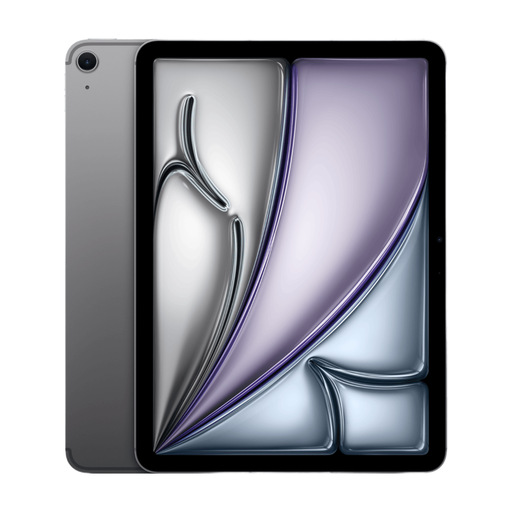
Consider this configuration if your travel journal is photo-led and you want an 11-inch iPad with 512GB of local storage. Apple specifies a 464 g weight for the 11-inch Wi-Fi iPad Air (M4) and lists compatible Pencil models separately; check your journal app and the pen and charging setup you need.
 No image available
This listing is worth checking if you plan to combine photo pages with handwritten notes: its title identifies a Focus Pen bundle. Xiaomi specifies an 11.2-inch 3.2K display for Pad 7. Confirm the current box contents, particularly the charger, and check your intended journal app.
 No image available
Consider the 11-inch format and 256GB configuration if they fit the space and storage you need for journal pages. If you plan to handwrite, confirm the compatible Pencil and whether it must be bought separately; also check the charger and your intended apps.
 No image available
The 512GB configuration may suit a journal with many locally stored photos. Before choosing it for handwritten entries or travel, confirm the compatible pen, bundle contents, device weight and your intended apps.
 No image available
Consider this smaller iPad if packing space matters more to you than a larger journal-page workspace. The selected configuration has 512GB of storage; check its screen size, your journal app and the pen arrangement before choosing it for detailed editing or handwriting.
No. Adobe offers Lightroom mobile for iPad and Android devices. Choose the tablet that fits your wider app and accessory setup, and check any separate journal-layout app you intend to use.
Not necessarily. Apple lists compatible Pencil models as separate selections for the cited iPad Air, while Samsung lists an S Pen in its UK Galaxy Tab S10 FE package. Xiaomi confirms Focus Pen compatibility with Pad 7, but inclusion depends on the individual bundle.
The cited Galaxy Tab S10 FE 128 GB Wi-Fi listing describes microSD expansion up to 2 TB. Check the exact tablet and storage variant rather than assuming every model accepts a card.
Check the input rating printed on your exact charger against the destination's electricity supply, then choose an appropriate plug adaptor. A plug adaptor alone does not establish voltage compatibility.
Check the contents of the precise listing. Samsung says its cited UK Galaxy Tab S10 FE package does not include a travel adapter, and the cited Joybuy Xiaomi Pad 7 listing describes a charger as not included.