For several people viewing a portfolio together, consider a 13-inch-class screen and a stable landscape stand; for one or two viewers, a smaller tablet may be easier to move. Check how the display looks in your kitchen lighting, then choose storage and a photo-sharing workflow that fit where your images are kept.
Who is this for?
Colour-conscious portfolio presenters
If you discuss image colour and detail at close range, display characteristics such as wide-colour support, lamination and reflection control may matter more to you than screen size alone. Apple lists these features for the current iPad Air range; check the exact model you are considering.
Android users sharing with a group
A larger screen can help when several people look at the same photograph, while expandable storage may suit a substantial local library. Samsung lists a 13.1-inch display and microSD support for the Galaxy Tab S10 FE+.
Occasional tabletop sharers
If you mainly want to prop up a tablet for an informal showing, consider whether it has a usable stand before choosing extra display features. Lenovo lists a 175-degree kickstand for the Tab Plus.
What matters when choosing?
Start with the number of people who need to see each image and how the tablet will stand on the table. Then consider the room’s lighting, your photo library and any accessories needed for the setup.
| Concern |
What to check |
Who this matters to |
| Shared viewing |
Compare screen size and weight, and check for a secure landscape viewing angle. |
When several people gather around the table, I want them to see the same photo without holding the tablet; around 36% of consumers would put shared viewing and positioning first. |
| Display and reflections |
Check the exact model’s resolution, stated brightness, colour support and screen treatment in similar lighting where possible. |
If I am discussing colour and detail under kitchen lights, I want photos to remain easy to see without distracting reflections; roughly 29% of consumers would prioritise display presentation. |
| Photo library |
Confirm how photos transfer or sync, the storage capacity and whether the exact model supports expansion. |
My portfolio needs to work with my existing devices and be available when I am offline; around 21% of consumers would put library compatibility and storage first. |
| Tabletop setup |
Check what comes in the box and whether you need a compatible stand, case or charger. |
For an occasional showing, I would rather avoid buying equipment I do not need; roughly 14% of consumers would put setup and accessory needs first. |
Buying pitfalls
-
Choosing by screen size alone
A larger display gives a group more room to view a photograph, but reflections and room lighting can still make it difficult to see.
Compare the exact model’s display characteristics and, if possible, look at sample images in lighting similar to your kitchen.
-
Forgetting how the tablet will stand
Holding a tablet through a portfolio discussion can be inconvenient. Lenovo lists an integrated 175-degree kickstand for the Tab Plus, but the intended angle and stability still matter.
Check that your chosen tablet, case or stand stays secure in landscape orientation on the table.
A tablet without a usable integrated stand may call for a separate stand or folio.
-
Assuming every box contains a charger
Bundle contents differ. Samsung says the Galaxy Tab S10 FE and S10 FE+ include a data cable but not a travel adapter.
Check the exact package and whether you already have suitable charging equipment.
-
Picking storage before planning the photo library
A portfolio kept offline may place different demands on local storage from one accessed through cloud syncing. Apple lists several built-in storage capacities for iPad Air, while Samsung lists microSD support for the Galaxy Tab S10 FE series.
Work out which photographs must be available offline, then check capacity and file-transfer options on the exact tablet.
Brands to consider
Apple
The iPad Air range is relevant if your photo library already fits an Apple workflow and display treatment is a priority.
- Apple lists P3 wide colour, fully laminated displays and anti-reflective coating for the current iPad Air range.
- For a tabletop presentation, check which compatible stand or case you would use with the chosen size.
Samsung
The Galaxy Tab S10 FE+ is an Android option for shared viewing and an expandable local photo library.
- Samsung lists a 13.1-inch display, up to 2TB microSD support and up to 800 nits in High Brightness Mode.
- Check the exact storage and connectivity variant; Samsung says a travel adapter is not included.
Lenovo
The cited Tab Plus configuration is worth considering when an integrated tabletop stand matters more than a larger display.
- Lenovo lists an 11.5-inch 2000 × 1200 IPS display and a 175-degree kickstand for this Tab Plus configuration.
- Check that the exact configuration you choose has the display and stand features you need.
Joybuy tablet choices
These tablets have screens of roughly 13 inches for showing a portfolio to people around a table. Check each model’s display characteristics and how you will prop it up before deciding.
 No image available
TECLAST ArtPad Pro 12.7-inch 2K tablet, 256GB
The 12.7-inch screen gives several people room to view a photo together. The title specifies a 2K display, 256GB storage and an included case; check whether that case holds the tablet securely in landscape orientation and how the display looks in your lighting.
Joybuy
 No image available
Apple iPad Pro 13-inch (M5), Wi-Fi, 256GB, Standard Glass, Space Black
The stated 13-inch size suits a portfolio viewed by several people. This Wi-Fi variant has 256GB storage; assess its display in your intended lighting and confirm which stand or case will support landscape viewing.
Joybuy
 No image available
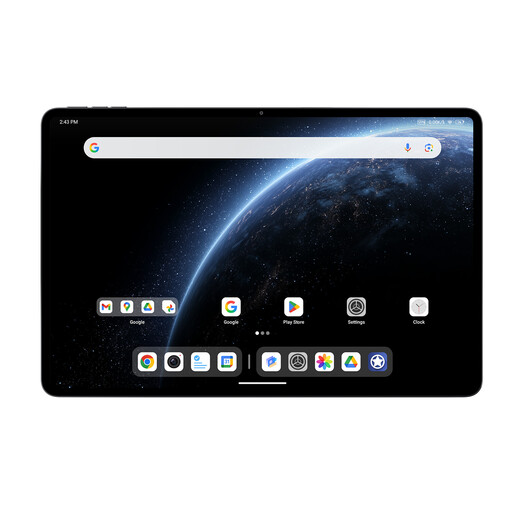
Alldocube Ultra Pad 12.95-inch, Snapdragon 7+Gen3, 12GB/256GB
The stated 12.95-inch screen and 256GB storage make this a large-screen option for a local portfolio. Check display detail and visibility in your lighting, arrange a stable tabletop stand and note that the product title says no charger is included.
Purchase link unavailable
Common questions
Should I choose an 11-inch or 13-inch tablet for showing photos at a table?
Consider a 13-inch-class tablet when several people need to see the same image without passing the device around. An approximately 11-inch model may be easier to move when you usually show photos to one or two people; either size still needs a stable viewing angle.
Does a brighter screen guarantee better-looking portfolio photos?
No. Brightness can help visibility in a bright room, but it does not establish colour accuracy. Compare colour support and reflection treatment too: Apple lists P3 colour and anti-reflective coating for iPad Air, while Samsung states up to 800 nits in High Brightness Mode for the Galaxy Tab S10 FE series.
Do I need a separate stand for kitchen-table viewing?
You need a secure tabletop angle, whether it comes from the tablet, its case or a separate stand. Lenovo lists a 175-degree kickstand for the Tab Plus; with another model, check that your chosen support holds it steadily in landscape orientation.
Will I need to get a charger separately?
Check the exact tablet bundle and the charging equipment you already have. Samsung says the Galaxy Tab S10 FE and S10 FE+ include a data cable but not a travel adapter.


