Tablet-first travellers
If a passenger uses one tablet for reading, entertainment or maps, focus on its charging requirements and the reserve needed between stops rather than buying for a laptop you will not charge.


For a road trip, choose a power bank that matches your tablet’s connector and supported charging input, then size its capacity to the time between opportunities to recharge the bank. Electrical Safety First distinguishes capacity, which affects how many recharges are available, from output power, which affects charging speed; if other devices will share the bank, check the output available with them connected.
If a passenger uses one tablet for reading, entertainment or maps, focus on its charging requirements and the reserve needed between stops rather than buying for a laptop you will not charge.
When a tablet shares a bank with phones or other USB devices, the number of usable ports and their output while connected together matter as much as capacity.
If both devices may need power between stops, check the laptop’s charging requirements, USB-C Power Delivery compatibility and the bank’s shared-output limits.
Check the tablet’s connector and charging requirements first, then decide which of the following needs would determine your choice if several apply.
| Concern | What to check | Who this matters to |
|---|---|---|
| Energy reserve | Compare stated capacity with your planned tablet use and opportunities to recharge the bank. | If I expect a long stretch away from a socket, I need enough reserve for the tablet before choosing a smaller pack. Around 36% of consumers might put reserve first. |
| Tablet charging | Match the tablet’s connector and supported input to the cable and the output of the port you will use. | I do not want to pack a bank that cannot connect to my tablet or charge it as expected. For around 29% of consumers, compatibility and charging speed could be the primary concern. |
| Shared power | Check the port types and the maker’s output limits for your intended combination of devices. | When passengers need to charge phones alongside the tablet, I want to know how the bank divides its output. Around 21% of consumers might prioritise shared-device charging. |
| Packing and storage | Consider the cable arrangement and where the bank can be carried away from damage and temperature extremes. | If space is tight, I would rather carry a convenient cable setup and keep the bank protected during stops. Portability and safe storage could come first for around 14% of consumers. |
Electrical Safety First explains that capacity affects the available recharge reserve, while output power affects charging speed. A large capacity does not establish what your tablet will receive from a particular port.
Check the tablet’s connector and supported input, the cable and the output of the port you intend to use. Check USB-C Power Delivery support where it applies to your tablet.
Connected devices can share a bank’s available output. Anker publishes different output arrangements for its 25,000mAh, 165W model depending on the ports in use.
Use the exact model’s simultaneous-output table to check the combination of devices you plan to connect.
Temperature and charging conditions affect battery safety. London Fire Brigade advises against storing, using or charging batteries at very high or low temperatures.
Take the bank with you when practical, protect it from damage and liquids, and recharge it uncovered in a ventilated place.
Charging a tablet does not change the rules on using it while driving. GOV.UK says it is illegal to hold and use a tablet capable of sending or receiving data while driving.
Leave tablet operation to passengers while the vehicle is moving.
Its Nexode 20,000mAh model is relevant when a tablet may share power with other USB devices.
Its UltraCharge 20,000mAh, 45W model offers an integrated-cable format for travellers who prefer fewer separate items to pack.
Its 25,000mAh laptop power bank is relevant when a tablet will share a bank with several devices.
These integrated-cable power banks offer 10,000mAh or 20,000mAh stated capacity for travellers considering a tablet-focused setup. Check your tablet’s charging requirements before choosing between the lighter-reserve and larger-reserve options.
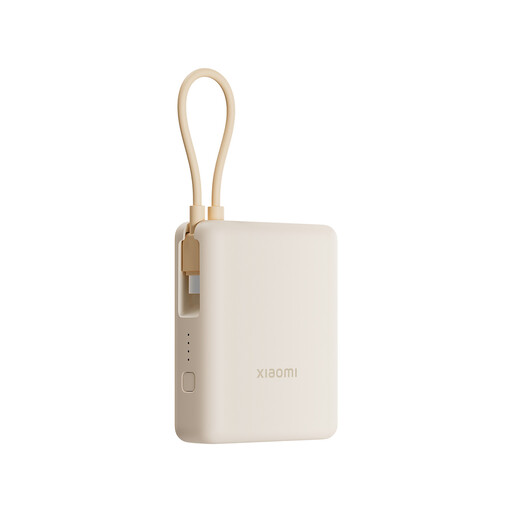 Image unavailable
Consider this 10,000mAh option when you can recharge the bank between shorter stretches of tablet use.
It has an integrated cable; confirm its connector, the output available to your tablet and the tablet’s supported charging input. The 33W in the product name does not establish the power your tablet will receive.
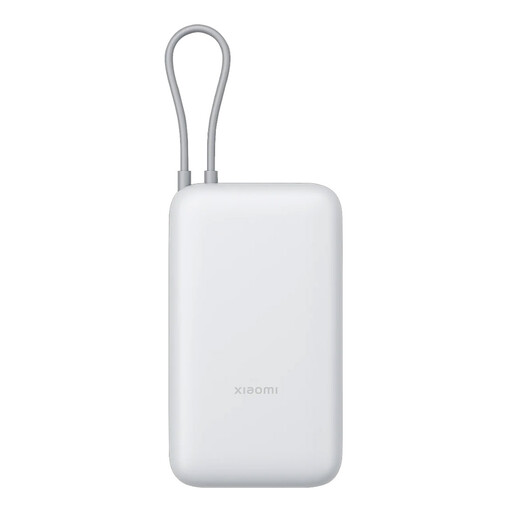 Image unavailable
Consider this 20,000mAh option when the tablet may need more reserve between opportunities to recharge the bank.
It has an integrated cable. Check its connector and the bank’s output against your tablet’s supported charging input before relying on it for the journey.
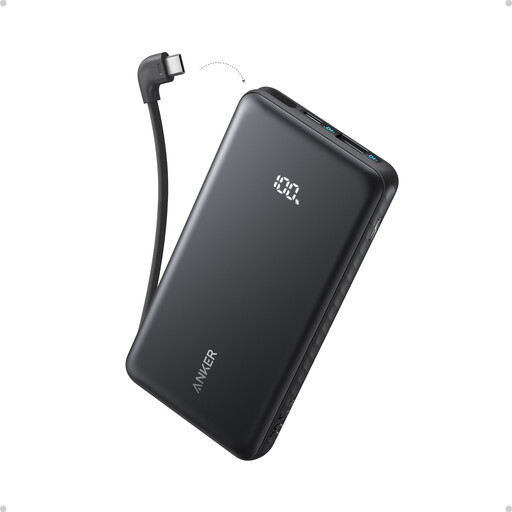 Image unavailable
Consider this 10,000mAh model when a built-in USB-C cable would simplify packing and a smaller reserve meets your plans.
Check that your tablet uses a compatible connector and charging input. The stated 22.5W does not establish the output your tablet will receive, particularly when another device is connected.
Choose capacity around the time until you can recharge the bank and the number of devices you expect to connect, rather than assuming a fixed mAh figure guarantees a certain number of tablet charges. Electrical Safety First explains that capacity affects the available recharge reserve.
No. Charging speed depends on what the tablet supports and what the connected cable and individual port can deliver. Check the tablet maker’s charging guidance and the bank’s port-specific output; USB Implementers Forum describes USB Power Delivery as a way to provide flexible power over a USB connection.
Only rely on simultaneous input and output if the exact model supports pass-through charging. UGREEN states that its cited Nexode 20,000mAh, 100W model supports it, but that does not establish the feature for other power banks.
The driver must not hold and use a tablet capable of sending or receiving data while driving. GOV.UK states that this is illegal; arrange for a passenger to operate the tablet instead.
Keep it protected from damage and avoid leaving it in a parked car exposed to temperature extremes. London Fire Brigade advises against storing, using or charging batteries at very high or low temperatures.