An iPadOS or Android tablet can suit cafe drawing reviews if your team’s mobile platform handles the actual files, permitted mark-ups and shared comments. Choose a Windows 2-in-1 when the session requires a desktop application, plug-in or peripheral; whichever route you take, check screen legibility in your usual lighting and test the complete workflow before buying, particularly with Windows on Arm.
Who this suits
Mobile drawing reviewers
If you open project PDFs or DWG files away from your desk, the deciding test is whether you can make the required mark-ups and share comments with your team. Autodesk supports mobile DWG viewing and editing, but its mobile Files mark-ups apply to PDFs.
Reviewers working in variable light
If you often sit near a window or under mixed lighting, inspect a representative drawing on the screen rather than relying on a brightness figure alone. Screen size and the exact model’s anti-reflective treatment also affect what is practical to check.
Reviewers tied to desktop software
If a session calls for a Windows application, specialised plug-in, USB peripheral or keyboard-led task, check those requirements before choosing a mobile-only drawing workflow. Microsoft advises testing application behaviour on Windows on Arm.
What matters when choosing
Start with the files and permissions your team actually uses. Once the review workflow works, balance drawing legibility against the space and equipment you can comfortably use at a cafe table.
| Concern |
What to check |
Who this matters to |
| Drawing legibility |
Open a representative sheet at the zoom level you expect to use. Check reflections, screen size and the exact variant’s display treatment in similar lighting. |
If I need to inspect dimensions and revision marks beside a window, I want to see the detail without constantly changing my seat or zoom level. Roughly 42% of consumers would put drawing legibility first. |
| File and mark-up workflow |
Test a current project file, access permissions and the steps for saving and sharing mark-ups. Autodesk’s mobile Files tool supports mark-ups on PDFs, not every drawing format. |
When my team works from native drawings or a controlled project platform, I need my comments to reach colleagues in the required format. Around 33% of consumers would make workflow compatibility their primary concern. |
| Portable cafe setup |
Check the device’s footprint, pen and stand arrangement, and whether trusted Wi-Fi, phone tethering or a cellular-capable configuration meets your access needs. |
For a short review at a small table, I need a stable way to annotate and reach project files without carrying an awkward setup. About 25% of consumers would prioritise that portable arrangement. |
Buying pitfalls
-
Assuming every drawing can be marked up like a desktop file
Autodesk’s mobile Files workflow supports mark-ups on PDFs. A project using native CAD drawings, references or specialised plug-ins may call for a different approved process.
Run one current project through the full sequence: open it, find revisions, add a mark-up, publish it and confirm that a colleague can see it.
-
Skipping software checks on an Arm-based Windows tablet
Microsoft says Windows on Arm can emulate x86 and x64 applications, but compatibility settings can affect performance or whether an application launches.
Test the exact CAD application, licence method, plug-ins, drivers and connected devices your team requires.
-
Choosing the largest screen without checking the table space
A larger drawing canvas also takes up more room. Samsung’s Galaxy Tab S11 Ultra has a 14.6-inch display, which may be cumbersome at a small cafe table.
Compare the device’s footprint with your usual bag and seating space, then open a typical sheet to judge how much zooming a smaller screen would require.
Brands to consider
Apple
The 13-inch iPad Pro is worth considering for an iPadOS-compatible review workflow where a pen and display legibility matter.
- Apple lists anti-reflective coating and Apple Pencil Pro support for its cited 13-inch iPad Pro M4 configuration.
- Apple offers nano-texture glass only on specified 1TB and 2TB configurations. Check your exact iPad variant and project-platform compatibility rather than applying M4 specifications to another generation.
Samsung
The Galaxy Tab S11 offers an 11-inch Android route; the Galaxy Tab S11 Ultra provides a 14.6-inch screen when sheet space matters more than a compact footprint.
- Samsung describes DeX and S Pen use across these cited models.
- Those features do not establish that the team’s project application has the same functions as its desktop version.
Microsoft
Surface Pro is relevant when drawing review depends on Windows software, a keyboard-led setup or USB-C peripherals.
- Microsoft lists 13-inch Surface Pro configurations with pen capability and USB-C/USB4 ports; its cited Intel business model has an adjustable kickstand.
- Processor configurations differ. Microsoft documents application compatibility and performance considerations for Windows on Arm, so test essential software and drivers on the configuration you intend to use.
Joybuy product choices
These tablets offer different screen sizes and mobile setups for reviewing drawings. Check your team’s files and mark-up permissions on the exact device before treating any of them as a replacement for a desktop workflow.
 No image available
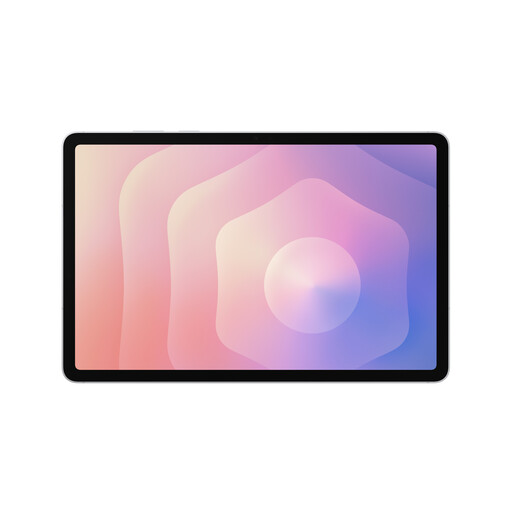
Samsung Galaxy Tab S11 12GB 128GB Wi-Fi Silver
Consider this model if you want a tablet for mobile drawing review and can use trusted Wi-Fi or secure phone tethering. Confirm that your project files and required mark-ups work in the team’s mobile application.
Joybuy
 No image available
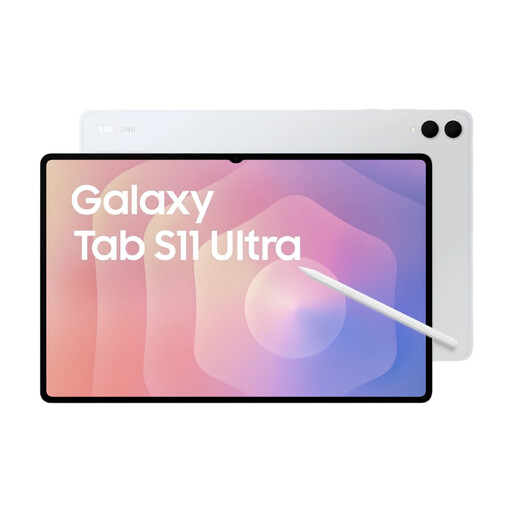
Samsung Galaxy Tab S11 Ultra X930 14.6-inch 12GB 256GB Wi-Fi Silver
The 14.6-inch screen gives you more physical room to inspect a sheet, provided its footprint suits your usual table and bag. This is a Wi-Fi model; test the project workflow and your connection arrangement before buying.
Joybuy
 No image available
TECLAST ArtPad Pro 12.7-inch 2K, 256GB, with stylus, case and keyboard
Consider the 12.7-inch display if you want room for drawings alongside a pen-and-keyboard setup. The title also specifies Android 15 and a 10,000mAh battery; check screen visibility, the kit’s fit on your table and your team’s application compatibility.
Joybuy
 No image available
Apple iPad Pro 13-inch M5 Wi-Fi + Cellular 1TB Standard Glass Silver
This 13-inch configuration suits an iPadOS review workflow when direct cellular access matters. It has Standard Glass, not nano-texture glass; check drawings in your intended lighting, confirm data-plan requirements and check which pen accessories come with this exact item.
Joybuy
 No image available
Xiaomi Pad 8 Pro Grey 12GB 512GB
Consider this tablet for mobile drawing review if your project application runs as required on it. If handwritten mark-ups are essential, confirm the compatible pen and whether you need to obtain it separately; also check screen visibility in your usual cafe lighting.
Joybuy
Frequently asked questions
Can a tablet replace a laptop for reviewing project drawings?
It can for a mobile-supported workflow built around viewing files, making permitted mark-ups and sharing comments. Autodesk supports mobile DWG work, but mark-ups in its cited mobile Files tool apply to PDFs; test your actual files and permissions before leaving the laptop behind.
Do I need cellular connectivity for cafe reviews?
Not if trusted Wi-Fi or secure phone tethering reliably gives you the access your project requires. If you need a direct connection away from Wi-Fi, choose a cellular-capable configuration and confirm its data-plan requirements.
Should I test my software before choosing a Surface Pro?
Yes, especially if you are considering an Arm-based Surface Pro. Microsoft says Windows on Arm can emulate x86 and x64 applications, but compatibility settings can affect performance or cause launch failures; test your exact applications, plug-ins, drivers and peripherals.


