Collaborative proof reviewers
People who place layouts, images or PDFs between a client or colleague and themselves, and need both people to see details and proposed changes.


For two people reviewing a design proof at a kitchen table, start with a screen large enough to share; a smaller tablet makes more sense when you will usually review alone or carry it frequently. Choose a compatible pen if you mark up proofs, and consider a Windows 2-in-1 when your actual proofing process needs desktop applications or keyboard-led work. Check the viewing app and a representative file before relying on any tablet for colour-critical approval.
People who place layouts, images or PDFs between a client or colleague and themselves, and need both people to see details and proposed changes.
People who circle details, write notes or sketch amendments on a proof. Their choice depends on the exact tablet’s pen compatibility, the review app and what comes in the box.
People whose proofing process calls for desktop applications, substantial typed feedback or a keyboard-led file workflow as well as showing the work on a screen.
Decide whether the proof will chiefly be shared across the table, marked up by hand or handled in a desktop workflow. Then check the exact screen, accessories and applications needed for that task.
Consider it when: An iPadOS review app suits your files and you want a choice of 11-inch or 13-inch screens with pen support.
Allow for: Apple lists compatible Apple Pencil models separately, so check the Pencil version and accessories for the exact iPad.
Consider it when: An Android workflow suits your files and you want a 13.1-inch screen with an S Pen in the UK package, as listed by Samsung.
Allow for: Samsung says the package does not include a travel adapter.
Consider it when: Your proofing process needs a Windows desktop application or substantial keyboard work, subject to compatibility checks for the selected configuration.
Allow for: Microsoft describes the keyboard and Surface Slim Pen as optional and says the power supply is not included.
| Concern | What to check | Who this matters to |
|---|---|---|
| Visual review and markup | Open a representative proof in the intended app; confirm display characteristics and compatibility with the pen you plan to use. | I need to inspect artwork and mark changes directly, but a tablet screen alone cannot establish a match to a final printed proof. Around 42% of consumers would put visual review and markup first. |
| Shared screen space | Compare screen size and weight, and decide whether the tablet will rest on a stand or be held. | When another person and I need to see the same page across the table, I want enough room to inspect it without constant hand-offs. For around 33% of consumers, shared viewing would be the primary concern. |
| Desktop workflow | Check the exact proofing apps, plug-ins, fonts and services against the Windows configuration under consideration. | If approval depends on desktop software and typed feedback, I cannot choose by screen size alone. Desktop-workflow continuity would come first for around 25% of consumers. |
A P3 display specification does not establish that the viewing app, colour-management process and final print will match.
Use the tablet for visual review and annotation unless everyone approving the work has agreed a separate colour-managed process. Test a representative file in the app you will use.
A pen, suitable charger, keyboard or stand may matter to how you show and annotate a proof; package contents differ by model.
Check the exact listing for included accessories and confirm which compatible extras your table setup requires.
A tablet-style Windows computer does not establish that your particular proofing application, plug-ins or connected services will work on the configuration you select.
List the applications and services the approval process requires, then confirm their current compatibility with their suppliers before ordering.
Apple’s iPad Air range offers 11-inch and 13-inch iPadOS options for reviewing artwork in a compatible app.
Samsung’s Galaxy Tab S10 FE+ is an Android option for people who want a larger screen for shared viewing.
Microsoft’s Surface Pro range offers a Windows 2-in-1 approach when presenting a proof and working with desktop-oriented files need to happen on the same device.
These tablets offer different screen sizes and configurations for viewing a proof at a table. Choose against your actual file, annotation and accessory needs; the models shown do not establish that a screen is calibrated for print approval.
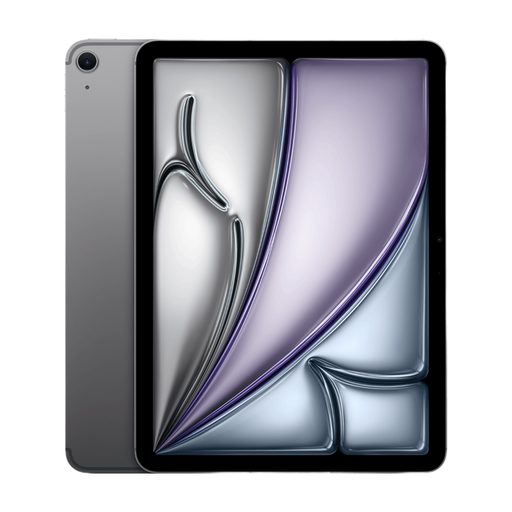 Image unavailable
Consider this configuration when the proof will often be viewed by two people at the table.
The product title identifies a 13-inch iPad Air, while other listing wording describes a different display size; confirm the exact model and diagonal before buying. Check the compatible Apple Pencil and the app you will use for markup.
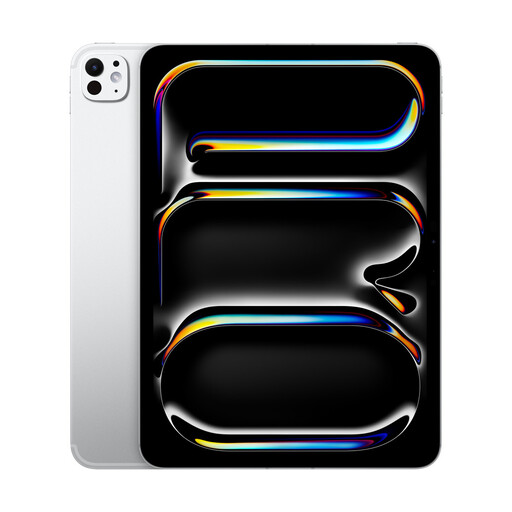 Image unavailable
Consider the 11-inch format if you usually inspect a proof on your own and prefer a smaller tablet to carry.
This is the Standard Glass variant. Confirm which Apple Pencil works with this exact model and test your intended review app before depending on handwritten annotations.
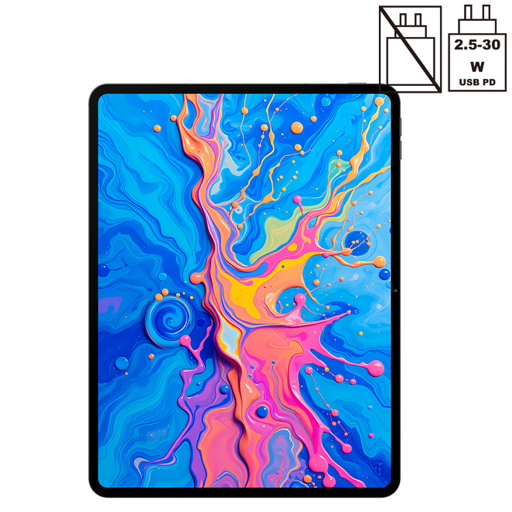 Image unavailable
Consider its larger format for placing a design proof between reviewers, provided your files work in the intended Android app.
The title states T-Pen drawing support and 4096-level pressure sensitivity, alongside Android 15 and 256GB storage. Confirm the package contents and pen behaviour in your annotation app before ordering.
Image unavailable
Consider this 13-inch configuration if sharing the screen at the table matters and you need the listed connectivity and storage variant.
Confirm pen compatibility and package contents if handwritten amendments are part of the review. Test the exact file and app before using the display for colour-critical decisions.
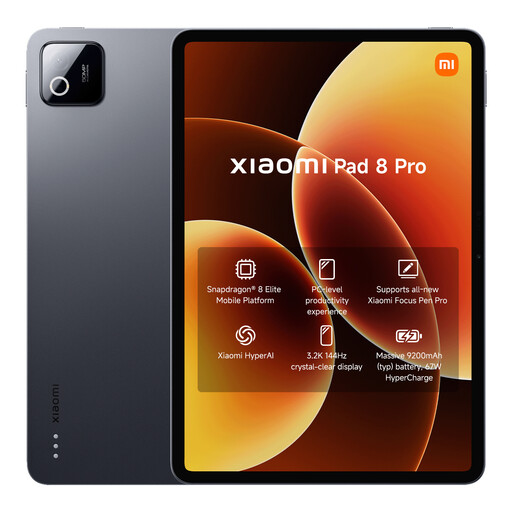 Image unavailable
Consider this option if a more compact Android tablet suits the way you show and carry proofs.
Check the exact display size and your app’s file handling before buying. If you plan to annotate with a pen, confirm the compatible model and what the package includes.
Choose a 13-inch-class screen if another person will routinely inspect the same proof across the table; choose an 11-inch tablet if carrying or holding it matters more. For a comparison within one range, Apple lists its 11-inch iPad Air Wi-Fi model at 464 g and its 13-inch model at 616 g.
That depends on the exact tablet and package: Apple lists compatible Apple Pencil models as separate accessories, while Samsung lists an S Pen in the UK Galaxy Tab S10 FE+ package. Confirm the pen version, package contents and annotation-app support for the model you choose.
Check the exact package rather than assuming it does. Samsung says the Galaxy Tab S10 FE+ does not include a travel adapter, and Microsoft says the Surface Pro power supply is not included; check the required compatible supply before use.
For UK online orders, GOV.UK says customers normally have 14 days after receiving an item to tell the seller they want to cancel. A faulty, damaged or misdescribed tablet raises a different question from a change-of-mind return, so keep your order details and tell the seller what is wrong rather than assuming the same process applies.