Joybuy tablets for trip planning
These tablets cover larger-screen planning with cellular or Wi-Fi-first configurations. Check each exact variant against your connection plan, ticket app and carrying needs; the choice between a compact tablet and a larger one still depends on how you travel.
 Image unavailable
TABWEE W90 11-inch tablet, 256GB
For larger-screen itinerary review with a stated dual-4G-SIM option; confirm compatibility with your network before relying on mobile updates.
The product name specifies Android 16 and 5G Wi-Fi. The latter describes Wi-Fi, not 5G mobile service.
Check the exact battery capacity before travel, as the product information gives conflicting figures.
View on Joybuy
 Image unavailable
Apple iPad Pro 13-inch (M5), Wi-Fi + Cellular, 1TB, Standard Glass, Silver
For viewing several trip details on a large screen; check its carrying weight if you will take it through stations all day.
Confirm the cellular variant and your carrier's SIM or eSIM arrangements, as well as compatibility with your ticket retailer's app.
Purchase link unavailable
 Image unavailable
Samsung Tab A11+ SM-X230, 6GB/128GB, Silver
For reviewing an itinerary prepared on Wi-Fi; arrange another way to check live changes when away from a connection.
Check that your ticket retailer's app works on the tablet and that your ticket can be accessed when needed.
View on Joybuy
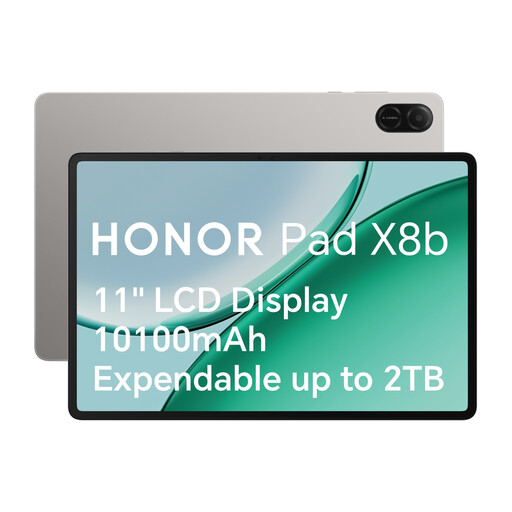 Image unavailable
HONOR Pad X8b, 128GB, Space Grey
For reviewing trip details prepared in advance; if live rail changes are important, plan how you will connect away from Wi-Fi.
Check compatibility with your ticket retailer's app and whether your ticket will be accessible offline.
View on Joybuy
 Image unavailable
Samsung Galaxy Tab A11+, 8GB/256GB Wi-Fi, Grey
For keeping trip plans on a Wi-Fi tablet; use a separate connection if you need updates while travelling.
Check the battery rating for this exact variant and whether your ticket retailer's app supports it before making it your main ticket device.
View on Joybuy
Common questions
Can I keep a National Rail eTicket on a tablet?
Yes, National Rail says an eTicket can be stored on a device or printed before travel, but you must still be able to show a valid ticket. Check your retailer's ticket format and app compatibility, and keep another accessible copy where practical.
Do I need a 5G tablet for a ferry-terminal day trip?
No, if you can use available Wi-Fi or a phone connection for live changes and prepare essential details beforehand. Check the facilities for your particular route: Portsmouth Port says it has site-wide Wi-Fi, whereas CalMac warns that speeds can vary and crossings can have coverage gaps.
What changes if my ferry travels from the UK to the EU or EEA?
Check your mobile operator's roaming terms before using tablet data abroad. GOV.UK says surcharge-free roaming in EU and EEA countries is no longer guaranteed, so keep essential journey information available offline where possible.
How should I protect ticket and payment accounts on shared Wi-Fi?
Keep the tablet locked when not in use and enable two-step verification on accounts where available. The National Cyber Security Centre recommends these general account-security precautions; they apply whether you connect at a terminal or elsewhere.


