Long-form bed readers
If you read essays for extended periods, decide whether you can comfortably hold the tablet or need to position it on a stable surface. Screen size alone will not settle that choice.


Choose the tablet around how you will read: a manageable screen matters if you will hold it, while a secure stand matters more if it will sit beside the bed. Apple’s 11-inch iPad Air offers a lighter alternative to its 13-inch model; Samsung’s Galaxy Tab S10 FE suits readers who want Android and expandable storage; and Lenovo’s Tab Plus has an integrated kickstand for reading from a stable surface. Display settings can reduce light exposure, but they do not make late-night screen use sleep-neutral.
If you read essays for extended periods, decide whether you can comfortably hold the tablet or need to position it on a stable surface. Screen size alone will not settle that choice.
If an essay leads you to saved recipes, notes or downloaded media, consider your preferred operating system and the storage options of the exact model.
If you read close to bedtime, look for convenient brightness controls and plan when to stop. Oxford Health CAMHS advises that dimming and blue-light filters are secondary measures to switching screens off well before bed.
Decide how the tablet will be supported before comparing displays. Then consider whether you need it solely for reading or also for notes, saved recipes and evening media.
| Concern | What to check | Who this matters to |
|---|---|---|
| Holding and positioning | Check the exact variant’s weight and whether you will hold it or use a compatible stand on a stable surface. | If I read for a long stretch, I need a tablet I can hold or position without interrupting the essay. Around 40% of consumers put holding and support first. |
| Reading, notes and files | Compare screen size with your preferred operating system; check storage expansion and pen compatibility only if you need them. | When essays lead to recipes I want to save or annotate, moving between reading and those files matters most to me. Roughly 30% of consumers prioritise that flexibility. |
| Bedtime use | Check brightness and night-setting controls, and decide when you will stop using the screen. | If I read just before sleep, I want to limit light exposure without assuming a display mode removes the need to stop. Around 30% of consumers make bedtime use their primary concern. |
Apple lists its 13-inch iPad Air Wi-Fi model at 616g and its 11-inch Wi-Fi model at 464g. The larger screen gives you more display area, but that weight difference matters if you intend to hold the tablet while reading.
Decide whether you will hold it or place it on a stable bedside surface, then check the exact model’s weight and support options.
A compatible folio or separate stand may be needed for hands-free reading.
Oxford Health CAMHS advises that screen light and engaging content can make winding down harder; dimming and filters do not replace switching screens off well before bed.
Use a comfortable low brightness, silence notifications and set a stopping point rather than relying on a display feature alone.
Lenovo’s Tab Plus listings distinguish the tablet from bundles with additional items. An accessory named alongside a tablet does not establish the contents of every configuration.
Check the exact model, bundle name and box contents if a stand, case, pen or charger is important to your setup.
An unclear-market configuration can leave you unsure which charger and instructions accompany the tablet.
Before ordering for use in the UK, confirm the exact product version, supplied charger and plug arrangement, safety information and warranty terms.
The 11-inch iPad Air is worth considering if you prefer iPadOS and expect to hold the tablet for some of your reading.
The Galaxy Tab S10 FE is an Android option for readers who also keep recipes, notes or media on their tablet.
The Tab Plus suits readers who plan to prop a tablet on a stable bedside surface and sometimes play recipe video or audio.
These tablets offer different screen sizes and configurations for reading cookery essays in bed. Compare each one against whether you will hold it, support it on a surface or also use it for saved recipes; the products here are not substitutes for checking the exact setup you need.
 No image available
Consider this compact option if you expect to hold the tablet while reading. Its 512GB configuration is specified in the product name; check that its reading area suits your essays and what you would need to support it hands-free. Confirm the supplied charger and UK-market version before ordering.
 No image available
The 10.1-inch screen is a middle-sized option for essays and recipe pages, with 256GB storage stated in the product name. If you want to prop it up or use a keyboard, mouse or stylus, confirm the exact bundle contents and support arrangement. Check the Android version for this configuration before ordering.
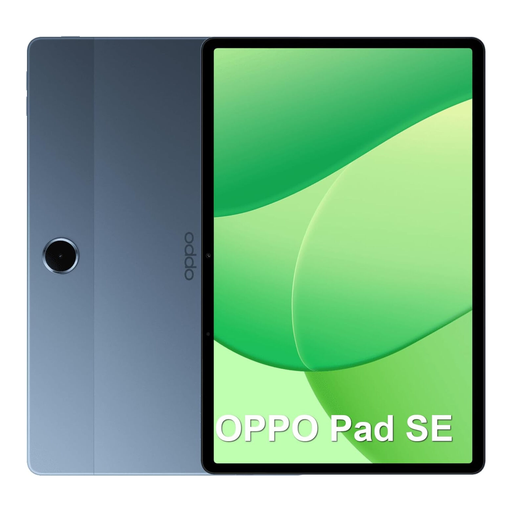 No image available
Consider this Wi-Fi configuration if you read essays and keep recipes on the same tablet. The product name identifies 128GB storage and 4GB memory; check its weight, support options and display controls against how you read in bed.
 No image available
This is the LTE configuration to consider if you want mobile connectivity as well as a tablet for essays and saved recipes. Its product name specifies 128GB storage and 6GB memory. Check its weight, support method and bedtime display controls before choosing it for bed reading.
 No image available
Consider this larger-screen tablet if you intend to read from a supported position rather than assume it will be convenient to hold. The product name specifies a 13.4-inch 120Hz display and 128GB storage. Check its weight and how you would support it securely beside the bed.
Choose according to whether you will hold or support it, not screen size alone. Apple lists its 11-inch iPad Air Wi-Fi model at 464g and its 13-inch Wi-Fi model at 616g, making the weight difference relevant if you expect to hold one for a long session.
You need a secure support method if you want to read hands-free. Lenovo specifies an integrated 175-degree kickstand for the Tab Plus; for another model, check whether a compatible folio or stand will hold the exact tablet on a stable surface.
No display feature establishes that bedtime screen use will not affect sleep. Samsung describes a low-blue-light feature for the Galaxy Tab S10 FE, while Oxford Health CAMHS advises switching screens off well before bedtime and treats dimming or filters as secondary measures.
Confirm the charger and plug arrangement supplied with the exact tablet configuration you are ordering. Also check the product version, safety information and warranty terms, particularly when the configuration or bundle description is unclear.