Visual planning groups
Teams that bring plans, room photos, finishes and comments together during meetings, then mark up decisions with a pen. Shared-board access matters as much as screen space.


Choose a pen-enabled tablet for plans, site photos and shared visual boards, but make the team’s collaboration service part of the decision. An iPad Air suits a team able to use Apple’s iCloud and Freeform workflow; a Galaxy Tab S10 FE+ offers an included S Pen and an IP68 rating. If established Windows applications and substantial typing are central to the project, consider a Windows 2-in-1 instead and check the complete keyboard and pen setup.
Teams that bring plans, room photos, finishes and comments together during meetings, then mark up decisions with a pen. Shared-board access matters as much as screen space.
People who photograph rooms, record dimensions and annotate plans while moving between the site and a shared workspace. They need to check pen availability, carrying comfort and how their notes will be shared.
People who work mainly with established project files, schedules, quotes and longer typed notes. Application compatibility and control over shared-document permissions shape their choice.
Decide how the team will share its work before choosing a device: a visual board, site notes and desktop project files place different demands on the tablet and its accessories.
Choose when: The team wants to discuss photos, drawings and files on a shared visual board and can use the required Apple and iCloud setup.
Account for: Apple lists Pencil and keyboard accessories separately; Freeform is an iCloud-based collaboration route.
Choose when: An included pen for notes and mark-ups is the priority; Samsung lists an in-box S Pen for the Galaxy Tab S10 FE+.
Account for: The team still needs a shared-board and document workflow that works across participants’ devices.
Choose when: The project relies on particular Windows applications and regular keyboard-based work alongside tablet use.
Account for: Microsoft sells the keyboard and pen separately for the examined Surface Pro 12-inch configuration; confirm software and accessory compatibility.
| Concern | What to check | Who this matters to |
|---|---|---|
| Shared visual planning | Check the viewing space, pen setup and whether every collaborator can access the chosen board. Apple says Freeform brings photos, drawings, links and files together through iCloud. | When we review plans and finishes together, I need comments and mark-ups in one accessible place. Around 40% of consumers put shared visual planning first. |
| Site notes and photos | Check whether the pen is included, how comfortable the device is to carry and whether its storage and protection suit the intended use. | Moving between rooms and the workspace, I need to record observations before they get lost. For around 30% of consumers, capturing site notes and photos is the primary concern. |
| Desktop files and typing | Confirm required application compatibility with the exact device, plus keyboard compatibility and shared-file permissions. | If schedules and supplier files occupy most of my day, I need a workable typing and file-handling setup. Desktop-file coordination comes first for around 30% of consumers. |
A device used for annotated plans or lengthy schedules needs the right pen or keyboard setup. Inclusion differs: Samsung lists an S Pen in the Galaxy Tab S10 FE+ box, while Apple and Microsoft list accessories separately for the routes discussed here.
Check the contents of the exact configuration, keyboard compatibility and the charger you will use before ordering.
A separately supplied pen, keyboard or charger adds to the working setup.
A board is less useful if contractors and colleagues cannot access it or edit the right files. Apple’s Freeform collaboration uses iCloud; Microsoft OneDrive offers controls over whether shared files can be edited.
Agree who owns the project files, then try sharing a sample plan, photo and PDF with each type of participant.
Digital drawings can help a team discuss a renovation, but they do not determine whether the project needs planning permission or meets submission requirements.
Check the proposed work with the relevant local planning authority and establish which drawings or other documents are required.
Storage, connectivity and included accessories can differ between similarly named tablets, changing whether a listing fits the planned workflow.
Compare the complete model and configuration on the product-detail page, including its accessories and current availability.
The M4 iPad Air line offers 11-inch and 13-inch options for teams considering an iPad-based visual planning workflow.
The Galaxy Tab S10 FE+ is a large Android-tablet route for plan review and handwritten site notes.
The Surface Pro 12-inch route is relevant when tablet input must sit alongside Windows applications and typed project administration.
These choices cover iPad and Android tablets for visual planning and notes, plus a Windows convertible for keyboard-led coordination. Check each configuration against the apps and sharing arrangements your renovation team will use.
 No image available
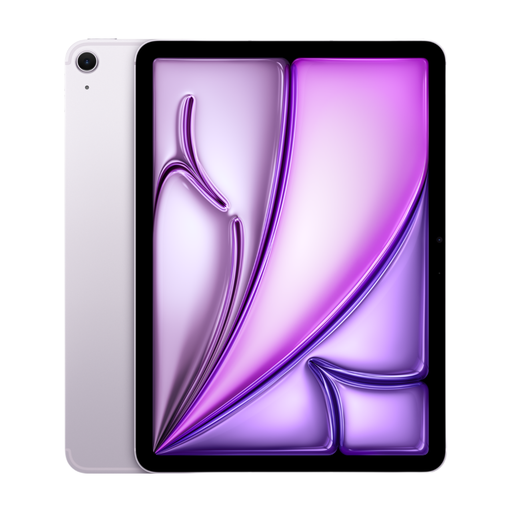
Consider this iPad for visual planning if the team can use its chosen sharing apps; Apple’s Freeform workflow requires appropriate iCloud access. Confirm the compatible pen before relying on handwritten mark-ups, and check the screen size against your plans.
 No image available
This iPad Air is a choice for shared visual boards when participants can use the intended Apple and iCloud workflow. Confirm the display diagonal on the product page before comparing working space, and account for separately sold Pencil and keyboard accessories.
 No image available
The included stylus and 12.7-inch display suit a workflow centred on viewing and marking up plans. The product name specifies 4,096 pressure levels, 256GB storage and dual-SIM 4G LTE; check that the team’s shared-board and PDF apps work across its devices.
 No image available
Consider this tablet for notes and document mark-ups if its pen and your team’s chosen apps meet the workflow. The product title lists a Focus Pen; confirm the exact accessory in the box and arrange a suitable charger, which the listing says is not included.
 No image available
This Windows 11 Home touchscreen convertible is a keyboard-led option for schedules and project files rather than a conventional handheld tablet. Check the exact renovation software and shared-file workflow before buying; if you need handwritten mark-ups, confirm compatible pen support.
No. A tablet can organise ideas but cannot determine the project’s planning requirements. GOV.UK guidance says a major change such as an extension may need permission; check the proposed work with the relevant local planning authority rather than applying one answer to every part of the UK.
Give each master plan, quotation or schedule a clear owner and set permissions for the people who need to change it. Microsoft Support says OneDrive sharing lets the owner choose whether others may edit a file; try those permissions with a working copy before sharing the master.
Use Freeform as the shared board only when the intended collaborators can take part through the required Apple and iCloud setup. Apple Support describes Freeform as an iCloud-based board; for a mixed-device team, agree and try a common document and whiteboard workflow before choosing a tablet specifically for Freeform.
Check the pen, keyboard and charger against the exact device and the work you plan to do. Samsung says the Galaxy Tab S10 FE+ includes an S Pen but no travel adaptor; Microsoft lists the examined Surface Pro pen and keyboard separately, while Apple lists Pencil and keyboard additions separately for the iPad Air route.