An approximately 11-inch Wi-Fi tablet is a practical starting point for checking a route map, forecasts and warnings from a hotel room, provided you can use the hotel connection or your phone's hotspot. Consider a cellular model if you need the tablet to connect independently while travelling, but check coverage at the hotel and along your route before choosing a network and data plan. A larger screen may help with viewing several locations, at the expense of packing convenience.
Who this suits
Hotel-room route planners
Travellers who want room to compare a route with forecasts and warnings from a desk or bedside. The Met Office app offers saved locations, weather maps and warnings, making its availability on the chosen tablet worth checking.
Travellers needing a connection away from Wi-Fi
Travellers who may need updated forecasts between stops without relying on hotel Wi-Fi. A cellular tablet offers its own connection when paired with a suitable data plan, but reception depends on the network and location.
Large-screen itinerary viewers
Travellers who expect to leave the tablet mainly in the hotel room and want more space for maps, booking details and forecasts. A 12.1-inch model is worth considering if its size still works for their luggage and handling needs.
What matters when choosing
Decide how the tablet will connect before paying for cellular capability, then balance screen space against what you are comfortable carrying. The Met Office says its app is available for iOS and Android, so your preferred weather and route apps should also inform the choice.
| Concern |
What to check |
Who this matters to |
| Readable maps and forecasts |
Compare screen size and resolution, and check that your preferred app shows maps, saved locations and warnings. |
When I compare several stops from the hotel, I want to read the map and warning details without constantly switching views. Around 40% of consumers may put readable route-weather information first. |
| Connection away from hotel Wi-Fi |
Decide whether Wi-Fi or phone tethering will do; for a cellular model, check the exact variant, data plan and coverage at key postcodes. |
If the hotel connection fails or I check conditions between stops, I need another way to get live updates. Independent connectivity may be the primary need for around 30% of consumers. |
| Easy packing and handling |
Check the exact model's dimensions and weight, plus whether you will need a stand or cover. |
I will carry the tablet as well as use it at the hotel, so a bigger viewing area has to justify the space it takes in my bag. Around 30% of consumers may prioritise compact travel use. |
Buying pitfalls
-
Assuming cellular capability guarantees a signal
A 5G-capable tablet still depends on the selected network and location. Ofcom says its coverage information is a guide; indoor results are averaged across a postal district.
Check coverage for the hotel postcode and important stops before choosing a cellular model and provider.
Using the tablet's own mobile data also requires a suitable plan.
-
Choosing the largest screen without considering the trip
A 12.1-inch display gives more room for a map, but the larger device may be less convenient to pack or hold than an 11-inch tablet. Apple lists its 11-inch iPad (A16) Wi-Fi model at 477 g; check the weight of any larger model you are considering rather than assuming the same handling.
If the tablet will travel with you each day, compare dimensions and weight as well as display size. Give a larger screen more priority if it will mainly stay in the hotel room.
-
Using an unfamiliar hotel network for sensitive accounts
The National Cyber Security Centre warns that an insecure public network can allow attackers to intercept or modify data.
Confirm the network name with the hotel, keep the tablet updated and consider your security arrangements before handling sensitive information on an untrusted connection.
Relevant brands to consider
Apple
The 11-inch iPad (A16) is an iPadOS option for travellers comparing hotel-room viewing with carrying convenience.
- Apple lists a 2360 × 1640 display and Wi-Fi 6; its Wi-Fi + Cellular models also list 5G.
- Choose the cellular variant only if its independent connection matters to you. It requires a suitable data plan, and coverage still depends on location and network.
Samsung
The 10.9-inch Galaxy Tab S10 FE offers Android buyers a choice between Wi-Fi and a separately listed 5G variant.
- Samsung lists a 10.9-inch display and a 5G version of the Galaxy Tab S10 FE.
- The Wi-Fi version does not provide its own cellular connection. Check that the exact model selected is the 5G variant if independent mobile data is essential.
Lenovo
The listed Tab Plus Gen 2 configuration is a larger Android option for viewing an itinerary and forecasts mainly in the hotel room.
- Lenovo lists a 12.1-inch, 2560 × 1600 display for this configuration.
- The cited configuration uses Wi-Fi rather than its own mobile-data connection. Check its size and weight against your travel plans.
Joybuy tablets for route-weather checks
These tablets provide screen and connectivity options for checking forecasts and routes in a hotel room. Some list mobile-data capability, while others list Wi-Fi; check the exact variant and your connection needs before choosing.
 No image available
Xiaomi Pad 8 Wi-Fi, 8G RAM, 128GB, grey
A Wi-Fi tablet to consider if you plan to check route maps and forecasts using the hotel connection or a phone hotspot.
Listed with 8G RAM and 128GB storage. If you need the tablet's own mobile-data connection, confirm the exact model's connectivity before buying.
View on Joybuy
 No image available
TABWEE W90 11-inch Android 16 tablet, dual 4G SIM
Consider this model if you want to check forecasts away from hotel Wi-Fi as well as view them on an 11-inch screen.
The title lists dual 4G SIM connectivity, 5G Wi-Fi and 256GB storage. Check compatibility with your intended mobile provider and coverage along the route. Confirm the battery specification before purchase, as the stated figures differ.
View on Joybuy
 No image available
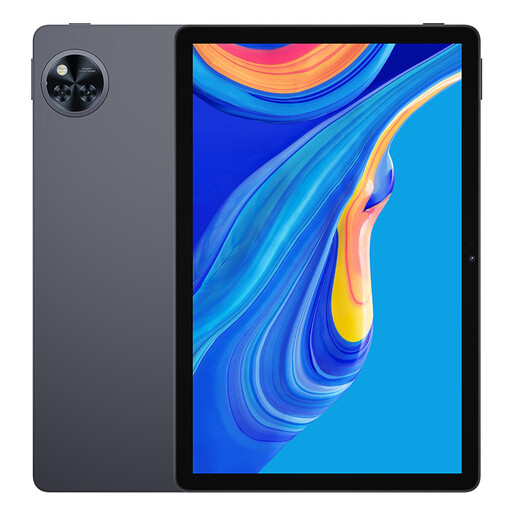
DOOGEE U11 11-inch tablet, 16GB RAM, 128GB, grey
An 11-inch option for hotel-room weather checks if Wi-Fi meets your connection needs.
The title lists 5G Wi-Fi, which should not be confused with a 5G mobile-data connection. Check the display resolution against the level of map detail you prefer, and confirm cellular capability if you need it.
View on Joybuy
 No image available
TECLAST ArtPad Pro 12.7-inch 2K tablet, dual-SIM 4G LTE, 2025 Edition
The larger display may appeal if you mainly review route maps and several forecasts from the hotel room but also want a mobile-data option.
The title lists Android 15, dual-SIM 4G LTE and 5G Wi-Fi. Check its dimensions and weight if you will carry it regularly, and confirm compatibility with your mobile provider before relying on 4G.
View on Joybuy
 No image available
TABWEE T80 10-inch Android 16 tablet with keyboard
A smaller-screen choice to consider for route and forecast checks over Wi-Fi.
The title lists 128GB storage and 5G Wi-Fi, not a confirmed cellular connection. Confirm the exact screen size, as the title and detailed description differ, and check whether its display detail suits your maps.
View on Joybuy
Common questions
Do I need a cellular tablet to check weather from a hotel room?
No, if reliable hotel Wi-Fi or phone tethering gives you the connection you need. If you want the tablet to connect independently, choose an explicitly cellular-capable variant and check coverage at the hotel and along your route; Ofcom's coverage guidance does not guarantee indoor reception.
Can I use the Met Office app on an iPad or Android tablet?
Yes. The Met Office says its app is available for iOS and Android and lists features including saved locations, weather maps and warnings. Check that your chosen tablet can install the apps you intend to use.
What should I check before using hotel Wi-Fi on a new tablet?
Confirm the network name with the hotel and apply available system and app updates before relying on the connection. The National Cyber Security Centre warns that insecure public Wi-Fi can expose data to interception or modification, so consider your security arrangements before accessing sensitive accounts.


