Readers sharing a bedroom
If someone sleeps nearby, the deciding features are usable low-brightness settings, a suitable reading-app theme, quiet notifications and a way to listen without using the tablet speakers.


Choose an 8–8.3-inch tablet if you expect to hold it while reading in bed; consider an 11-inch tablet if a larger page for your preferred text size matters more. In a shared bedroom, check how dim your reading app can go, silence notifications and plan for private audio: warm colours or a dark theme cannot guarantee that the screen will go unnoticed.
If someone sleeps nearby, the deciding features are usable low-brightness settings, a suitable reading-app theme, quiet notifications and a way to listen without using the tablet speakers.
If you enlarge the text or read for extended periods, compare how much fits on the page with how comfortable the device is to hold. A stand may matter if you prefer a larger tablet.
If the device will handle audiobooks, video or notes as well as novels, check your app requirements, the exact storage configuration and your intended headphones before choosing by screen size.
Start with the light and sound you can manage at bedtime, then decide whether a smaller device or a larger reading page better suits your position. The shares below describe consumers by their primary deciding need.
| Concern | What to check | Who this matters to |
|---|---|---|
| Light and noise | Try the lowest comfortable brightness in your reading app. Check its dark theme and the tablet’s notification controls. | If someone is asleep beside me, I want to read without a bright page, alerts or speaker audio drawing their attention. Around 36% of consumers put limiting light and noise first. |
| Page and handling | Set your usual font size on a comparable 8-inch and 11-inch screen. Compare how each feels in your reading position. | For a long novel, I need text I can read comfortably without holding an awkwardly sized device for the whole session; roughly 29% of consumers make layout and handling their main concern. |
| Apps and private audio | Confirm your ebook and audiobook apps work on the device, and test your intended headphones where possible. | When I switch between a book and an audiobook, I need access to my library and sound that stays private. About 21% of consumers prioritise that flexibility. |
| Wider use | Decide which non-reading tasks you will use. Check the exact storage variant and whether a case or other needed accessories are included. | If I also want to take notes or watch video, I want the added tablet features to serve those tasks rather than choosing them for novels alone; around 14% of consumers put wider use first. |
Apple says Night Shift changes display colours to warmer tones. That does not establish how noticeable a lit screen will be to another person.
Try your reading app at a comfortable low brightness, choose its dark theme if useful, angle the screen away from the other bed and silence alerts.
An 11-inch screen offers a larger page, while a compact device may be easier to position when reading by hand. Neither tells you how your usual text settings will feel.
Try your preferred font size on comparable screens from your normal reading position.
If you read lying down, a larger tablet may also call for a separate folio case or stand.
A Bluetooth specification does not establish that every feature of your particular headphones will work as you expect.
Check your intended pairing and audio setup, and confirm separately whether you need a wired connection or adaptor.
Citizens Advice says warranties and guarantees add to legal rights; the appropriate remedy for faulty goods depends on the circumstances.
Keep your proof of purchase and contact the seller if the tablet develops a fault. Read any voluntary warranty and returns terms separately.
The iPad mini is a compact general-purpose tablet to consider if you want to read while holding the device.
The Tab M11 is an 11-inch Android option for readers who want more room for text and other tablet tasks.
The Galaxy Tab A9+ is another larger-tablet model to examine if reading is only one of your intended uses.
The Fire HD 8 is a compact tablet route for readers considering Amazon’s app ecosystem.
These choices include an 8.3-inch tablet for reading alongside other apps and a 6-inch e-book reader for anyone also considering a dedicated reading device rather than a tablet.
 No image available
Consider this compact tablet if you want to hold it while reading and use other iPad apps. Apple specifies an 8.3-inch display and Bluetooth 5.3 for this iPad mini generation; the listed variant has 512 GB storage. Set a comfortable low brightness and check your preferred reading app and headphones for your bedtime setup.
 No image available
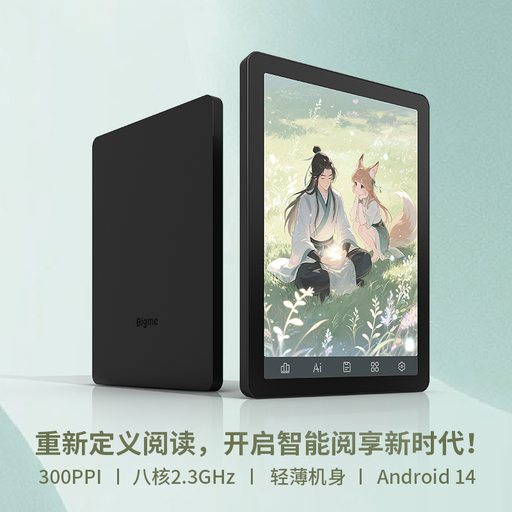
Consider this dedicated reader if you are open to a smaller reading device instead of a general-purpose tablet. Its listed features include a 36-level adjustable front light, Android 14 and Google Play. Try the lowest front-light setting in your reading position, and check your preferred apps and private-audio setup before buying.
No display setting guarantees that another person will not notice the light. Apple says Night Shift makes display colours warmer; also lower the brightness to a comfortable level, use a suitable reading-app theme, silence alerts and point the screen away from the other bed.
Use compatible headphones rather than the tablet speakers, and check your intended setup before buying. Apple specifies Bluetooth 5.3 for the current iPad mini, while Lenovo UK lists Bluetooth 5.1 for its referenced Tab M11 configuration; neither specification establishes every headphone feature or what accessories a seller includes.
Contact the seller and keep your receipt or order confirmation. Citizens Advice explains that warranties and guarantees add to legal rights, and that a refund, repair or replacement for faulty goods depends on the circumstances; a change-of-mind returns policy is a separate matter.
Check the particular model’s security-support information with its manufacturer or seller. GOV.UK states that the UK consumer connectable-product security regime took effect on 29 April 2024; that date alone does not establish whether an individual tablet meets its applicable requirements.