Joybuy tablet options
Joybuy tablet options for a supported setup focused on video calls and everyday online activities.
 No image available
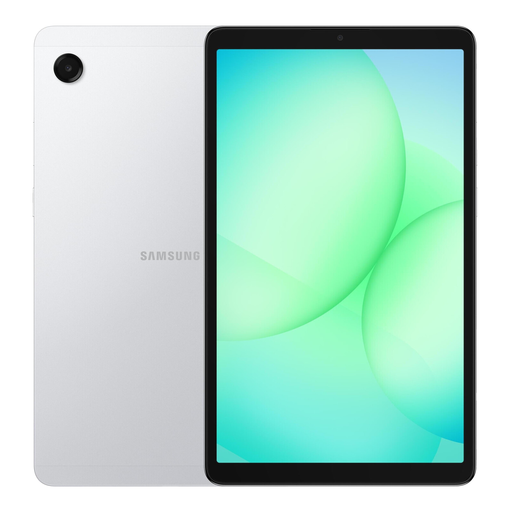
Samsung Galaxy Tab A11 X130 8.7-inch WiFi 4GB/64GB
A compact mainstream option for supported video calls and everyday online activities where lighter handheld use matters.
Stated features include an 8.7-inch display, 5MP front camera, Wi-Fi, 335g weight, USB-C, 3.5mm socket and microSD expansion.
The smaller display should be tried for text size and video-call comfort; a travel adapter is not included.
Joybuy
 No image available
TECLAST T65 Plus 13.4-inch 4G LTE Tablet
A large-screen option for seated reading and family video calls, including use away from dependable home Wi-Fi with a suitable data plan.
The listed specifications include a 13.4-inch 1920 × 1200 display, Android 15, 256GB storage, Dual SIM 4G LTE, Wi-Fi and an 8MP front camera.
The stated 720g weight may make prolonged handheld use difficult, so check comfort and consider a stable stand.
Joybuy
 No image available
TECLAST ArtPad Pro 12.7-inch 2K 4G LTE Tablet
A larger mainstream tablet option for reading, family video calls and use that does not rely solely on home broadband.
Its listed features include a 12.7-inch 2K display, Android 15, 256GB storage, Dual SIM 4G LTE, Wi-Fi, an 8MP front camera and an included stylus.
Check seated handling, stand compatibility and whether the exact accessibility settings work for the intended user before handover.
Joybuy
 No image available
TABWEE T80 10-inch Android 16 Tablet with Keyboard
A home-based option for routine online activities and supported video calling after a family member has set up the calling app.
The product name states a 10-inch display, Android 16, 128GB storage, Wi-Fi, a 2MP front camera and an included keyboard.
Check video-call app compatibility, accessibility settings and whether the keyboard adds unwanted bulk or complexity to the setup.
Joybuy
Questions before you buy
Is a bigger screen enough to make a tablet easy to use?
No. A larger screen can help, but the setup should also suit the person’s vision, hand comfort, confidence and goals. Test text size, contrast, touch response, sound, holding position and the video-call process together; Good Things Foundation recommends focusing on real-life relevance and individual needs.
Should I choose Wi-Fi only or a cellular tablet?
Choose Wi-Fi only when reliable home Wi-Fi is available where the tablet will be used. Consider cellular when internet is needed away from Wi-Fi or there is no suitable home connection and the family accepts an ongoing data arrangement; cellular capability is model-specific.
What should be set up before handing over the device?
Set up a home screen around a few wanted activities and trusted contacts, practise one video-call route, document recovery contacts and agree how updates and support will work. The National Cyber Security Centre advises installing software and app updates and using two-step verification for online accounts.
Can a family supporter manage a simplified senior device?
For GrandPad, AbilityNet reports that family administrators can customise functions, remove features such as the browser or games, and manage a trusted network of approved contacts. Confirm current UK service, lease, support and contact-management terms with the provider before purchase.
Does choosing a tablet mean the older person must use digital services?
No. NHS England describes inclusive digital approaches as complementary to non-digital services and support. Keep non-digital alternatives available where they remain the person’s preferred or accessible option.


