What matters when choosing?
Open a representative poem at the text size you need, then decide whether its layout, an alternative access method or comfortable handling should govern your choice.
| Concern |
What to check |
Who this matters to |
| Enlarged poetry layout |
In the intended app, enlarge a representative poem and check line breaks, margins and line spacing. A fixed-layout file may behave differently from reflowable text. |
I need large type without losing track of lines and stanzas to frequent page turns. Around 42% of consumers put readable enlarged layout first. |
| Access beyond large text |
Try the actual files and app with the required screen reader, contrast setting or braille display; check the tablet's software version and compatibility. |
If magnification is not enough, I need a way to follow and navigate each poem that works with my reading service. For around 33% of consumers, that alternative access is the primary need. |
| Comfortable handling |
Compare an approximately 11-inch tablet with a larger one while holding or supporting each as you normally read, including any case or stand. |
I read while travelling or hold the tablet for long stretches, so a larger page is only useful if the device remains manageable. Comfortable handling comes first for around 25% of consumers. |
Tablet choices on Joybuy
These tablets include smaller and larger display options for comparing handheld with supported poetry reading. Their listed features cannot show how your particular collection will look: check its app and files at your preferred text size.
 No image available
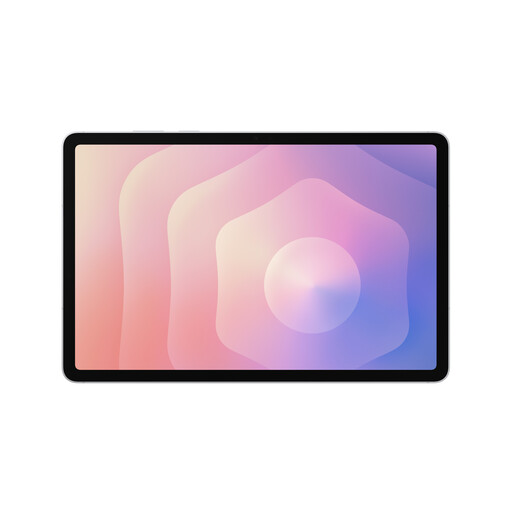
Samsung Galaxy Tab S11, 12GB/128GB, Wi-Fi, Silver
Consider this tablet if you plan to read while holding the device; try it in your usual posture and with a representative poem. This variant is listed with 12GB, 128GB and Wi-Fi.
View on Joybuy
 No image available
Samsung Tab A11+ SM-X230, 6/128GB, Silver
If handheld reading matters, compare how this tablet feels with how your poem appears at the type size you need. The listed variant is 6/128GB; check the app's font, margin and spacing controls with your files.
View on Joybuy
 No image available
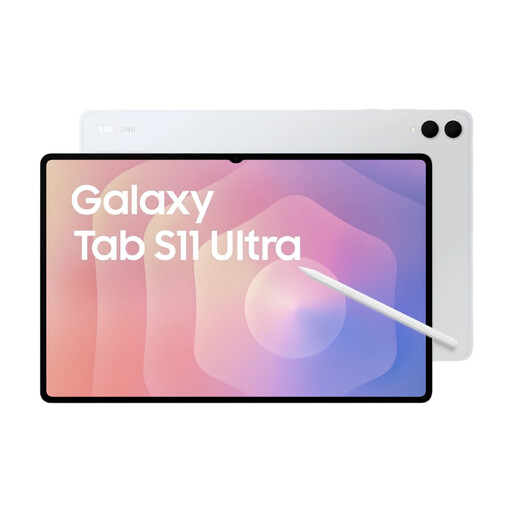
Samsung Galaxy Tab S11 Ultra X930, 14.6-inch, 12GB/256GB, Wi-Fi, Silver
The listed 14.6-inch display makes this an option to assess if you use very large type and usually support the tablet while reading. Try a poem in your chosen app and check whether the device suits your reading posture; this variant lists 12GB, 256GB and Wi-Fi.
View on Joybuy
 No image available
Apple 11-inch iPad Air (2026, M4), Wi-Fi, 128GB, Starlight
The listed 11-inch size is worth trying if you prefer to hold your tablet while reading. Check how your poetry app displays enlarged lines and, if you use an access feature, test it with your chosen files; this is the Wi-Fi, 128GB variant.
View on Joybuy
 No image available
Teclast T65, 13.4-inch, 120Hz, 6GB + 20GB virtual RAM, 128GB
Consider the listed 13.4-inch display if you read with the tablet supported and want to assess a larger poetry page. Check its weight, the reading app's typography controls and a representative file before deciding; the name distinguishes 6GB RAM from 20GB virtual memory.
View on Joybuy
Frequently asked questions
What counts as large print on a poetry-reading tablet?
RNIB describes large print as generally 16–18 point and giant print as larger. That is a print reference, not a required tablet setting: adjust the text until it is comfortable, then check that the poem's lines and stanzas remain usable.
Should I choose the largest tablet for enlarged poetry?
Not solely for its screen size. A larger display gives you more page area to try, while an approximately 11-inch tablet may be more manageable to hold; compare both with the same poem at your required type size and in your normal reading posture.
What if larger text still does not make poetry accessible?
Choose around the access method you need as well as the display. Apple documents VoiceOver and compatible refreshable braille displays for iPad, while Samsung documents TalkBack and visual display settings for Galaxy mobile devices; test your preferred app and files with the feature on the exact tablet.
Can I use RNIB Reading Services on a tablet?
RNIB says its Reading Services collection can be borrowed, downloaded and listened to on a tablet, among other devices. Before choosing a model, confirm your eligibility and the app or workflow you would use for the titles you want.


